

Explain, Refactor, and Add Docstring
At the top of the text editor, Devin Desktop exposes code lenses on functions and classes.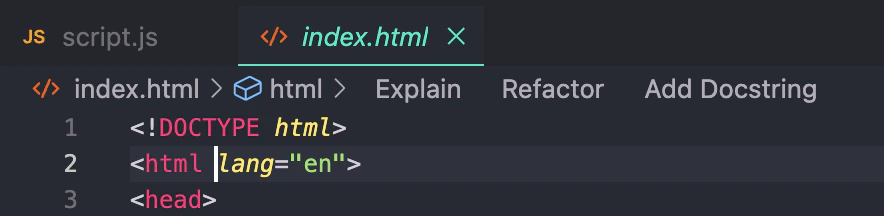
Explain code lens will invoke the agent, which will simply explain what the function or class does and how it works.
The Refactor and Docstring code lenses in particular will invoke Command.
- If you click
Refactor, Devin Desktop will prompt you with a dropdown of selectable, pre-populated instructions that you can choose from. You can also write your own. This is equivalent to highlighting the function and invoking Command. - If you click
Docstring, Devin Desktop will generate a docstring for you above the function header. (In Python, the docstring will be correctly generated underneath the function header.)