

Devin post-training a FLUX LoRA on a Modal GPU, deploying the best checkpoint, and adding it to a chat app
Before you start
- Create a Modal outpost: run
uvx modal-devin initand pick a GPU for the generated Modal app. See Run Devin on Modal and the Outposts quickstart. - Connect your repository: the example repo, otterchat, is a chat app with an image model picker. The outpost checks it out onto a persistent Modal Volume.
- Prepare your training data: add captioned images to the repository or a Modal Volume the outpost mounts. The example uses 18 cartoon otter images with captions like “Devin the software engineer in a data center”.
- Add secrets: store your Weights & Biases key under Settings > Secrets. The Modal sandbox already carries Modal credentials, so Devin can deploy endpoints without extra setup.
- Set rules for long runs: add organization rules (or put them in the prompt) such as: post a progress update every 15 minutes, render validation images at every checkpoint, and include the preview link in every PR.
- Connect Slack (optional): training runs take hours, so sync the session to a Slack thread to follow along.
Step 1: Start a session on the outpost
Open Devin, choose your Modal outpost from the Virtual environment menu below the prompt box, and turn on the Slack toggle in the composer. Check the hardware:Step 2: Check the training data
Step 3: Kick off the training run
- Trains the LoRA: about 1,000 steps, logged to Weights & Biases, with validation renders every 100 steps.
- Reports to Slack: progress every 15 minutes with the latest renders. Early renders are humans; the otter appears as training continues.
- Picks the best checkpoint: step 700, since steps 900 and 1,000 showed signs of overfitting.
- Deploys and ships: serves step 700 as a serverless Modal endpoint, adds
otterimage 1.0to the chat app’s model picker, records an end-to-end test, and opens a PR with a preview link.
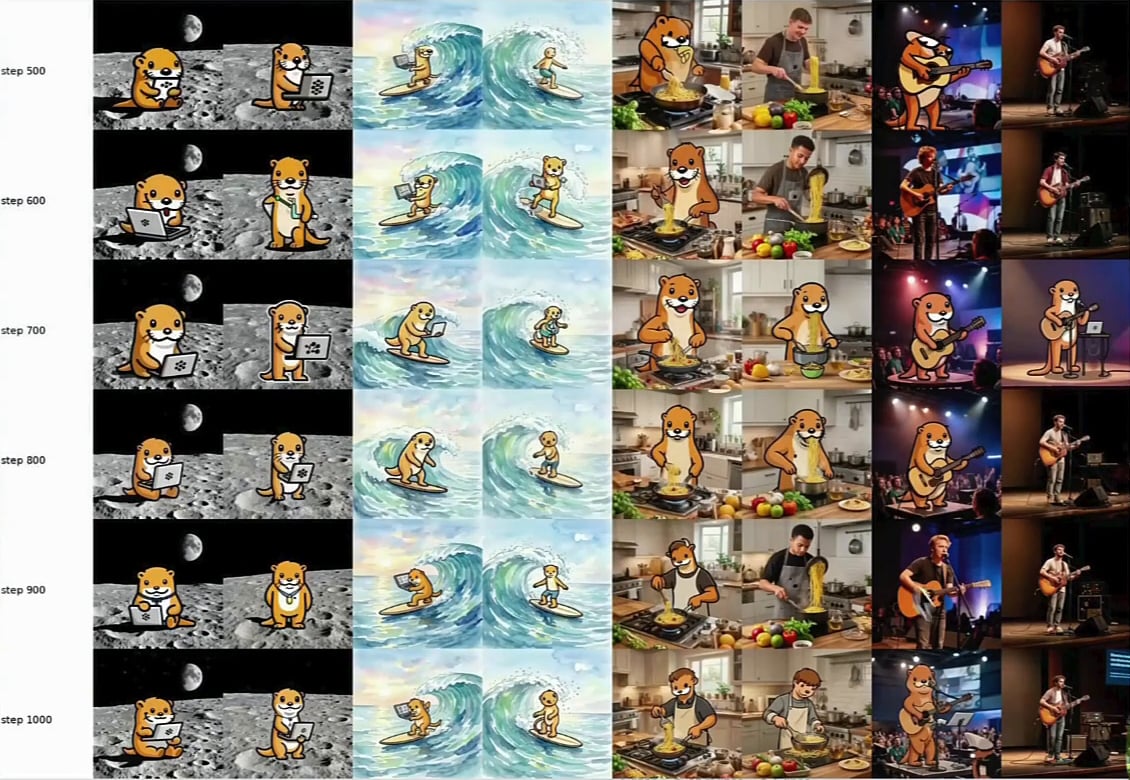
Validation renders from step 500 to step 1,000
Step 4: Try the model
Open the preview link from the PR and ask for an image: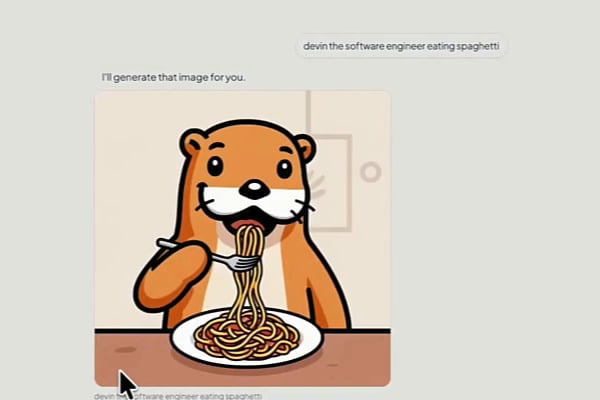
Step 5: Iterate with child sessions
Post-training is rarely one run. Hand Devin a paper and let it try the alternatives in parallel: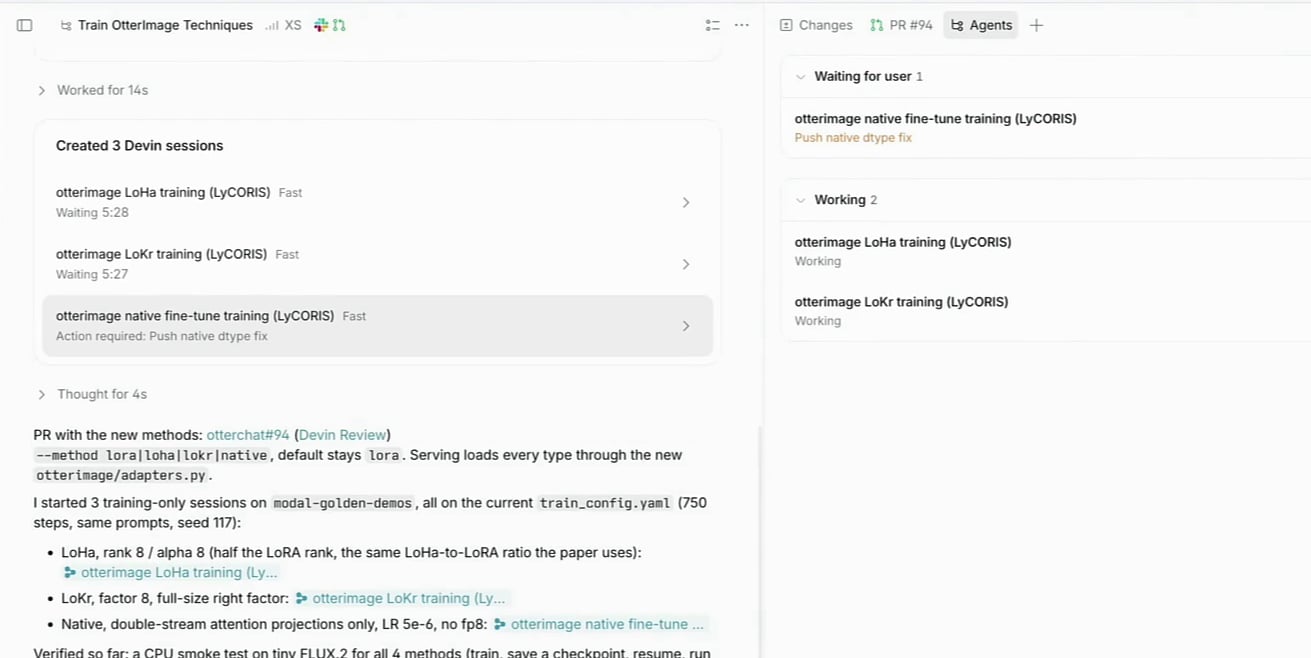
Next steps
Run Devin on Modal
Create a Modal-backed outpost with GPUs, Volumes, and Secrets
Devin Outposts
Run sessions on your own infrastructure or a partner platform
Slack integration
Follow long-running sessions from a Slack thread
Managed Devins
Spin up and monitor child sessions for parallel experiments