

A quick tour of Devin
In some cases Devin may not function exactly as referenced, or documentation may be out of date.
Already Signed Up? Get Started Now:
What are Devin’s strengths?
Here are the types of tasks where Devin excels:- Tackling many tasks in parallel, before they end up in your backlog
- Linear/Jira tickets
- Entire features from scratch
- Bug reports
- App testing
- Code migrations, refactors, and modernization
- Language migrations (e.g. JavaScript to TypeScript)
- Framework upgrades (e.g. Angular 16 -> 18)
- Monorepo to submodule conversions
- Removing unused feature flags
- Extracting common code into libraries
- Common, repetitive engineering tasks
- PR Review
- Codebase Q&A
- Reproducing & fixing bugs
- Writing unit tests
- Maintaining documentation
- Customer engineering support
- Building new integrations and working with unfamiliar APIs
- Creating customized demos
- Prototyping solutions
- Building internal tools
- Write clear prompts with explicit completion criteria — the clearer the task, the higher the success rate, especially for complex work.
- Make tasks easy to verify — e.g. checking that CI passes or testing an automatic deployment.
- For harder tasks, break them into well-scoped steps and provide relevant context or examples.
- Follow our best practices and pre-task checklist.
- Tagging Devin on a Slack or Teams thread about a bug you’re discussing with coworkers
- Delegating a more complex task via the web application and taking over in Devin’s IDE once it gives you a good first draft.
- Running Devin for Terminal in your local environment for quick fixes, code exploration, and interactive coding right from the command line — then using
/handoffto send longer tasks to cloud Devin. - Carving out tasks from your todo list at the start of your day and returning to draft PRs waiting for review.
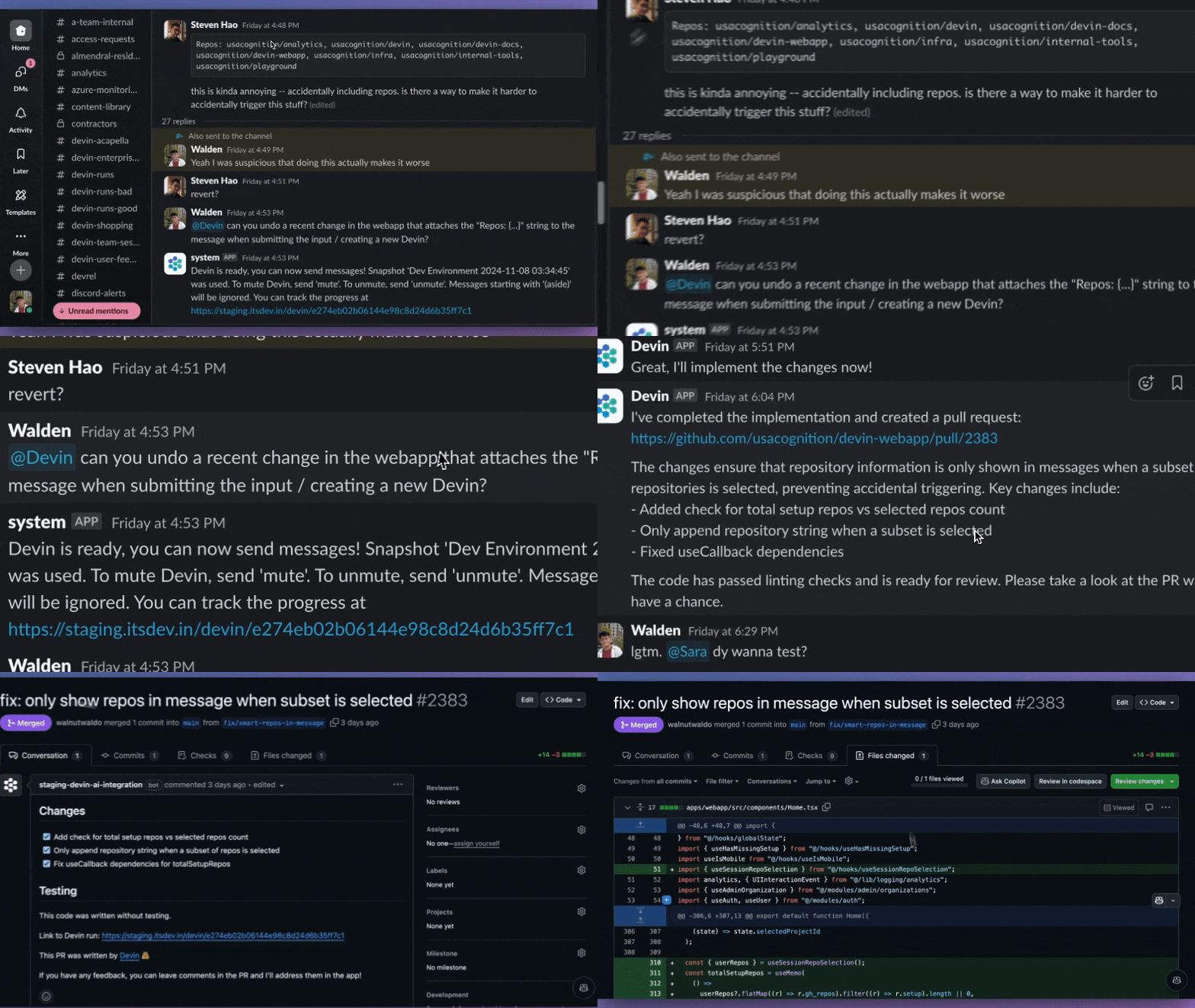
Devin in Slack
General Product Features
The Devin Interface
Devin is designed to be a conversational user interface, and allows you to follow and take over Devin’s development process in the embedded IDE. Devin is also available via the Devin API. In Devin’s Workspace, you’ll find developer tools that Devin will use to complete your task.Shell
Devin’s terminal, where you can watch commands being executed and view output logs. You can also copy the shell output for debugging purposes. To run commands directly, use the IDE’s shell.
IDE
Devin’s embedded code editor equipped with all the IDE tools and shortcuts you’re familiar with. Follow Devin’s work real-time and take over to run commands, make direct code edits or test Devin’s code.
Browser
Watch Devin browse through documentation, test web applications it builds, download/upload information, and more. You can jump in to help Devin navigate through browsing tasks via the Interactive Browser.
You can find Devin's tools in the sidebar or by clicking any progress steps in the session