

Click on any image to enlarge it.
Required Information
To enable Microsoft Entra ID login for Devin, we will need to collect the following values:- Client ID
- Tenant ID
- Client Secret
- Microsoft AD Domain
- Identity Provider Domains (i.e. all company email domains you’d like to support)
Setup Instructions
To get the required information above, you will need to register an App Registration in Microsoft Entra ID.The App Registration should be created by an admin in your organization with the Application Administrator or Cloud Application Administrator role. The Devin service account does not need any special privileges for this setup.
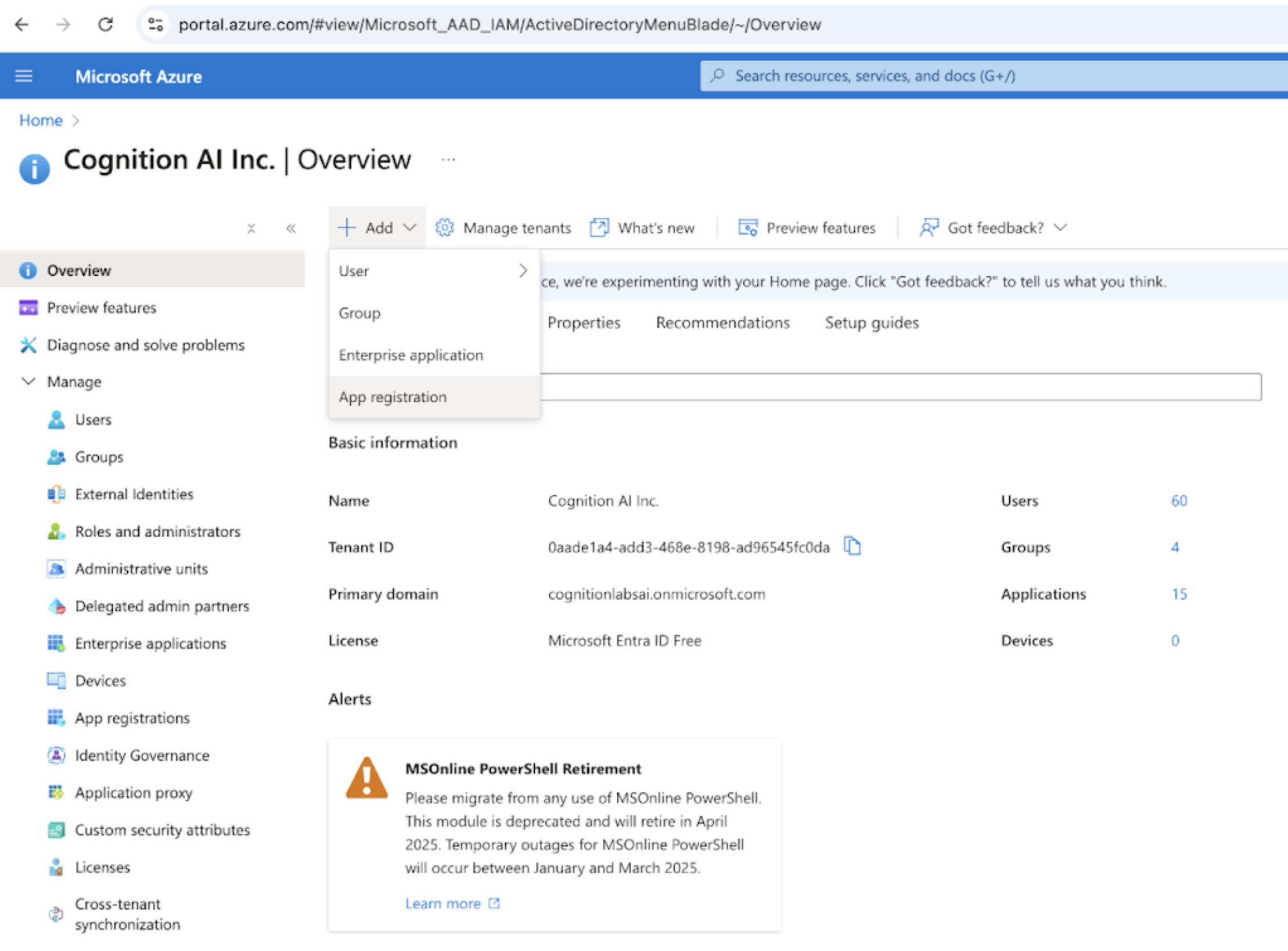
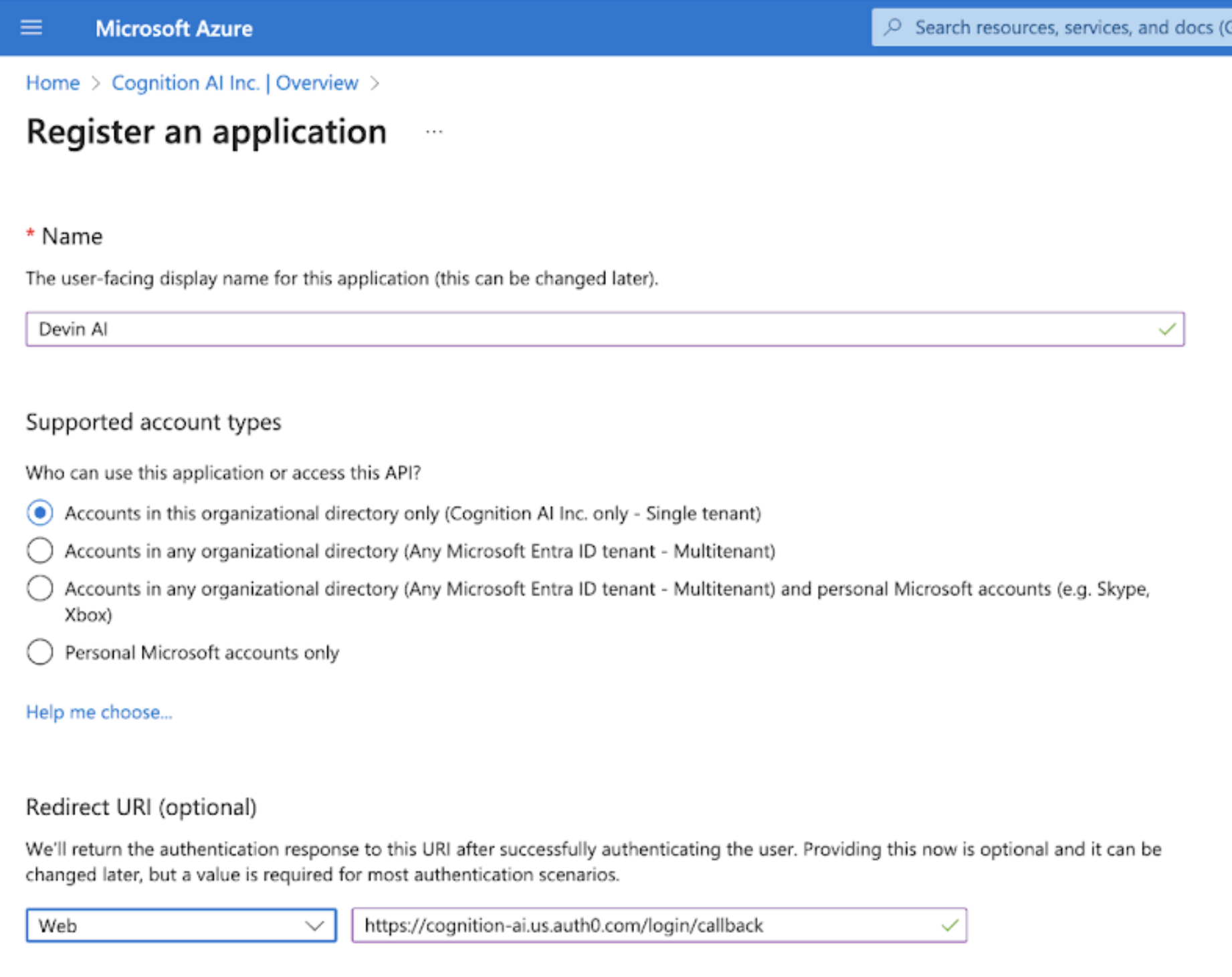
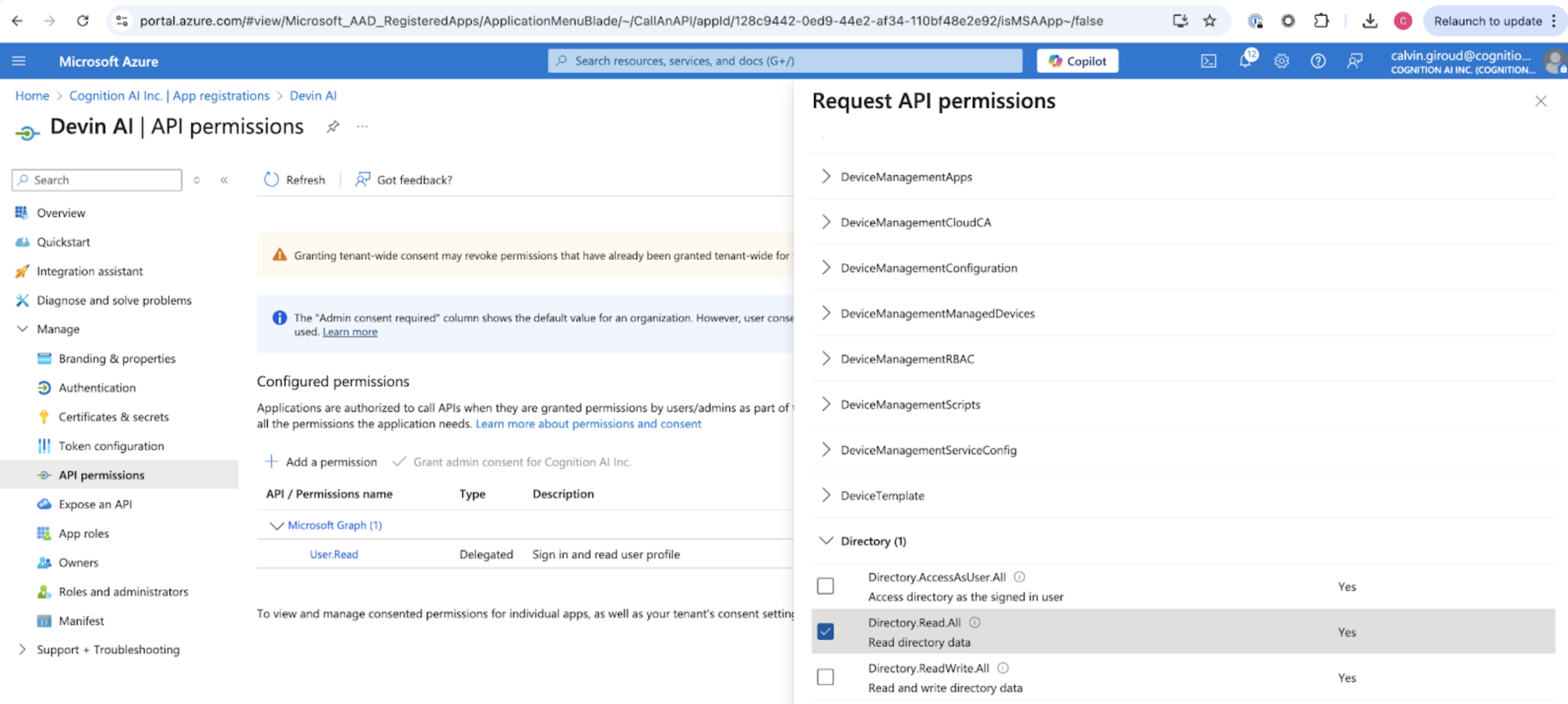
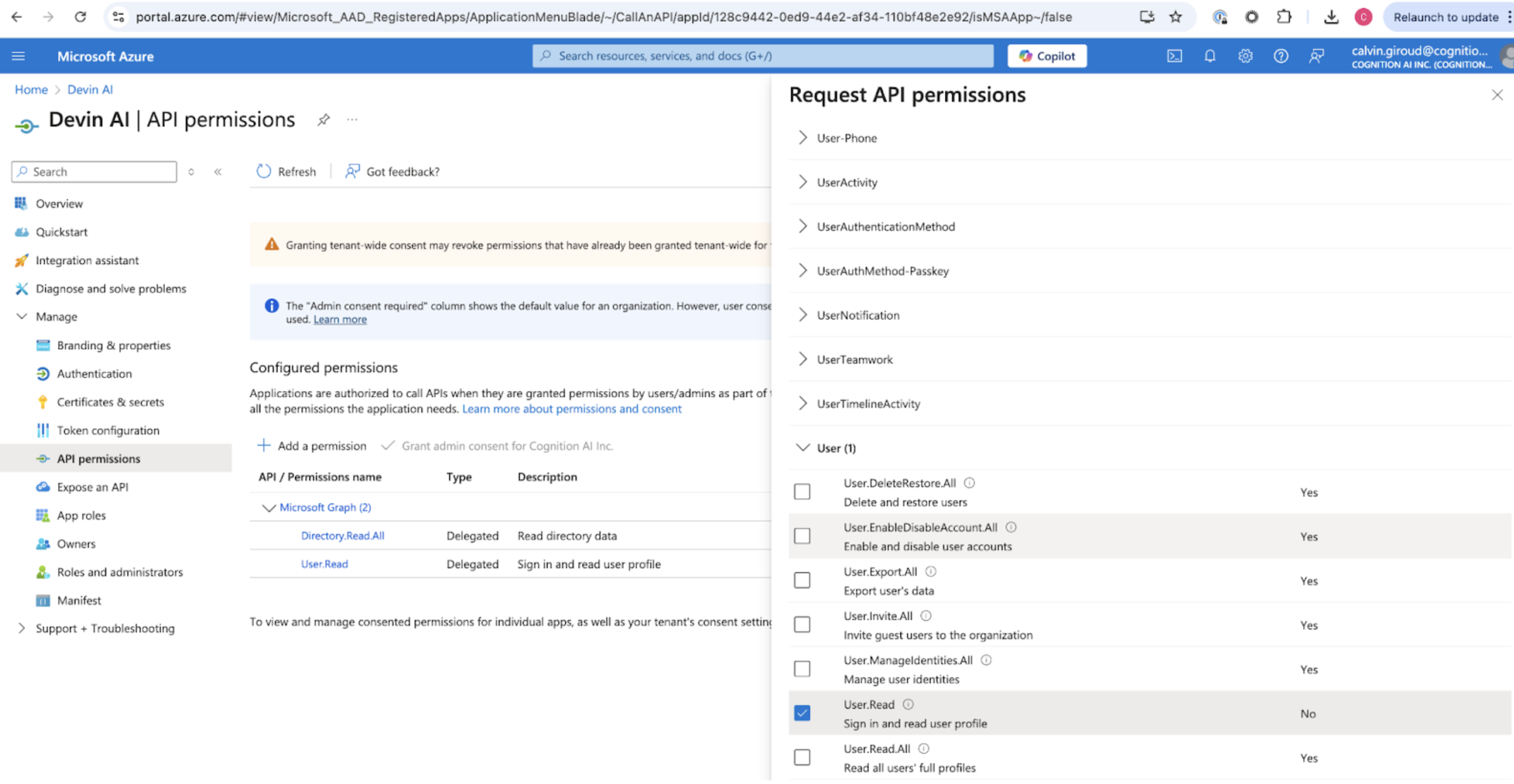
Collecting the Required Values
You can get the Client ID and Tenant ID from the Overview page.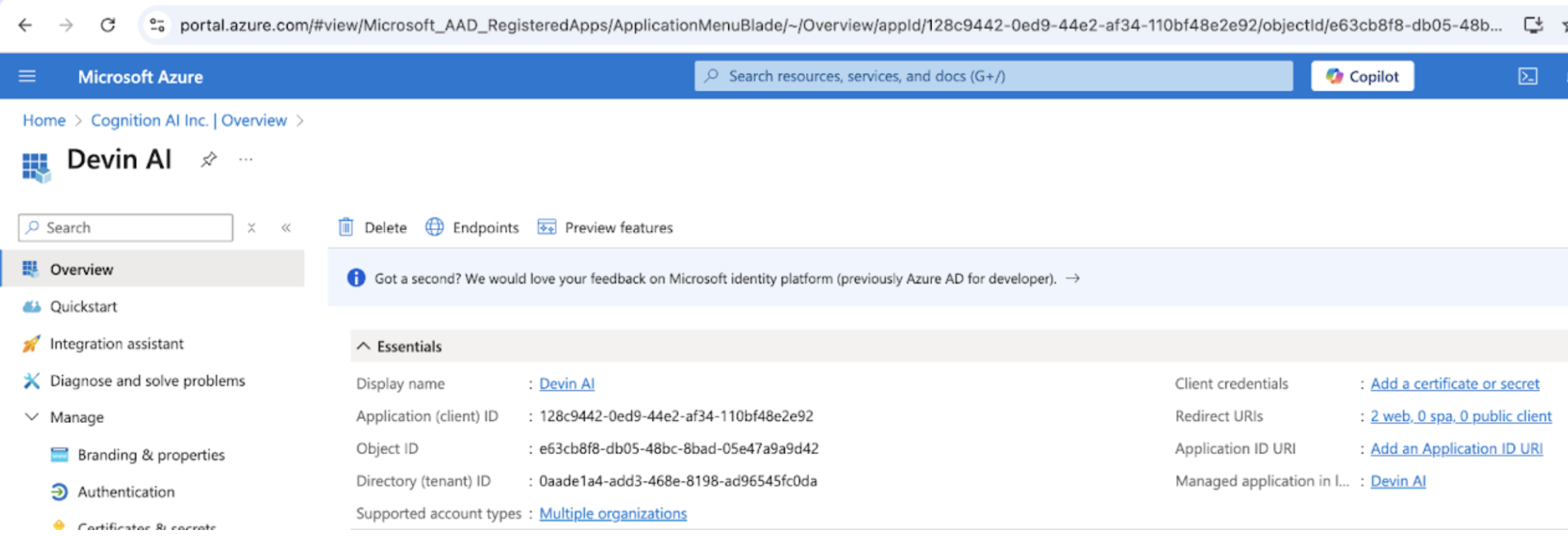
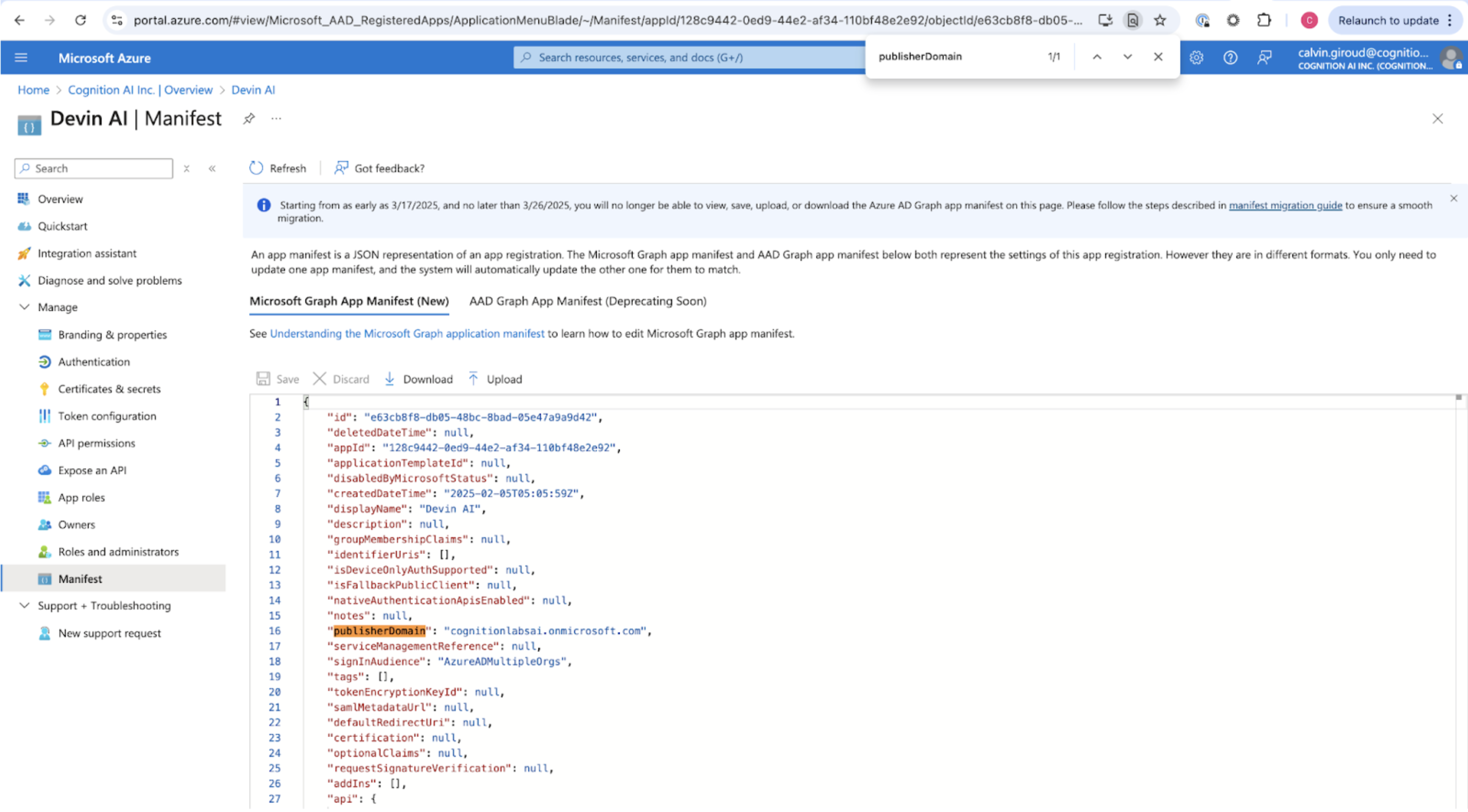
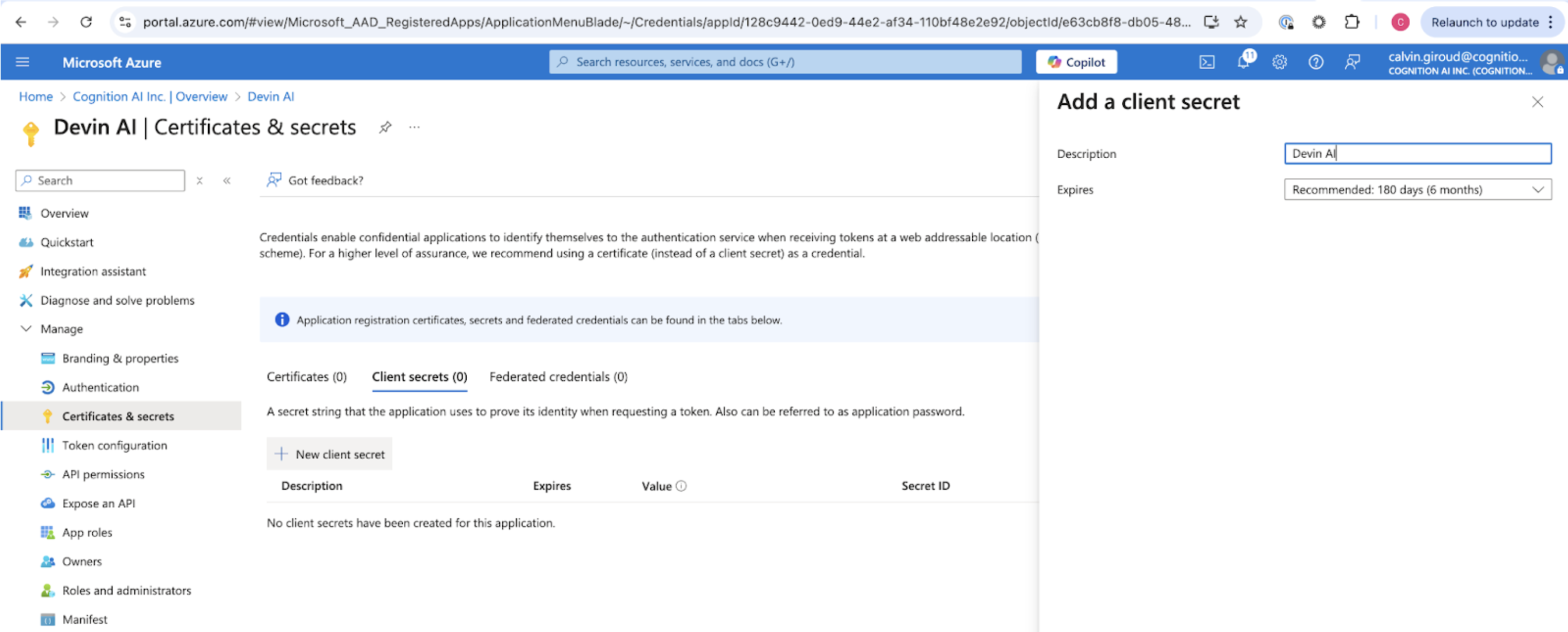
Send to Cognition
Send the following values to Cognition:- Client ID
- Tenant ID
- Client Secret
- Microsoft AD Domain
- Identity Provider Domains (i.e. all company email domains you’d like to support)