> ## Documentation Index
> Fetch the complete documentation index at: https://docs.devinenterprise.com/llms.txt
> Use this file to discover all available pages before exploring further.

# DeepWiki

> 通过 DeepWiki 获取 AI 生成的代码符号解释。将鼠标悬停在函数、变量和类上，即可理解代码库中不熟悉的代码。

我们已将 [Devin 的 DeepWiki 功能](/zh/work-with-devin/deepwiki)集成到 Devin Desktop Editor 中。使用它可以帮助你快速熟悉代码库中不熟悉的部分。

你可以在主侧边栏 / 活动栏中找到 DeepWiki 界面。

<video autoPlay controls muted loop playsInline className="w-full aspect-video" src="https://mintcdn.com/cognitionai-enterprise/GYcs1r0Vcxr5GSpj/desktop/assets/windsurf/deepwiki-demo.mp4?fit=max&auto=format&n=GYcs1r0Vcxr5GSpj&q=85&s=72f665811b50220ce64799e7d455f807" data-path="desktop/assets/windsurf/deepwiki-demo.mp4" />

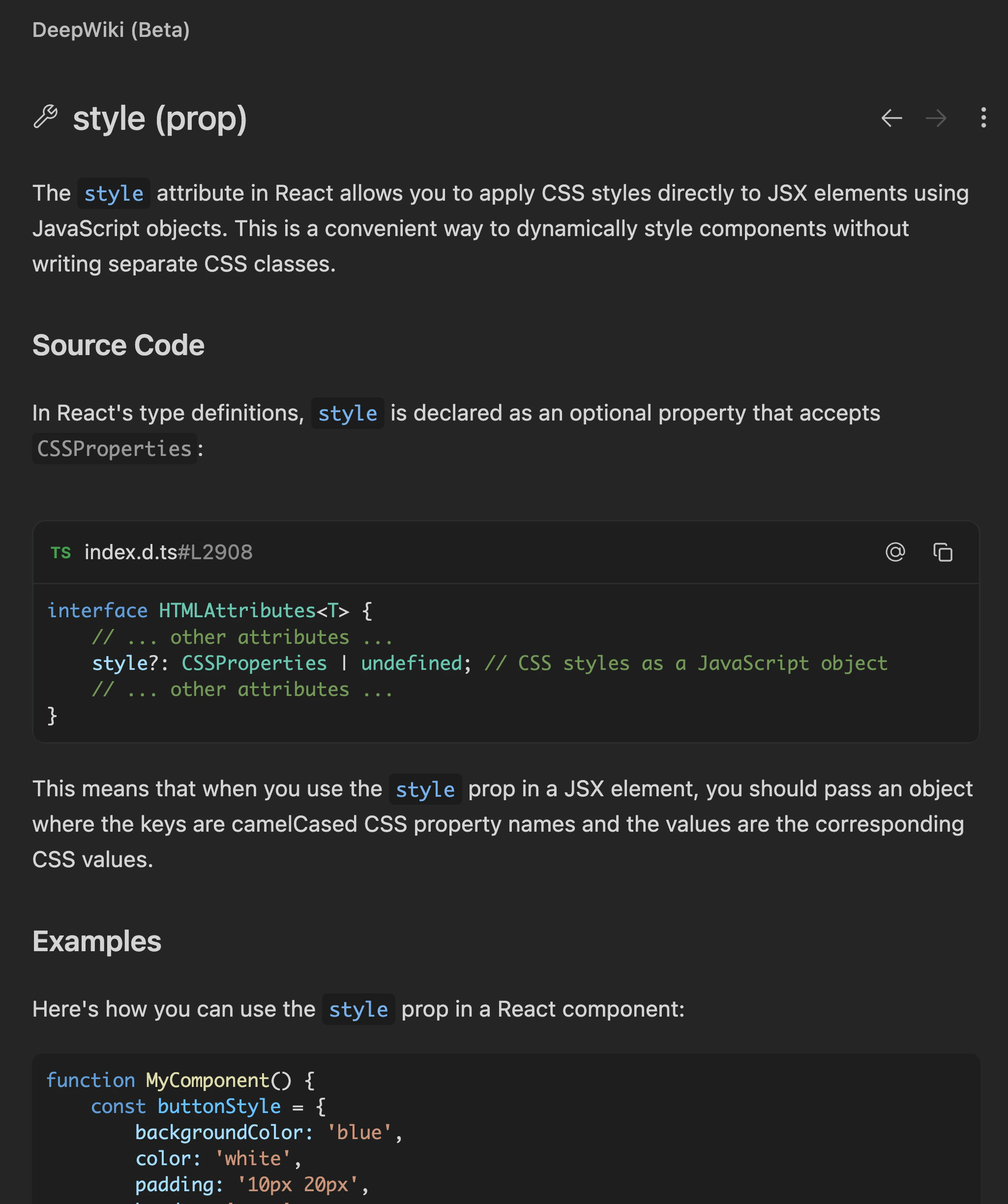
要使用 DeepWiki，请将鼠标悬停在代码库中的某个符号上，然后按 `Cmd+Shift+点击` 以打开该代码符号的详细解释。

不同于只显示基本类型信息的传统悬停卡片，DeepWiki 提供的悬停解释会在你阅读代码时说明函数、变量和类的作用。

你可以点击 DeepWiki 面板右上角的 `⋮` 按钮，然后选择 `Add to Cascade`，将 DeepWiki 解释作为 `@-mention` 发送到 Cascade。
<img style={{ display: "block", margin: "auto" }} src="https://mintcdn.com/cognitionai-enterprise/GYcs1r0Vcxr5GSpj/desktop/assets/windsurf/deepwiki-example.jpg?fit=max&auto=format&n=GYcs1r0Vcxr5GSpj&q=85&s=a305eaf6bf10840bc2b6df04856a23a6" width="2050" height="2448" data-path="desktop/assets/windsurf/deepwiki-example.jpg" />
