> ## Documentation Index
> Fetch the complete documentation index at: https://docs.devinenterprise.com/llms.txt
> Use this file to discover all available pages before exploring further.
# Ask Devin
> Use Ask Devin to ask questions about your codebase, plan tasks, and generate high-context sessions
## Overview
**Ask Devin** is your AI assistant's window into your codebase. Once you've added a repository to Devin, it is automatically indexed so Devin can understand and reason about your code. With Ask Devin, you can:
* **Ask questions** about how your code works, explore architecture, dependencies, and key functions. Ask Devin uses advanced code search capabilities to produce detailed, accurate, and well-cited answers grounded in your codebase.
* **Plan tasks** by working with Devin to scope and plan implementation before writing code. Devin generates a context-rich prompt based on what it learns, ready to hand off to an Agent session.
Whether you're onboarding to a new repo, planning a feature, or exploring unfamiliar parts of the codebase, Ask Devin gives you a fast and reliable way to work with your code using natural language.
When you start a Devin session from Ask Devin, the **status of that session is visible directly in the Ask Devin conversation**, so you can track progress without switching context.
## Recommended Workflow
To get the most out of Devin, follow this workflow:
### 1. Index Your Repository
After connecting your GitHub, GitLab, or other source code provider, [index your repository](/onboard-devin/index-repo). Devin automatically indexes your codebase in the background, enabling powerful tools like **DeepWiki** and **Ask Devin**.
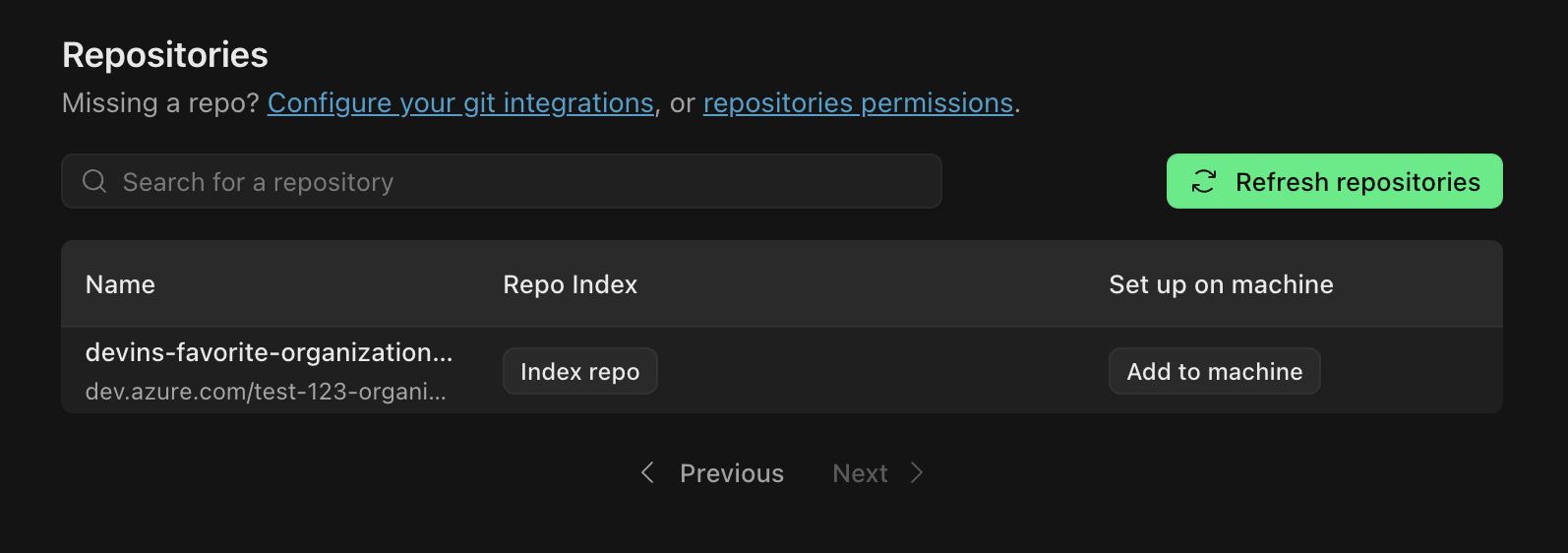 Index any repo after git permissions have been granted
### 2. Use Ask Devin to Explore and Plan
Go to [Ask Devin](https://app.devin.ai/search) to:
* Ask technical questions about your code and get detailed, accurately cited answers powered by advanced code search
* Plan and scope projects, break down tasks, and generate context-aware prompts for Agent sessions
Index any repo after git permissions have been granted
### 2. Use Ask Devin to Explore and Plan
Go to [Ask Devin](https://app.devin.ai/search) to:
* Ask technical questions about your code and get detailed, accurately cited answers powered by advanced code search
* Plan and scope projects, break down tasks, and generate context-aware prompts for Agent sessions
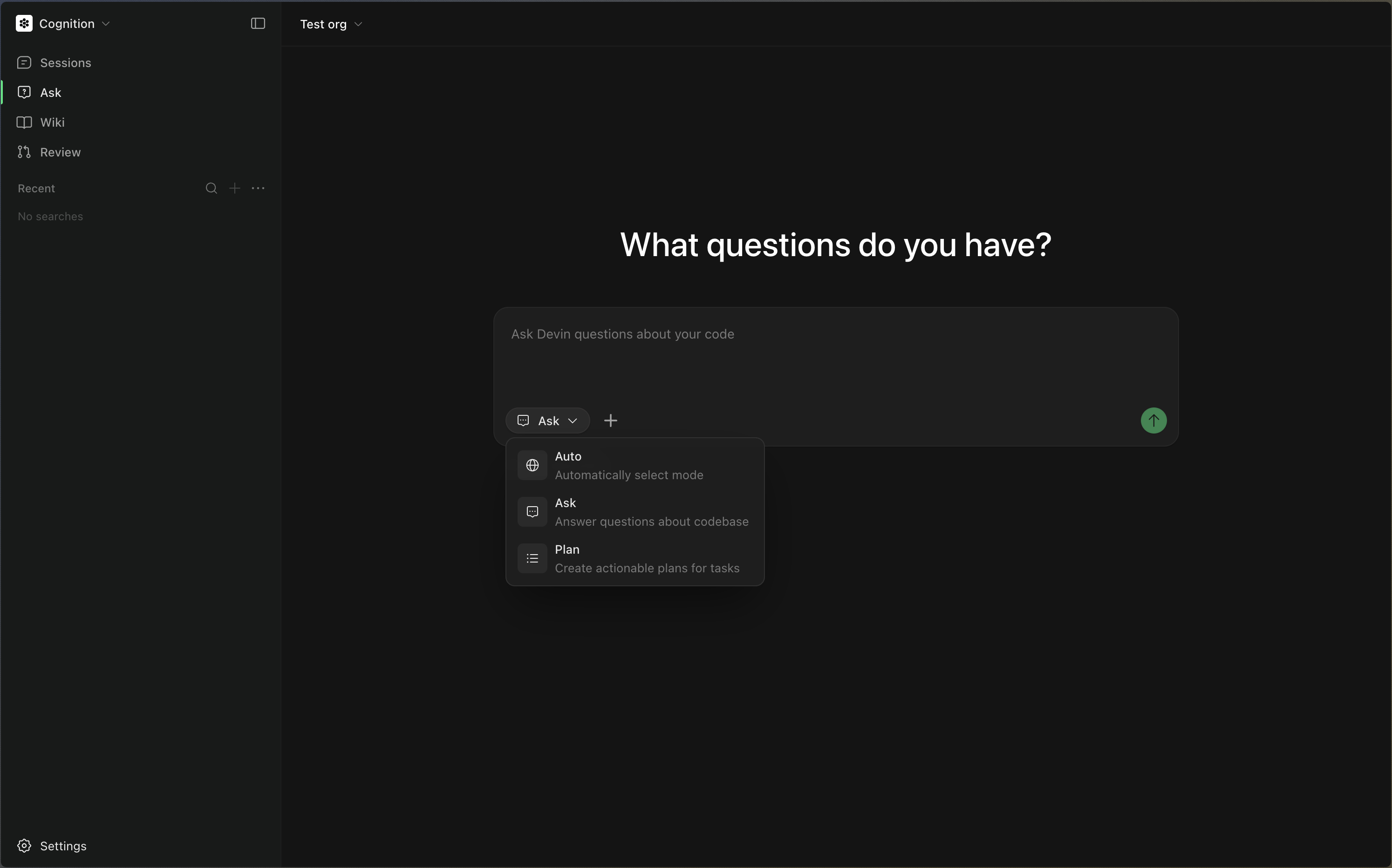 Ask Devin any question about your repo, or use Plan mode to scope tasks
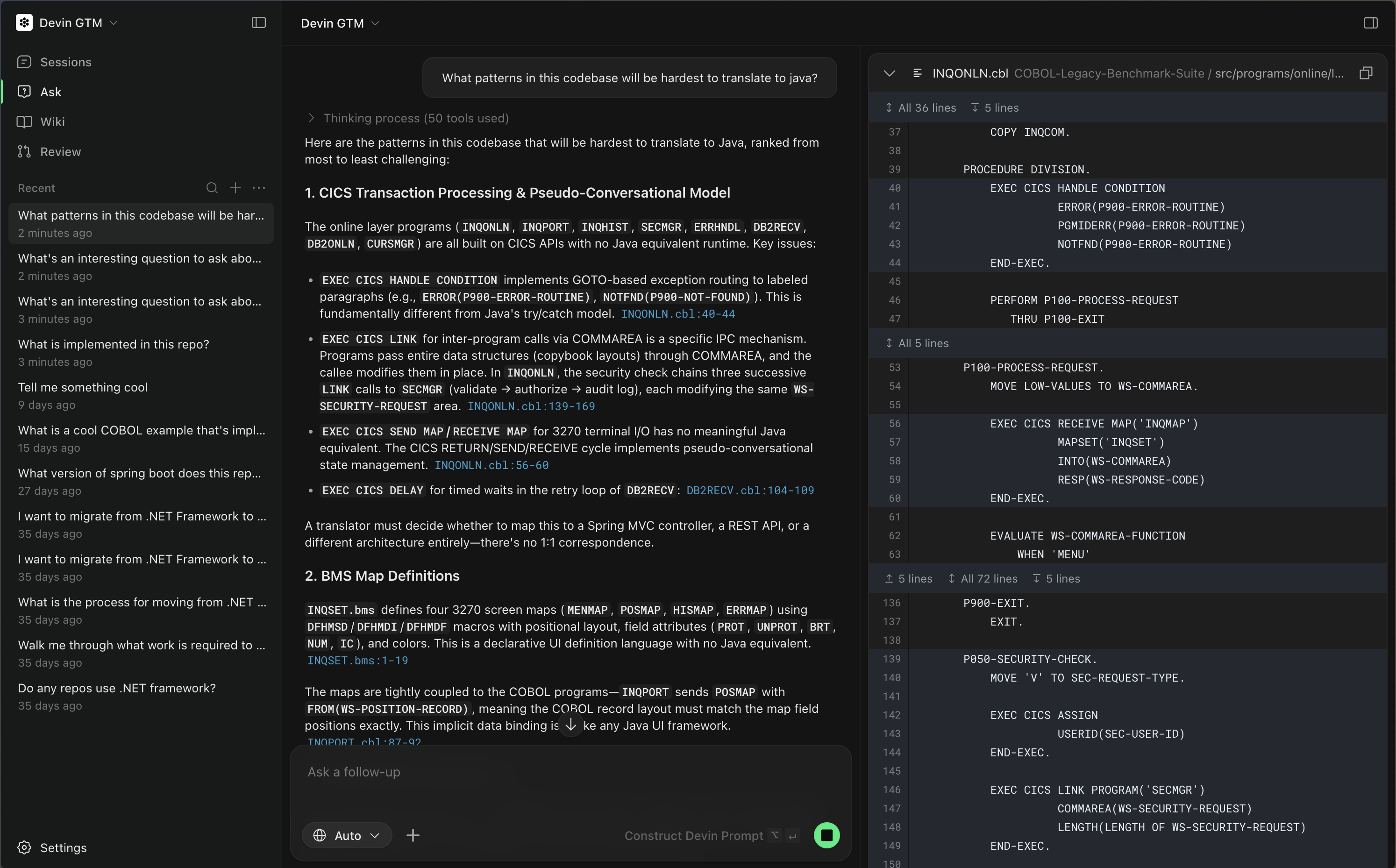 Devin answers in natural language with code citations, always grounded in your codebase
### 3. Start a Session from Ask Devin
Once you have used Ask Devin to understand the code and clarify your goal, you can start a session directly from the conversation. This is the best way to initiate work with Devin because:
* Devin starts with clear context from your Ask Devin conversation
* The prompt is automatically tailored to your task and codebase
* You are more likely to get successful, relevant results
* The **session status is displayed directly in the Ask Devin conversation**, letting you monitor progress without leaving the page
Devin answers in natural language with code citations, always grounded in your codebase
### 3. Start a Session from Ask Devin
Once you have used Ask Devin to understand the code and clarify your goal, you can start a session directly from the conversation. This is the best way to initiate work with Devin because:
* Devin starts with clear context from your Ask Devin conversation
* The prompt is automatically tailored to your task and codebase
* You are more likely to get successful, relevant results
* The **session status is displayed directly in the Ask Devin conversation**, letting you monitor progress without leaving the page
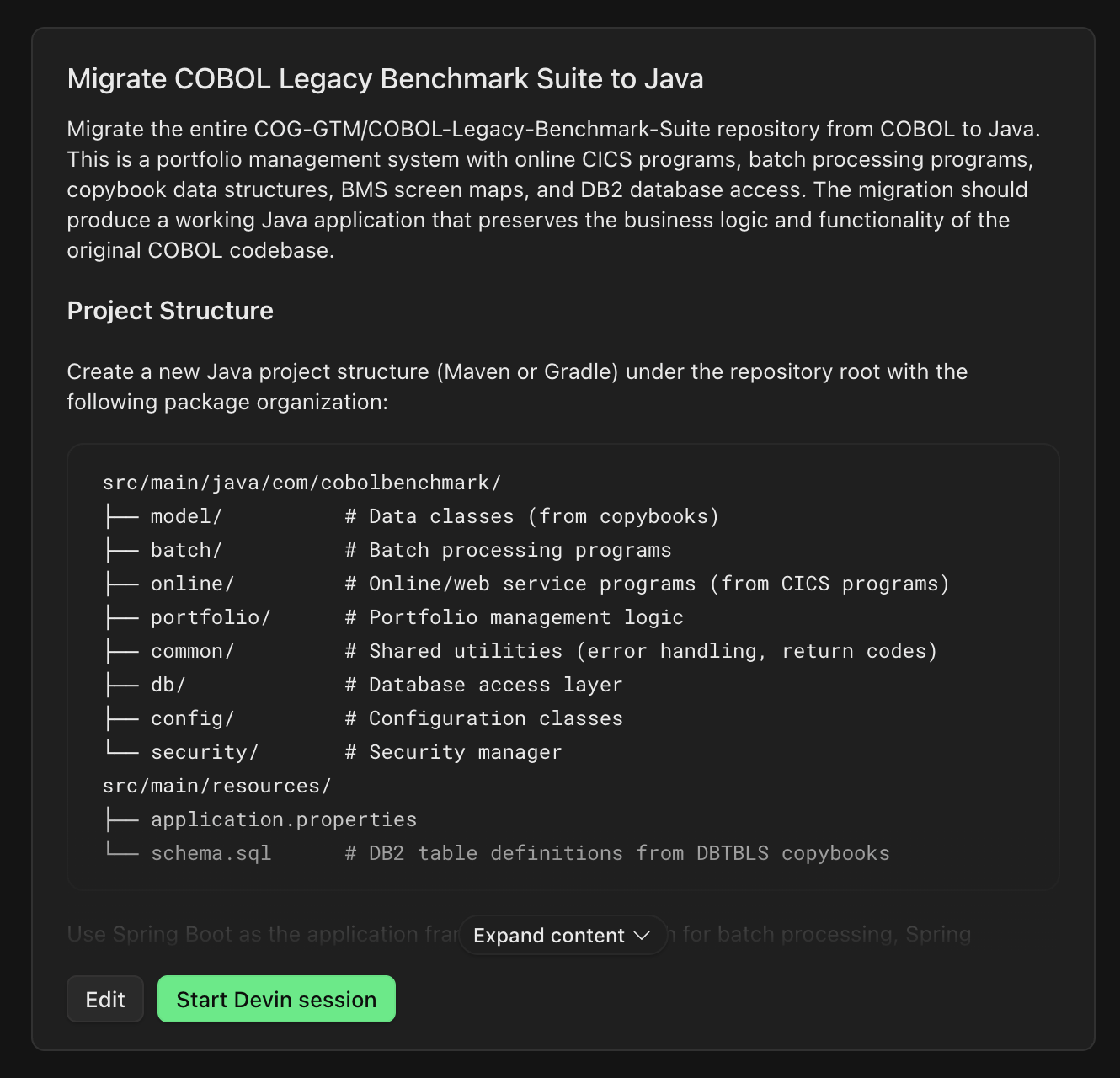 Devin writes a context-rich prompt from your session
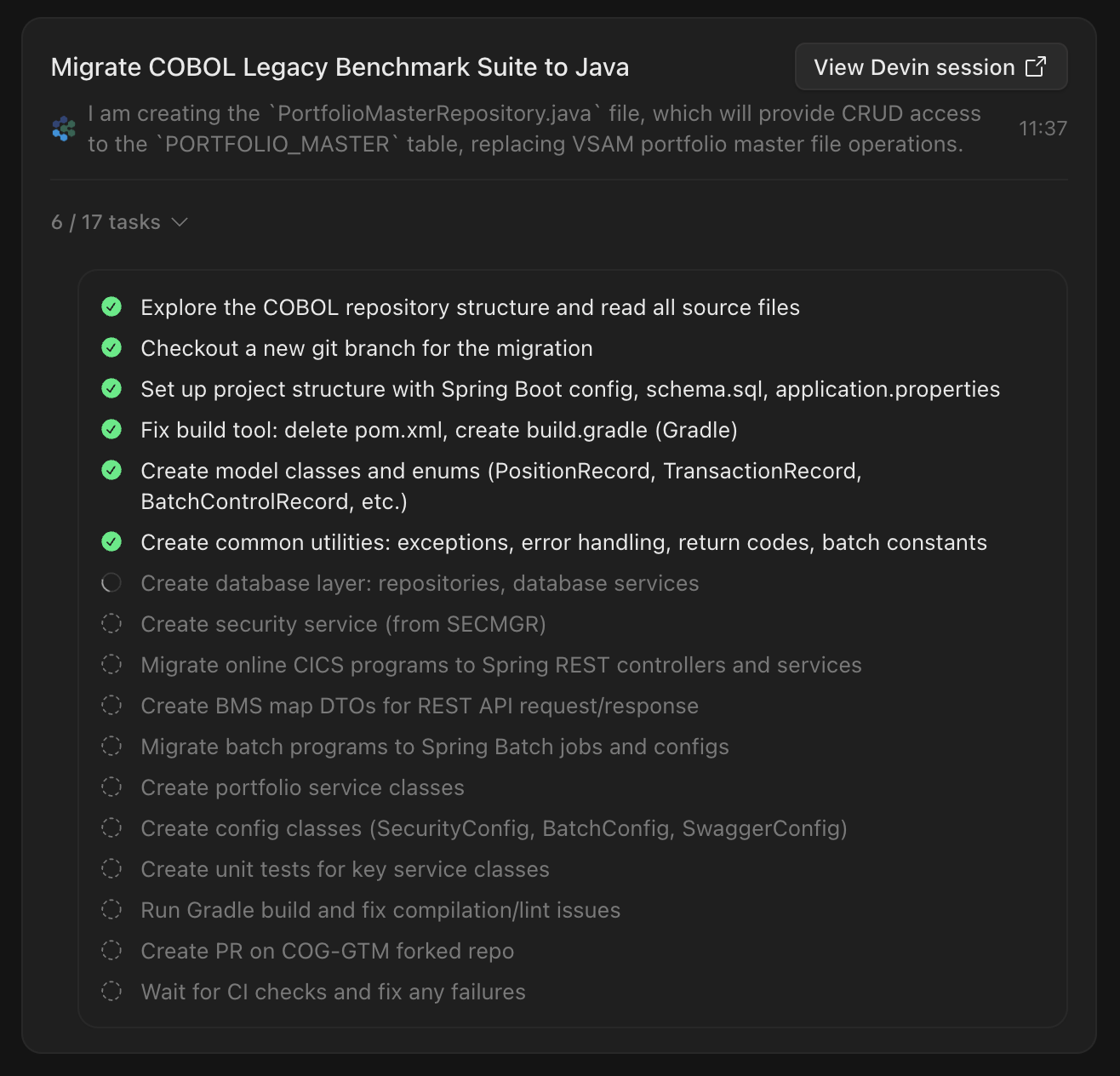 Track session progress in the conversation
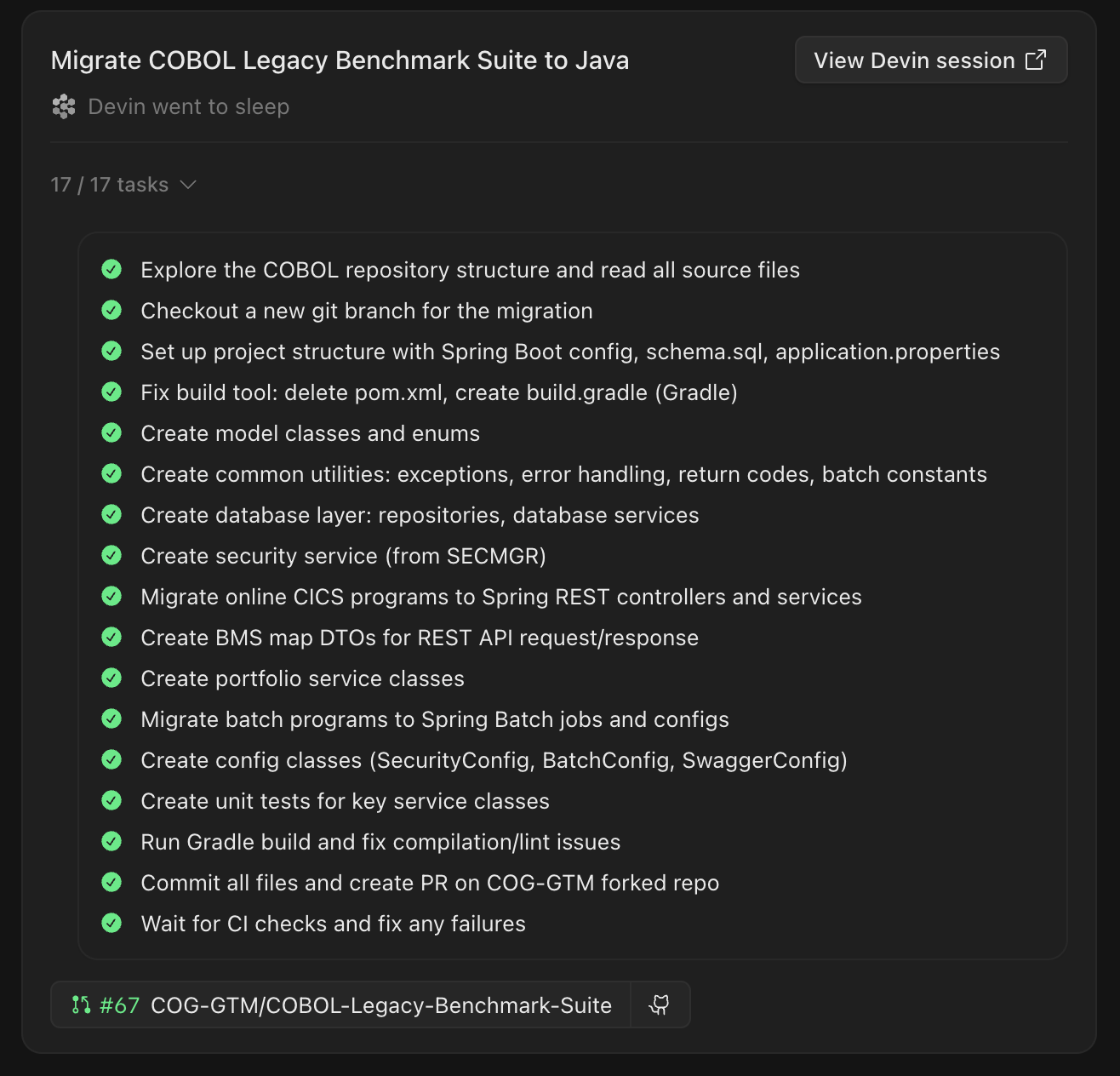 View completed results and PRs