> ## Documentation Index
> Fetch the complete documentation index at: https://docs.devinenterprise.com/llms.txt
> Use this file to discover all available pages before exploring further.
# Clear Engineering Backlogs
> Let Devin tackle your engineering backlogs
export const PromptBlock = ({children, type, agent, intent, playbookId}) => {
var utm = 'utm_source=docs&utm_medium=use-case-gallery&utm_campaign=prompt-block';
var tag = 'docs-use-case-gallery';
var agentParams = (agent ? '&agent=' + agent : '') + (intent ? '&intent=' + intent : '') + (playbookId ? '&playbookId=' + playbookId : '');
var label = type === 'schedule' ? 'Schedule in Devin' : type === 'playbook' ? 'Create Playbook' : type === 'knowledge' ? 'Add to Knowledge' : agent === 'advanced' ? 'Try in Devin' : agent === 'dana' ? 'Try in Dana' : agent === 'ada' ? 'Try in Ask Devin' : 'Try in Devin';
var buildUrl = function (text) {
var encoded = encodeURIComponent(text);
if (type === 'schedule') return 'https://app.devin.ai/settings/schedules/create?' + utm + agentParams + '&prompt=' + encoded;
if (type === 'playbook') return 'https://app.devin.ai/settings/playbooks/create?' + utm + '&body=' + encoded;
if (type === 'knowledge') return 'https://app.devin.ai/knowledge?' + utm + '&body=' + encoded;
if (agent === 'ada') return 'https://app.devin.ai/search?' + utm + '&noSubmit=true&prompt=' + encoded;
return 'https://app.devin.ai/?tags=' + tag + '&' + utm + agentParams + '&prompt=' + encoded;
};
const ref = React.useRef(null);
const [href, setHref] = React.useState('#');
React.useEffect(() => {
if (!ref.current) return;
var codeEl = ref.current.querySelector('pre code');
if (codeEl) {
var text = codeEl.textContent.trim();
if (text) setHref(buildUrl(text));
}
var header = ref.current.querySelector('[data-component-part="code-block-header"]');
if (header && !header.querySelector('.prompt-block-devin-link')) {
var link = document.createElement('a');
link.href = href;
link.target = '_blank';
link.rel = 'noopener noreferrer';
link.className = 'prompt-block-devin-link';
link.style.cssText = 'display:inline-flex;align-items:center;gap:6px;text-decoration:none;color:#fff;font-size:11px;font-weight:500;padding:4px 10px;border-radius:6px;white-space:nowrap;background:#317CFF;transition:background 0.2s;margin-left:8px;';
link.innerHTML = ' ' + label;
link.onmouseenter = function () {
link.style.background = '#2968D9';
};
link.onmouseleave = function () {
link.style.background = '#317CFF';
};
header.appendChild(link);
}
var existingLink = ref.current.querySelector('.prompt-block-devin-link');
if (existingLink && href !== '#') existingLink.href = href;
});
return
{children}
;
};
## Overview
Devin can help you manage and organize issue backlogs across platforms like GitHub, Jira, and Linear, automating the tedious parts of backlog maintenance while ensuring your team focuses on the most important work.
## Common Backlog Management Scenarios
Tag Devin on a GitHub issue to kick off a new Devin session.
### How to setup
1. Push [devin-on-label.yml](https://github.com/ankehao-demo/COBOL-Demo/blob/main/.github/workflows/devin-on-label.yml) to any GitHub repo under a `.github/workflows` folder
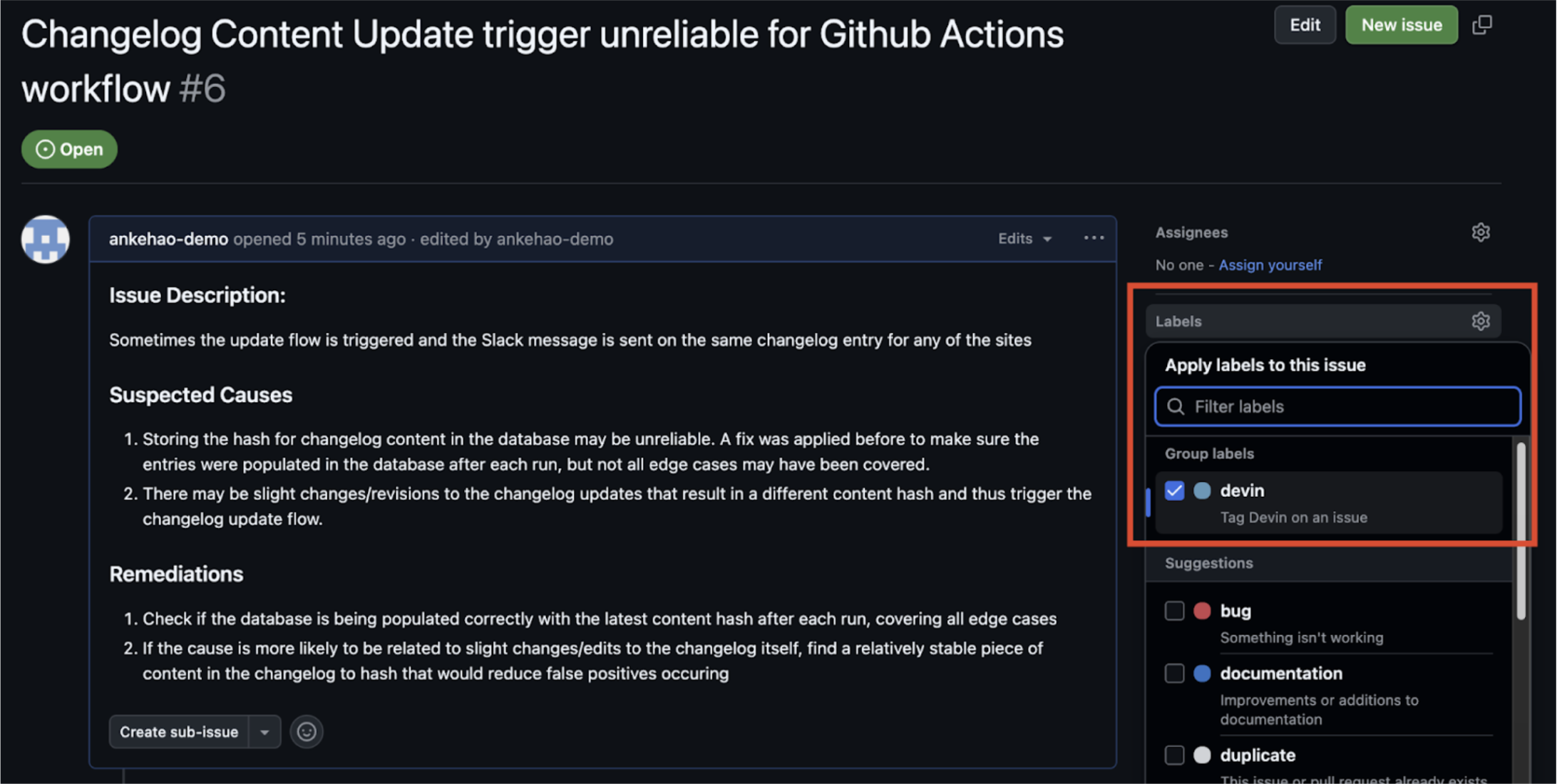
2. Create a GitHub Issue label called **`devin`**
3. Add the Devin API key from your Devin org as a GitHub Repository secret called `DEVIN_API_KEY`
### How it works
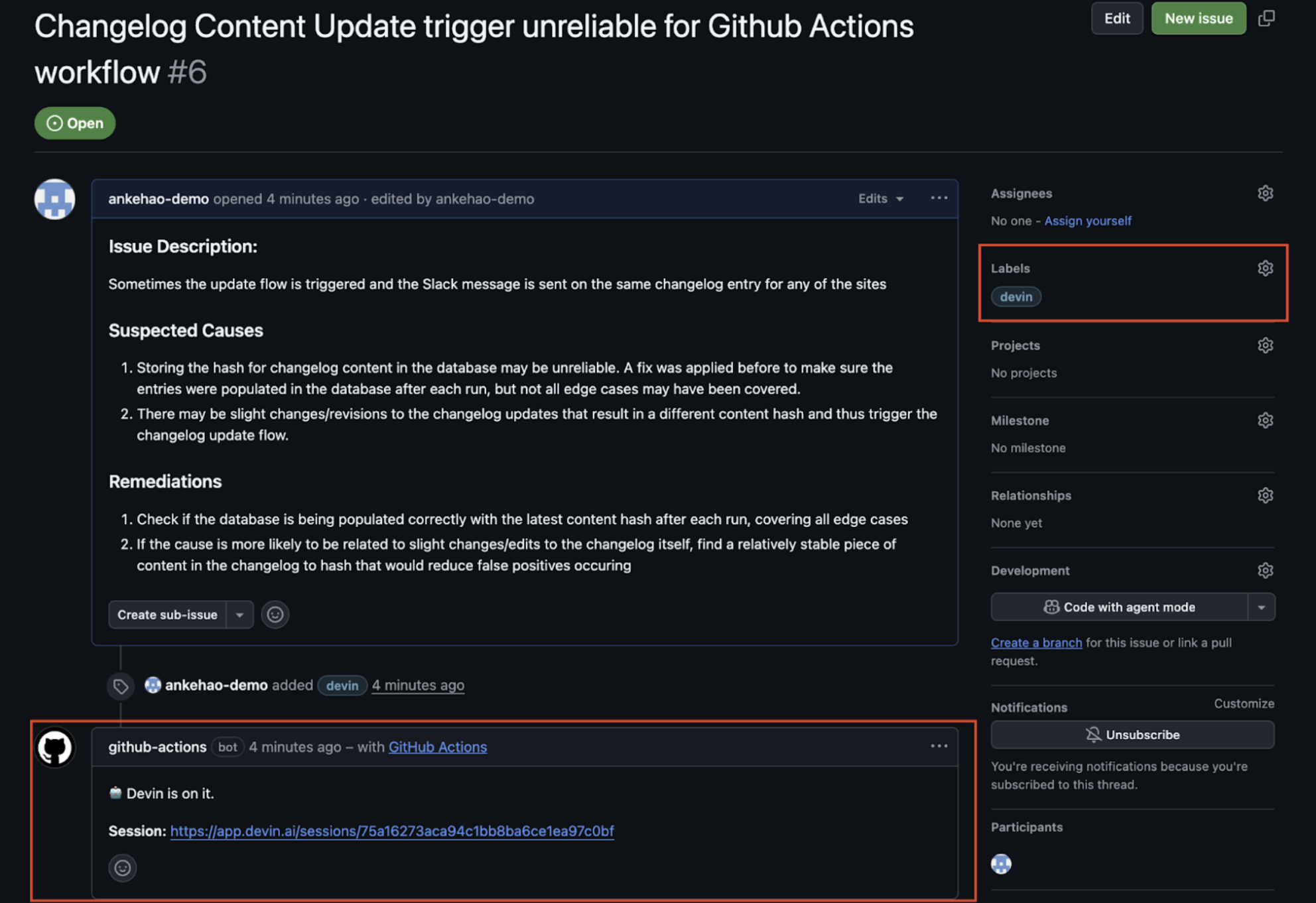
1. Add a **`devin`** label to an issue
2. GitHub Actions workflow kicks off and an automated comment is created under the issue with a link to the new Devin session
3. Devin session is automatically kicked off
### Jira and Linear Integrations
Devin integrates directly with both Jira and Linear to help you manage your issue backlog. You can assign tickets to Devin on both platforms and have them automatically turned into PRs.
For detailed setup instructions and configuration options, see the [Jira Integration Guide](/integrations/jira) and [Linear Integration Guide](/integrations/linear).
## Related Use Cases
* [Testing & Refactoring](/use-cases/testing-refactoring)
* [Migration & Modernization](/use-cases/migration-modernization)
 2. GitHub Actions workflow kicks off and an automated comment is created under the issue with a link to the new Devin session
3. Devin session is automatically kicked off
2. GitHub Actions workflow kicks off and an automated comment is created under the issue with a link to the new Devin session
3. Devin session is automatically kicked off