> ## Documentation Index
> Fetch the complete documentation index at: https://docs.devinenterprise.com/llms.txt
> Use this file to discover all available pages before exploring further.
# 2025
**New Agent Upgrade**
All enterprise customers have now been upgraded to the newest version of Devin, powered by the latest architectural and model improvements. The legacy "Agent (old)" option has been removed from the Agent dropdown menu in the input box, ensuring all users benefit from the most advanced capabilities.
**Enterprise API v3 Metrics Endpoints**
New API v3 endpoints for tracking usage metrics and active users across your enterprise. Includes endpoints for sessions, searches, PRs, and daily/weekly/monthly active user metrics with time-series data. See [API Release Notes](/api-reference/release-notes) for details.
**Jira Project Mapping Search**
Added a search filter to the Jira project mapping modal.
**Child Session Indentation**
Batch sessions now appear visually indented under their parent session in the sidebar, making it easier to understand session hierarchies and navigate complex multi-session workflows at a glance.
**Repository Connection Warnings**
The repository side panel now displays a warning banner when a repository has a connection issue.
**Consumption Analytics Improvements**
Enhanced analytics dashboard with extended historical data:
* Historical cycles chart now displays 12 months of data (up from 5 months)
* New export functionality for previous billing cycles, enabling better cost analysis and reporting
**Computer Use Setting Update**
Removed the "Only available on the new agent" disclaimer from the computer use setting; this feature is now available across all agent versions.
**Copy PR Context Button**
New convenience feature allowing users to quickly copy PR context summaries to clipboard with a single click, streamlining code review workflows and external communication.
**Minor bug fixes and improvements**
Various bug fixes and performance improvements across the platform.
**Custom Slash Commands**
Organizations can now create and manage custom slash commands that expand into predefined text prompts when used in chat. Features include:
* Support for modifying default commands like /plan and /review
* Ability to create entirely new custom commands tailored to your team's workflows
* Command management interface for enterprise administrators
**Microsoft Teams Integration**
Users can now interact with Devin directly in Microsoft Teams channels by mentioning @Devin. The integration provides:
* In-thread responses with updates and questions to help with software engineering tasks
* Support for mapping Teams channels to specific Devin organizations
**Enterprise API v3 Enhancements**
New v3 API endpoints for advanced sessions, organization searches, and improved audit logs. See [API Release Notes](/api-reference/release-notes) for details.
**Service Users Created Date**
The service users page now displays the creation date for each service user.
**Minor bug fixes and improvements**
* The "Connected accounts" section in organization settings has been renamed to "Integrations".
**Data Analyst Devin (Dana)**
Dana, which is a version of Devin optimized for data analysis tasks, is now available for all users. To use Dana, simply connect a data source via MCP then start asking questions.
**Enterprise API v3 Updates**
New v3 beta endpoints and improvements for service users. See [API Release Notes](/api-reference/release-notes) for details.
**Service Users Page Improvements**
Unified role filter combining enterprise and organization roles into a single grouped dropdown for easier filtering on the service users page.
**Consumption Analytics**
New backend support for detailed consumption analytics and reporting, providing better visibility into resource usage across organizations.
**Enterprise Hypervisors Capacity Utilization**
The hypervisor monitoring page now shows usage as a percentage instead of max slots and available slots.
**Azure DevOps Webhook Support**
Automated PR comments and status updates for Azure DevOps repositories.
**Minor bug fixes and improvements**
Various bug fixes and performance improvements across the webapp UI, Slack integration, and DeepWiki.
**Enterprise API v3 Git Permissions Bulk Create Improvements**
The Enterprise API v3 Git Permissions bulk create endpoint now accepts up to 200 permissions per request, increased from the previous limit of 100. Additionally, the endpoint now validates requests to prevent common configuration errors:
* **Duplicate detection**: Requests containing identical permissions (same connection, repository path, and group prefix) are now rejected with a clear error message listing the duplicates.
* **Overlap detection**: Requests containing a repository-specific permission that conflicts with a group prefix permission are now rejected. For example, adding both `group_prefix: "myorg"` and `repo_path: "myorg/repo1"` for the same connection will fail, since the group prefix already covers that repository.
These validations help maintain a clean and unambiguous permission model, preventing confusion about which permissions are active and avoiding unexpected behavior when managing permissions.
**Enterprise API v2 Pagination Limit Update:**
* The maximum pagination limit for Enterprise API v2 query parameters has been reduced from 1000 to 200 for improved performance and reliability.
* This change affects all v2 Enterprise API endpoints with pagination, including sessions, members, organizations, groups, and user usage endpoints.
* The default limit remains 100, with a minimum of 1 and a new maximum of 200.
* Note: This change does NOT affect the v1 External API.
**Advanced Mode**
Released Advanced Mode under the "Advanced Features" section, which allows for advanced usage of Devin. Includes features like session analysis, playbook creation and optimization, and bulk knowledge management. The Advanced Mode features respect RBAC; playbook and knowledge modifying features are only available to users with the appropriate permissions.
**Multi-branch Repository Indexing**
You can now index and manage multiple branches per repository, not just the default branch. A new "Manage branches" side panel in the repositories page lets you add or remove branches for indexing, making it easier to keep documentation up-to-date across different development branches.
**Wiki Branch Selection**
Repository wikis now support viewing documentation for different branches. When multiple branches are indexed, a branch selector dropdown appears in the wiki interface, allowing you to switch between branches to view the appropriate documentation for your work.
**Hebrew Language Support for DeepWiki**
DeepWiki now supports generating documentation in Hebrew, expanding multi-language documentation capabilities for international teams.
**Interactive Mermaid Diagrams**
Mermaid diagrams in wikis now support pan and zoom functionality, making it easier to explore complex diagrams. The zoom is limited to prevent over-zooming, and clicking to drag no longer accidentally opens the diagram modal.
**Steerable Wiki Now Default**
The steerable wiki feature is now enabled by default for all users. You can customize repository documentation by uploading configuration files to adjust content detail, fix inaccuracies, and match team standards.
**MCP Usage Tracking for Enterprises**
MCP (Model Context Protocol) usage tracking is now available for all enterprise organizations, providing better visibility into how teams are using MCP integrations across the enterprise.
**Session Insights Improvements**
Added an "Investigate with Devin" button in the session insights modal, making it easier to dive deeper into session analysis and create follow-up tasks based on insights.
**Prefix-based Git Permissions**
Enterprise administrators can now create git permissions using prefix matching, allowing access to all repositories that start with a specific prefix (e.g., "myorg/frontend-" matches all frontend repositories).
**Mobile Wiki Improvements**
Improved mobile layout for wiki search bars and other wiki components.
**Minor Bug Fixes & Quality of Life Improvements**
Various bug fixes and performance improvements across the platform.
**Breadcrumb Navigation Redesign**
Redesigned breadcrumb navigation system with improved organization selector, enterprise organization management with favorites, and enhanced mobile responsiveness.
**New Devin Agent**
Added New Devin agent mode for Enterprise customers, which is a faster, more intelligent version of Devin. See [Devin Sonnet 4.5: Lessons and Challenges](https://cognition.com/blog/devin-sonnet-4-5-lessons-and-challenges) for more details.
**Document Titles**
Added descriptive document titles to all webapp pages for easier browser tab identification, including dynamic titles that show search queries.
**Repository Setup Steering Knowledge**
Added the ability to provide enterprise-wide knowledge for the synchronous repository setup agent at [https://app.devin.ai/settings/snapshots](https://app.devin.ai/settings/snapshots).
**Agentic Knowledge Management**
Improved agentic knowledge management, allowing Devin to contribute knowledge base entries within the folder hierarchy during sessions.
**Snapshots Organization**
Reorganized snapshots pages under /settings and improved snapshot management with bulk editing capabilities for better organization.
**Ada Renamed to Ask Devin**
Renamed Ada assistant to Ask Devin for clearer branding throughout the interface.
**Playbook Usage Visibility**
Added analytics for when playbooks are retrieved during sessions.
**Git Commit Authoring**
Added new git commit authoring option in customization settings to control commit attribution.
**Redshift MCP Production Ready**
Removed beta tag from AWS Redshift MCP integration.
**Slack Notification Safety**
Sanitized @everyone, @channel, and @here mentions in Slack notifications to prevent accidental mass mentions.
**Direct Attachment Download**
Improved attachment download functionality with direct download support for better performance.
**Wiki Edit Button Improvements**
Improved wiki edit button to work consistently across all git providers including GitHub, GitLab, Bitbucket, and Azure DevOps.
**Minor Bug Fixes & Quality of Life Improvements**
Various bug fixes and performance improvements across the platform.
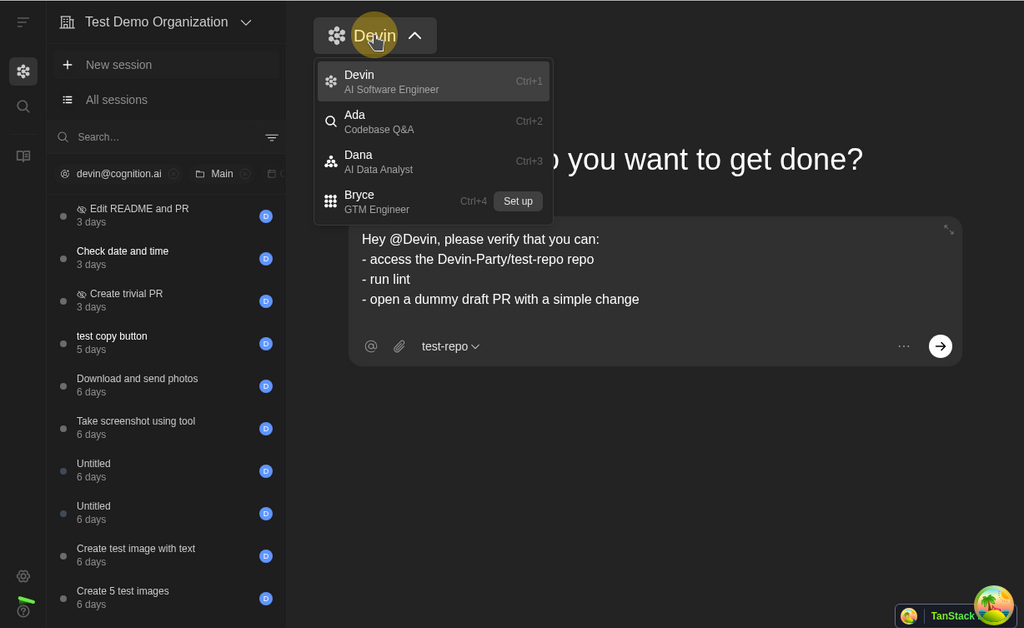
**Unified Agent Selection Experience**
Consolidated agent selection into a streamlined experience with an improved agent switcher on the home page, making it easier to choose the right agent for your task.
 **Clone Repository via API**
New V2 Enterprise Organizations API endpoint for enterprise admins to programmatically clone repositories and create snapshots with custom setup steps and startup commands.
**Enterprise Knowledge Folder Management**
Updated enterprise knowledge folder management with improved UI and restrictions on folder movement.
**Minor Bug Fixes & Quality of Life Improvements**
Various bug fixes and performance improvements across the platform.
**DeepWiki Codemaps**
Interactive code visualization is now available in DeepWiki, allowing you to explore codebases visually with an intuitive mode switcher that helps you navigate between different views of your repository documentation.
**Clone Repository via API**
New V2 Enterprise Organizations API endpoint for enterprise admins to programmatically clone repositories and create snapshots with custom setup steps and startup commands.
**Enterprise Knowledge Folder Management**
Updated enterprise knowledge folder management with improved UI and restrictions on folder movement.
**Minor Bug Fixes & Quality of Life Improvements**
Various bug fixes and performance improvements across the platform.
**DeepWiki Codemaps**
Interactive code visualization is now available in DeepWiki, allowing you to explore codebases visually with an intuitive mode switcher that helps you navigate between different views of your repository documentation.
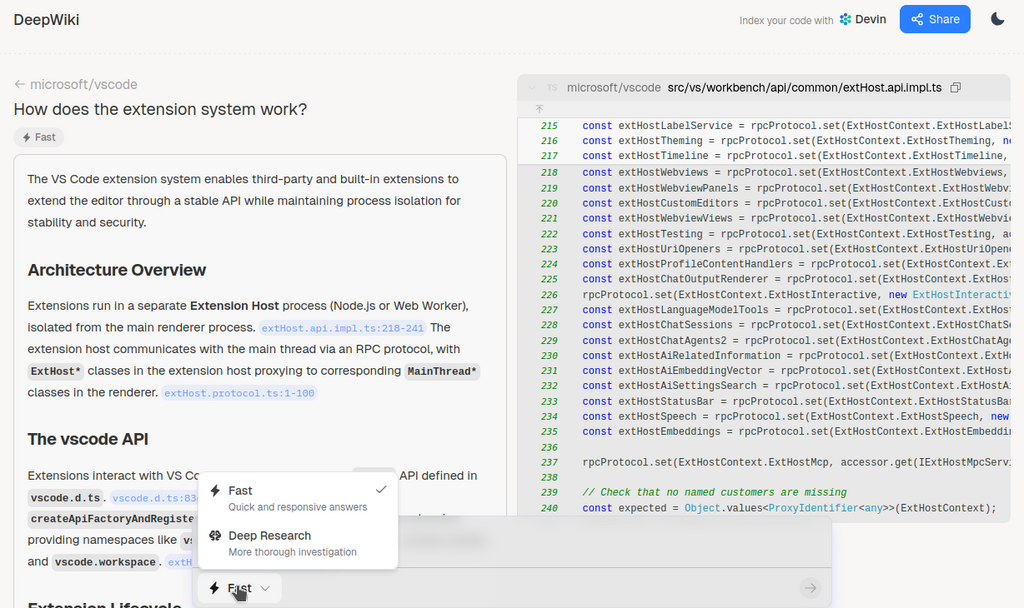 **Multi-language Wiki Support**
DeepWiki now supports generating documentation in multiple languages.
**Slash Command Improvements**
Enhanced slash command interface with visual badges and keyboard shortcut hints, making it easier to discover and use quick-start commands.
**GitLab PR Comments**
Devin can now read and respond to comments on GitLab pull requests.
**Searchable Channel Dropdown**
Channel selection dropdowns are now searchable for Slack and Teams integrations.
**Pre-selected User Roles**
When inviting new users to your organization, the most appropriate role is now pre-selected based on context.
**Minor Bug Fixes & Quality of Life Improvements**
Various bug fixes and improvements including better computer use event display, knowledge page filtering, and repository setup banner persistence.
**Steerable Wiki for GitHub and Gitlab**
Users now have the ability to upload .json files to adjust the contents of a DeepWiki to add more detail, edit any inaccuracies, and customize documentation to match team standards.
**Enterprise Playbooks API v2**
Updated Enterprise Playbooks API with improved functionality for programmatic playbook management.
**Slack Enterprise Grid Support**
Full support for Slack Enterprise Grid deployments, enabling larger enterprises to use Devin with their Slack infrastructure.
**GitLab CI/CD Integration**
Enhanced GitLab integration with support for viewing CI job logs and pipeline metrics directly within Devin, providing better visibility into build and deployment processes.
**Session Analytics Enhancements**
Added external link icons to the session analytics table, making it easier to open sessions directly from the analytics view.
**Minor Bug Fixes & Quality of Life Improvements**
* Product polish and design system migration for playbooks and settings pages
* Repository page improvements with better filtering and pagination
* Ongoing bug bashing and quality of life improvements
**Slash Commands in Input Box**
Quick-start your sessions with slash commands. Type `/plan`, `/review`, `/test`, or `/think-hard` in the input box to insert predefined task templates that help you structure your requests more effectively.
**Enterprise Knowledge Management**
Enterprise administrators can now create and manage organization-wide knowledge that's shared across all teams, making it easier to maintain consistent context and best practices throughout your enterprise.
**Enterprise Playbooks**
Playbooks are now available at the enterprise level, allowing administrators to create and manage reusable task templates that can be shared across all organizations within the enterprise.
**Repository Mentions as Attachments**
When you mention repositories in messages, they now appear as clean attachment badges with repository icons instead of inline text, providing a clearer visual distinction between message content and repository references.
**Knowledge Sharing by Default**
Knowledge entries now default to being shared within your organization.
**Minor Bug Fixes & Quality of Life Improvements**
Various bug fixes including improvements to steerable DeepWiki configuration, repository pagination, and general performance enhancements.
**Steerable DeepWiki**
Customize and guide your repository documentation with Steerable DeepWiki. Enterprise administrators can now add custom instructions and context to shape how wikis are generated for their repositories.
**Create Organization Page**
Redesigned UI of
**Multi-language Wiki Support**
DeepWiki now supports generating documentation in multiple languages.
**Slash Command Improvements**
Enhanced slash command interface with visual badges and keyboard shortcut hints, making it easier to discover and use quick-start commands.
**GitLab PR Comments**
Devin can now read and respond to comments on GitLab pull requests.
**Searchable Channel Dropdown**
Channel selection dropdowns are now searchable for Slack and Teams integrations.
**Pre-selected User Roles**
When inviting new users to your organization, the most appropriate role is now pre-selected based on context.
**Minor Bug Fixes & Quality of Life Improvements**
Various bug fixes and improvements including better computer use event display, knowledge page filtering, and repository setup banner persistence.
**Steerable Wiki for GitHub and Gitlab**
Users now have the ability to upload .json files to adjust the contents of a DeepWiki to add more detail, edit any inaccuracies, and customize documentation to match team standards.
**Enterprise Playbooks API v2**
Updated Enterprise Playbooks API with improved functionality for programmatic playbook management.
**Slack Enterprise Grid Support**
Full support for Slack Enterprise Grid deployments, enabling larger enterprises to use Devin with their Slack infrastructure.
**GitLab CI/CD Integration**
Enhanced GitLab integration with support for viewing CI job logs and pipeline metrics directly within Devin, providing better visibility into build and deployment processes.
**Session Analytics Enhancements**
Added external link icons to the session analytics table, making it easier to open sessions directly from the analytics view.
**Minor Bug Fixes & Quality of Life Improvements**
* Product polish and design system migration for playbooks and settings pages
* Repository page improvements with better filtering and pagination
* Ongoing bug bashing and quality of life improvements
**Slash Commands in Input Box**
Quick-start your sessions with slash commands. Type `/plan`, `/review`, `/test`, or `/think-hard` in the input box to insert predefined task templates that help you structure your requests more effectively.
**Enterprise Knowledge Management**
Enterprise administrators can now create and manage organization-wide knowledge that's shared across all teams, making it easier to maintain consistent context and best practices throughout your enterprise.
**Enterprise Playbooks**
Playbooks are now available at the enterprise level, allowing administrators to create and manage reusable task templates that can be shared across all organizations within the enterprise.
**Repository Mentions as Attachments**
When you mention repositories in messages, they now appear as clean attachment badges with repository icons instead of inline text, providing a clearer visual distinction between message content and repository references.
**Knowledge Sharing by Default**
Knowledge entries now default to being shared within your organization.
**Minor Bug Fixes & Quality of Life Improvements**
Various bug fixes including improvements to steerable DeepWiki configuration, repository pagination, and general performance enhancements.
**Steerable DeepWiki**
Customize and guide your repository documentation with Steerable DeepWiki. Enterprise administrators can now add custom instructions and context to shape how wikis are generated for their repositories.
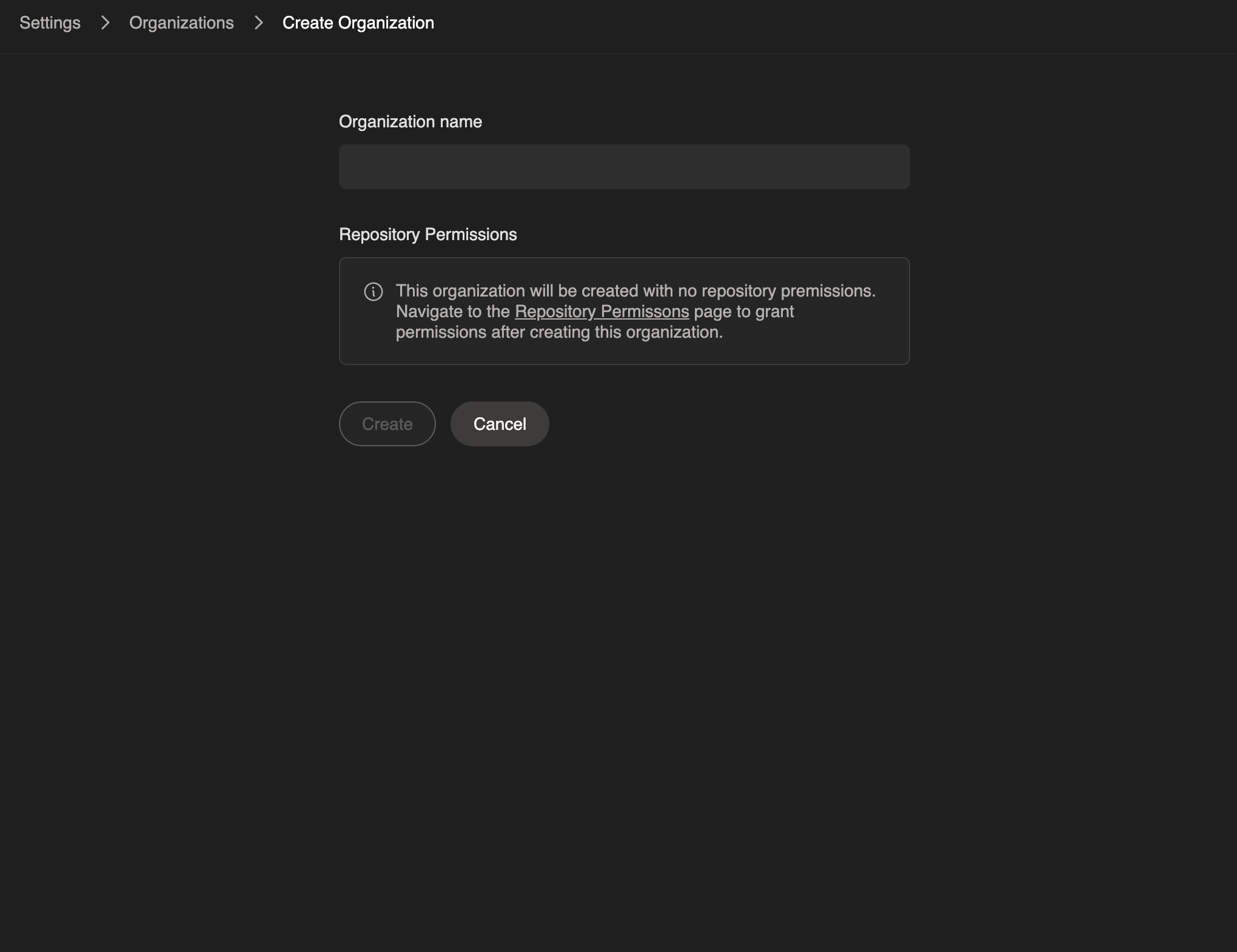
**Create Organization Page**
Redesigned UI of /settings/organizations/create for enterprise organization creation.
 **Agent Dropdown Improvements**
When viewing an existing session, the agent dropdown now displays only the specific agent used for that session, making it clearer which agent version was used for each run.
**Agent Default Setting Hints**
The agent dropdown now includes helpful hint text explaining that starring an agent sets it as your default across all integrations, including Slack, VS Code, and the web interface.
**Slack Default Agent Tips**
Users receive a one-time ephemeral message in Slack with guidance on setting their default agent preference, helping teams adopt the latest agent versions more easily.
**Minor Bug Fixes & Quality of Life Improvements**
* Fixed bug preventing proper display of secrets page for organization members
* Fixed bug around gh CLI auth failing in certain circumstances on Devin's machine
* Enterprise API v2 git permissions endpoint now returns permission\_names dict mapping permission IDs to repo/group paths
* Enhanced member page tabs and navigation
* Ongoing stability improvements and bug fixes
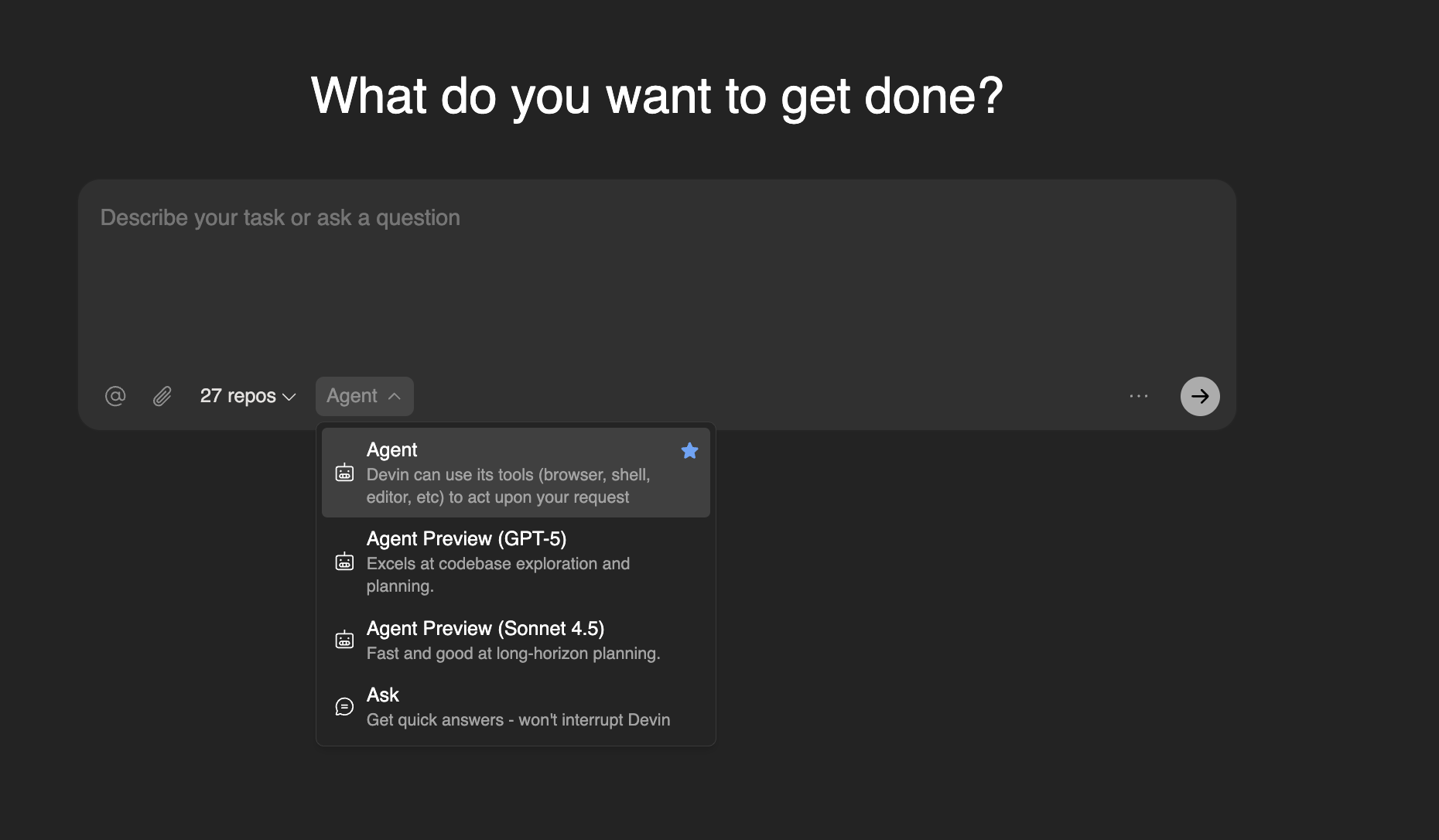
**New Agent Preview using Sonnet 4.5**
A new version of Devin, built around the new capabilities and behaviors of Claude Sonnet 4.5, is now available. This agent is about twice as fast as the previous version of Devin, and can be enabled on a per-run basis or defaulted for all of a user's runs using the star in the dropdown. This agent is in beta, so not all functionality is supported at this time; it will not suggest knowledge, use cloud IDEs, or respect macros starting with ! (such as playbooks).
**Agent Dropdown Improvements**
When viewing an existing session, the agent dropdown now displays only the specific agent used for that session, making it clearer which agent version was used for each run.
**Agent Default Setting Hints**
The agent dropdown now includes helpful hint text explaining that starring an agent sets it as your default across all integrations, including Slack, VS Code, and the web interface.
**Slack Default Agent Tips**
Users receive a one-time ephemeral message in Slack with guidance on setting their default agent preference, helping teams adopt the latest agent versions more easily.
**Minor Bug Fixes & Quality of Life Improvements**
* Fixed bug preventing proper display of secrets page for organization members
* Fixed bug around gh CLI auth failing in certain circumstances on Devin's machine
* Enterprise API v2 git permissions endpoint now returns permission\_names dict mapping permission IDs to repo/group paths
* Enhanced member page tabs and navigation
* Ongoing stability improvements and bug fixes
**New Agent Preview using Sonnet 4.5**
A new version of Devin, built around the new capabilities and behaviors of Claude Sonnet 4.5, is now available. This agent is about twice as fast as the previous version of Devin, and can be enabled on a per-run basis or defaulted for all of a user's runs using the star in the dropdown. This agent is in beta, so not all functionality is supported at this time; it will not suggest knowledge, use cloud IDEs, or respect macros starting with ! (such as playbooks).
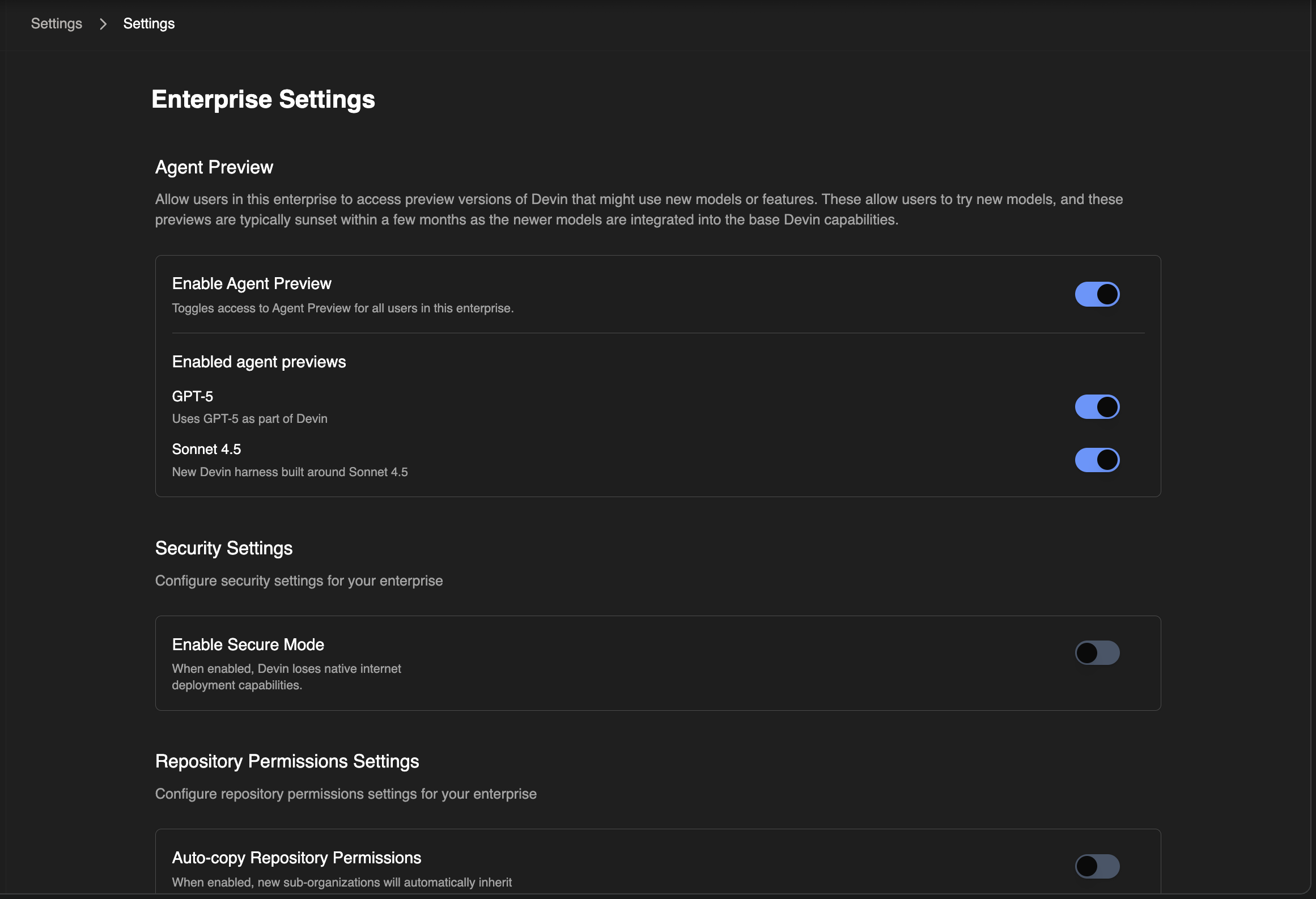
 **Enterprise Opt-In for Agent Previews**
Enterprise customers can now opt-in to preview the new agent by enabling the "Use Sonnet 4.5" toggle in their enterprise settings.
**Enterprise Opt-In for Agent Previews**
Enterprise customers can now opt-in to preview the new agent by enabling the "Use Sonnet 4.5" toggle in their enterprise settings.
 **Inline Plan Display for Ask Devin**
When transitioning from an Ask Devin session into creating a prompt for the Devin agent to write code, the UX now displays generated plans inline with streaming content instead of in a modal.
**Session Analytics Consolidation**
The dedicated PR-only view has been consolidated with the "All Sessions" page for a unified view of session data and insights.
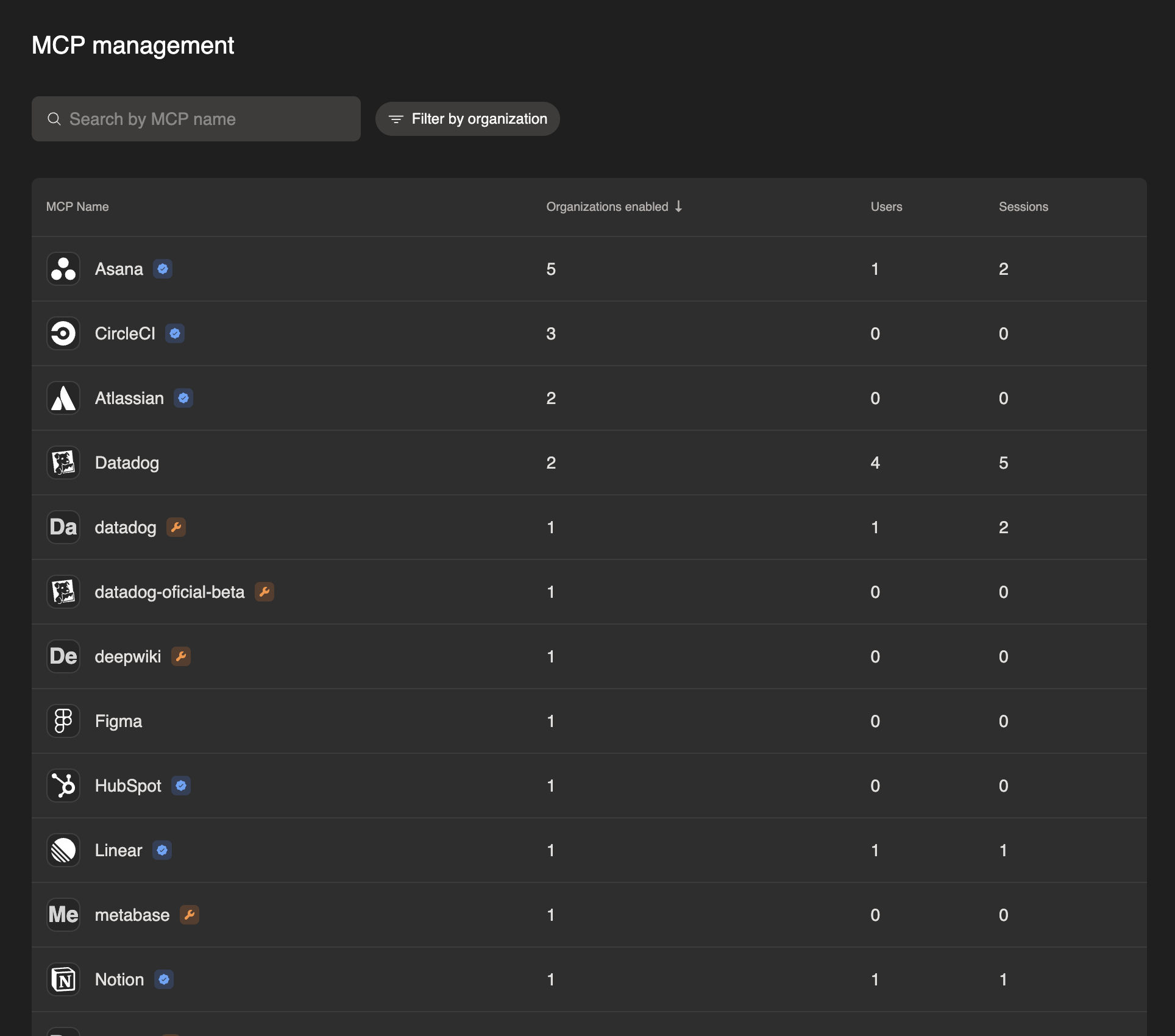
**MCP Observability for Enterprises**
Enhanced Model Context Protocol (MCP) observability tools are now available for enterprise customers, providing better visibility into MCP usage patterns and performance across your organization.
**Inline Plan Display for Ask Devin**
When transitioning from an Ask Devin session into creating a prompt for the Devin agent to write code, the UX now displays generated plans inline with streaming content instead of in a modal.
**Session Analytics Consolidation**
The dedicated PR-only view has been consolidated with the "All Sessions" page for a unified view of session data and insights.
**MCP Observability for Enterprises**
Enhanced Model Context Protocol (MCP) observability tools are now available for enterprise customers, providing better visibility into MCP usage patterns and performance across your organization.
 **Bitbucket Integration (Beta)**
Cloud Bitbucket integration is now rolling out in beta, providing improved git provider parity alongside existing GitHub, GitLab, and Azure DevOps support.
**GitHub PR Comment Improvements**
GitHub PR comments now support both `@devin` and `DevinAI` prefixes for triggering Devin, making it more intuitive to mention Devin in pull request discussions.
**Minor Bug Fixes & Quality of Life Improvements**
Fixed bug causing session URLs to not always work for enterprise administrators, as well as ongoing stability improvements.
**Session Analysis & Knowledge Management**
Enhanced session tracking and analysis capabilities with improved knowledge base management, curation tools, and prompt improvement system that preserves user context and @ mentions in the input box.
**Git permissions performance improvements**
Optimized git permissions page to support 200k+ elements with improved query performance, indexing, and pagination for GitHub repository listings.
**Minor Bug Fixes & Quality of Life Improvements**
* Fixed positioning of "Learn more" tooltip and link in message components by moving it inside a div container for better layout structure
* Removed login\_hint in new user authentication flow due to inconsistent behavior, preventing email from pre-filling during a user's first visit.
* Fixed a bug where you could not add more than one set of session-scoped secrets.
**API v2 knowledge sharing**
The `shared_in_org` field now controls knowledge visibility: true applies knowledge to the entire organization, false applies only to the creator of the knowledge.
**DeepWiki.com Thread Export Feature**
Added a "Copy Thread" button to the external deepwiki.com site for exporting Q\&A threads as markdown with citations. This feature is only available on the public deepwiki.com, not internal Devin wikis.
**Integrations page access**
All Devin users can now access integrations pages, expanding from previous restrictions that required specific management permissions to basic Devin usage permissions. Users still need admin in order to manage the specific integrations, but this enables all users to see which integrations are enabled.
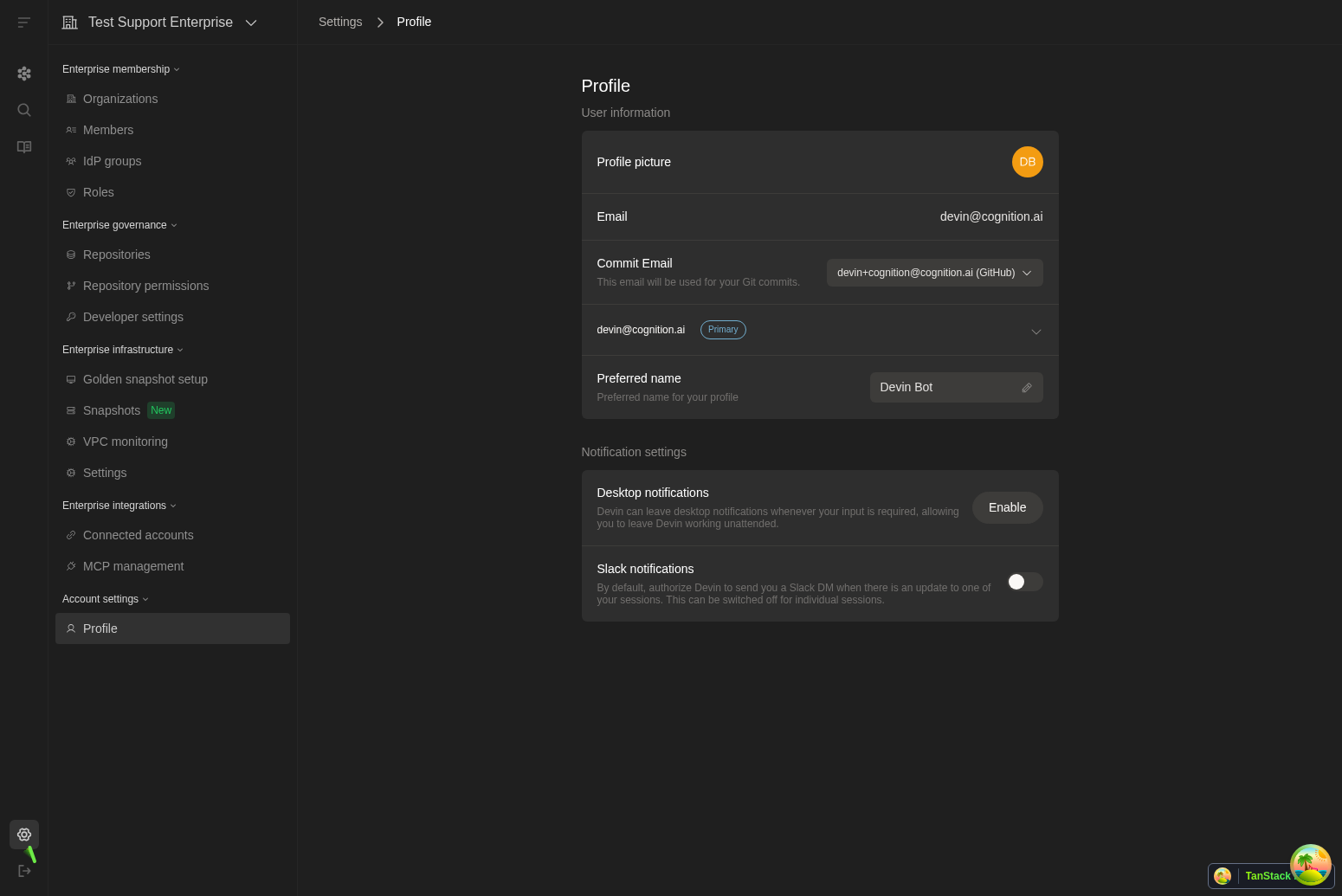
**Enterprise Settings reorganization**
Reorganized Enterprise Settings sidebar into logical sections: Membership, Governance, Infrastructure, Integrations, and Analytics for improved navigation.
**Bitbucket Integration (Beta)**
Cloud Bitbucket integration is now rolling out in beta, providing improved git provider parity alongside existing GitHub, GitLab, and Azure DevOps support.
**GitHub PR Comment Improvements**
GitHub PR comments now support both `@devin` and `DevinAI` prefixes for triggering Devin, making it more intuitive to mention Devin in pull request discussions.
**Minor Bug Fixes & Quality of Life Improvements**
Fixed bug causing session URLs to not always work for enterprise administrators, as well as ongoing stability improvements.
**Session Analysis & Knowledge Management**
Enhanced session tracking and analysis capabilities with improved knowledge base management, curation tools, and prompt improvement system that preserves user context and @ mentions in the input box.
**Git permissions performance improvements**
Optimized git permissions page to support 200k+ elements with improved query performance, indexing, and pagination for GitHub repository listings.
**Minor Bug Fixes & Quality of Life Improvements**
* Fixed positioning of "Learn more" tooltip and link in message components by moving it inside a div container for better layout structure
* Removed login\_hint in new user authentication flow due to inconsistent behavior, preventing email from pre-filling during a user's first visit.
* Fixed a bug where you could not add more than one set of session-scoped secrets.
**API v2 knowledge sharing**
The `shared_in_org` field now controls knowledge visibility: true applies knowledge to the entire organization, false applies only to the creator of the knowledge.
**DeepWiki.com Thread Export Feature**
Added a "Copy Thread" button to the external deepwiki.com site for exporting Q\&A threads as markdown with citations. This feature is only available on the public deepwiki.com, not internal Devin wikis.
**Integrations page access**
All Devin users can now access integrations pages, expanding from previous restrictions that required specific management permissions to basic Devin usage permissions. Users still need admin in order to manage the specific integrations, but this enables all users to see which integrations are enabled.
**Enterprise Settings reorganization**
Reorganized Enterprise Settings sidebar into logical sections: Membership, Governance, Infrastructure, Integrations, and Analytics for improved navigation.
 **UI text consistency**
Converted Title Case UI strings to sentence case throughout the application for improved consistency and readability.
**Slack UX improvements**
Enhanced integration for Slack with PR and webapp viewing buttons, more concise thread formatting, and improved overall user experience for Slack workflows.
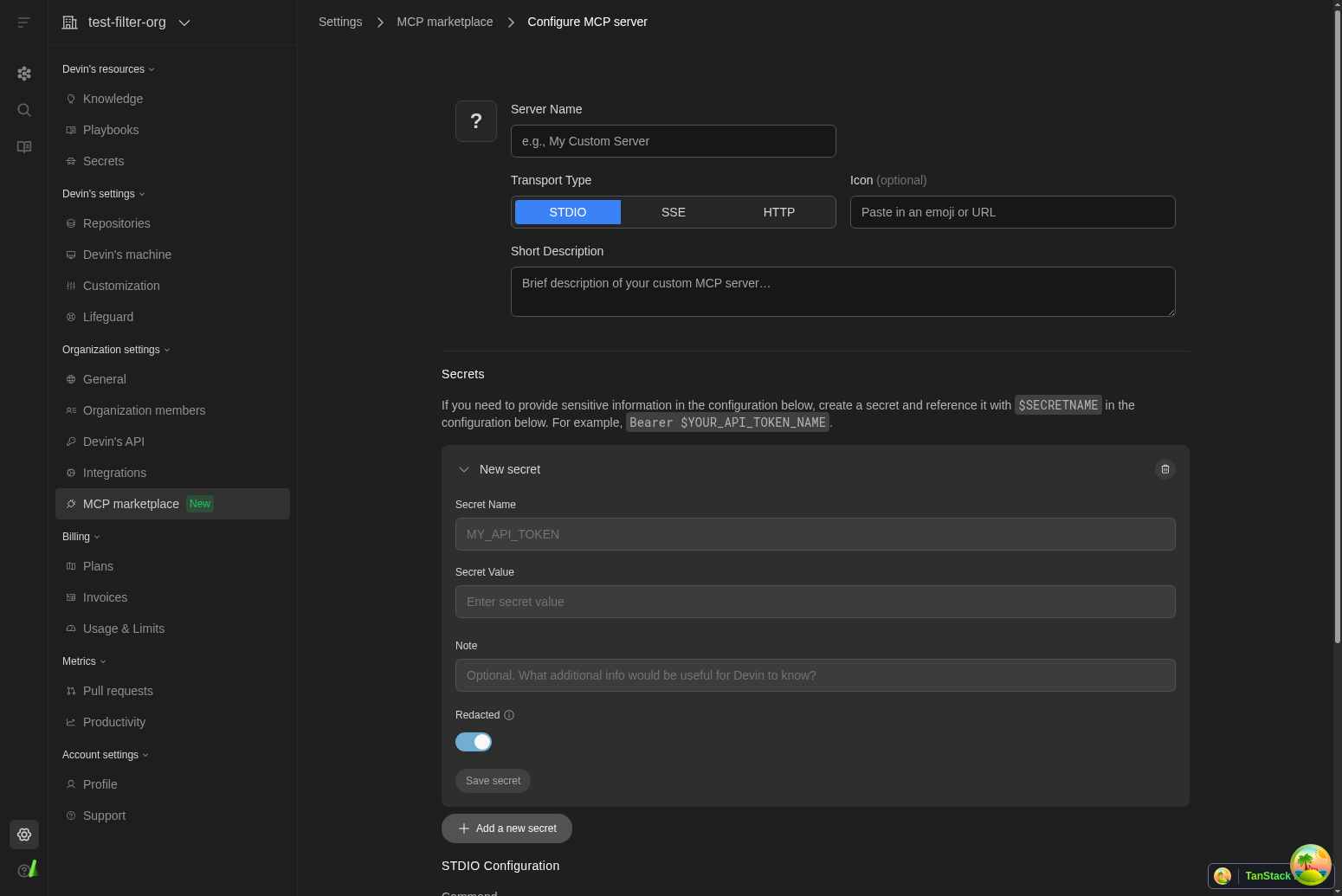
**Enhanced MCP Configuration**
Improved MCP marketplace configuration page with inline raw secrets form, making it easier to configure MCP integrations by allowing users to create and link secrets directly within the configuration interface.
**UI text consistency**
Converted Title Case UI strings to sentence case throughout the application for improved consistency and readability.
**Slack UX improvements**
Enhanced integration for Slack with PR and webapp viewing buttons, more concise thread formatting, and improved overall user experience for Slack workflows.
**Enhanced MCP Configuration**
Improved MCP marketplace configuration page with inline raw secrets form, making it easier to configure MCP integrations by allowing users to create and link secrets directly within the configuration interface.
 **API Secret Management**
Added new POST /v1/secrets endpoint for creating secrets via API.
**Enterprise Dashboard Enhancements**
Added sorting functionality to User Metrics table in enterprise consumption dashboard.
**Enterprise Infrastructure Management**
Added UI for updating hypervisor settings in enterprise configurations, providing administrators with better control over infrastructure management.
**Bug fixes and improvements**
Various reliability, performance, and usability improvements across the app.
**Wiki Sidebar Improvements**
The wiki sidebar now displays cleaner repository names without full paths, making it easier to navigate through your indexed repositories.
**Settings Navigation Enhancement**
Standardized breadcrumb styling across Settings > Integrations pages for more consistent navigation experience throughout the application.
**Self-Hosted GitLab Access**
Added query parameter support to enable self-hosted GitLab connection modal for enterprise users who need this integration option.
**Figma MCP OAuth Support**
Enhanced the Figma integration in the MCP marketplace with OAuth authentication support for secure access to Figma files and resources.
**Enterprise API Key Management**
Improved error handling and user experience for service API key provisioning, including better messaging for organizations with existing keys.
**Mobile Sidebar Improvements**
Fixed sidebar display issues on mobile devices for better navigation experience across all screen sizes.
**Bug fixes and improvements**
Various reliability, performance, and usability improvements across the app.
**Referral Information Alert**
Added informational alert to Settings → Referrals page explaining referral rewards and success criteria for better user guidance.
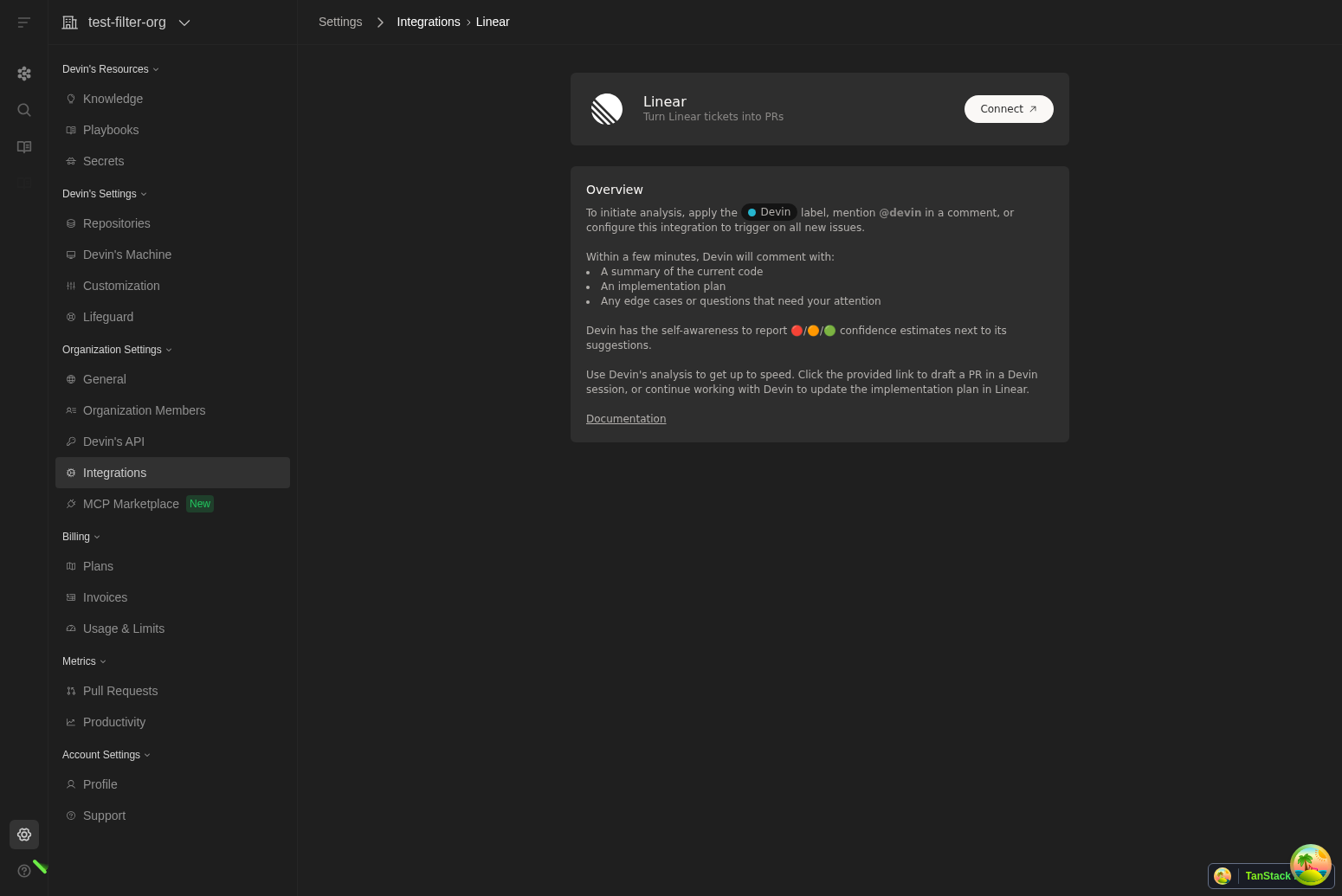
**Enhanced Linear Integration**
Improved Linear integration with per-team/organization trigger conditions and status-based Devin triggering for more granular control.
**GitHub Connection Management**
Added "Manage Connection" button for GitHub PAT connections and improved token display by removing @ prefix for non-individual tokens.
**Azure DevOps Display**
Enhanced Azure DevOps connection display by removing @ prefix and properly handling null connection names.
**JAM MCP Integration**
Added JAM integration to the MCP marketplace, expanding available tools and services for enhanced development workflows.
**Bug fixes and improvements**
Various reliability, performance, and usability improvements across the app.
**Repository Counters Display**
The repositories page now shows total repository count and indexed repository count in the format 'X/Y repos indexed' for better visibility into indexing status.
**Enhanced MCP Marketplace**
Fixed text overflow issues in MCP marketplace cards so long integration names now wrap properly instead of being truncated.
**Improved Integration for Slack**
Enhanced Slack thread functionality with better macro extraction and moved thread mode settings to the dedicated Slack panel for improved organization.
**Enterprise Logout Access**
Added logout button visibility for enterprise sub-organizations in the sidebar, improving navigation consistency across different organization types.
**Enhanced Enterprise Consumption Dashboard**
Added sorting functionality to the User Metrics table in the enterprise consumption dashboard, allowing administrators to sort by session count and ACU consumption.
**Text Wrapping Improvements**
Fixed text wrapping issues in ADA search and DeepWiki to ensure long content displays properly without overflow.
**Bug fixes and improvements**
Various reliability, performance, and usability improvements across the app.
**VPC Repo Indexing**
For Enterprise customers using a VPC installation, added support for indexing repositories inside of the VPC which enhances security.
**GPT-5 Preview Access**
Core and Teams users now have access to a preview version of Devin that includes GPT-5, available through Agent Preview while we conduct further reliability and safety testing.
**Enhanced Enterprise Members Management**
The Enterprise Members page now displays organization groups and roles, giving administrators better visibility into member permissions and organizational structure.
**Jira Integration for Enterprises**
Jira integration is now available in enterprise connected accounts settings, enabling better project management workflows for enterprise customers.
**Perplexity MCP Server**
Added Perplexity to the MCP marketplace, expanding research and information gathering capabilities through the Model Context Protocol.
**Bug fixes and improvements**
Various reliability, performance, and usability improvements across the app.
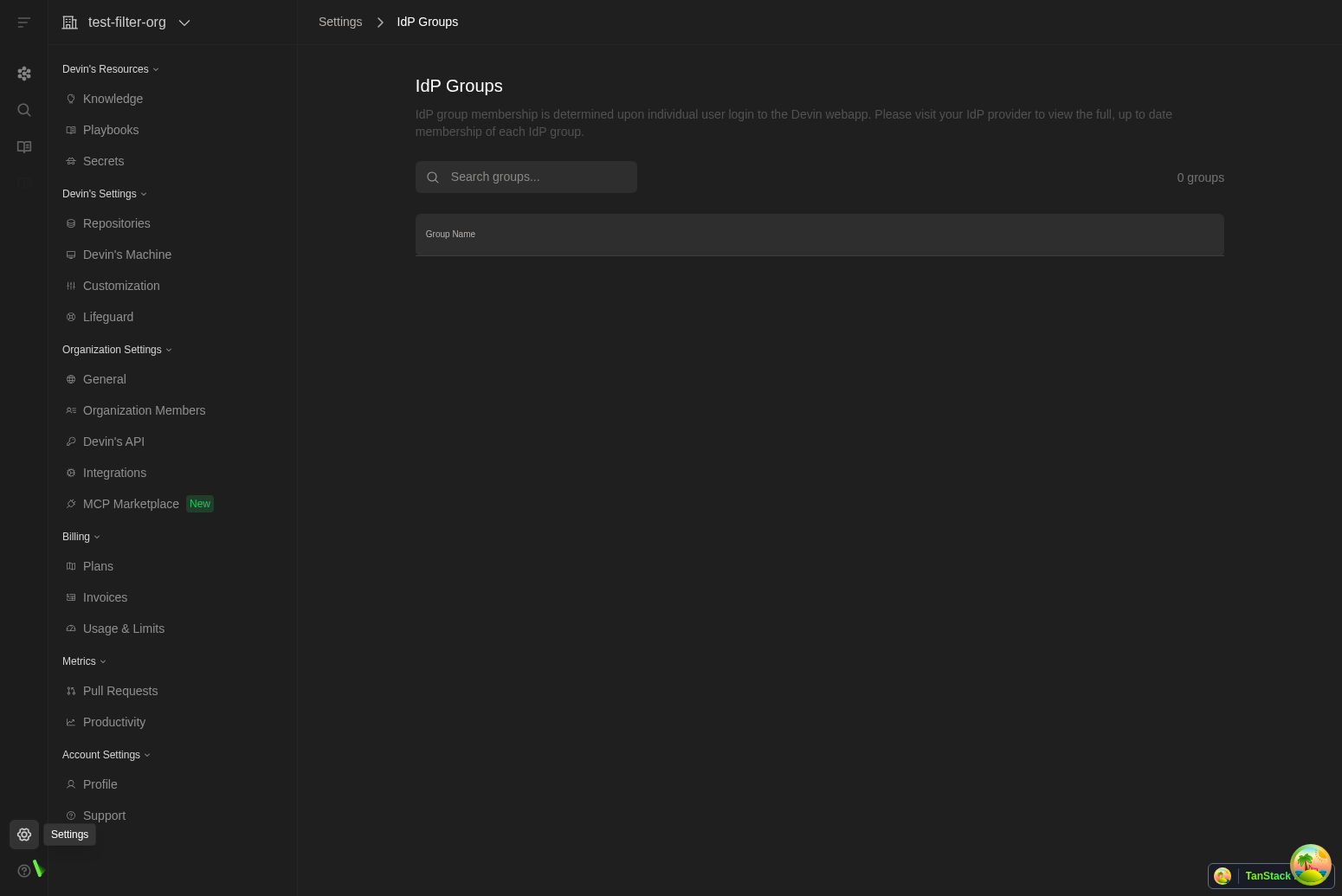
**IdP Groups Settings Page**
View and search your identity provider groups directly in Settings > IdP Groups to quickly reference group names and membership context within Devin.
**API Secret Management**
Added new POST /v1/secrets endpoint for creating secrets via API.
**Enterprise Dashboard Enhancements**
Added sorting functionality to User Metrics table in enterprise consumption dashboard.
**Enterprise Infrastructure Management**
Added UI for updating hypervisor settings in enterprise configurations, providing administrators with better control over infrastructure management.
**Bug fixes and improvements**
Various reliability, performance, and usability improvements across the app.
**Wiki Sidebar Improvements**
The wiki sidebar now displays cleaner repository names without full paths, making it easier to navigate through your indexed repositories.
**Settings Navigation Enhancement**
Standardized breadcrumb styling across Settings > Integrations pages for more consistent navigation experience throughout the application.
**Self-Hosted GitLab Access**
Added query parameter support to enable self-hosted GitLab connection modal for enterprise users who need this integration option.
**Figma MCP OAuth Support**
Enhanced the Figma integration in the MCP marketplace with OAuth authentication support for secure access to Figma files and resources.
**Enterprise API Key Management**
Improved error handling and user experience for service API key provisioning, including better messaging for organizations with existing keys.
**Mobile Sidebar Improvements**
Fixed sidebar display issues on mobile devices for better navigation experience across all screen sizes.
**Bug fixes and improvements**
Various reliability, performance, and usability improvements across the app.
**Referral Information Alert**
Added informational alert to Settings → Referrals page explaining referral rewards and success criteria for better user guidance.
**Enhanced Linear Integration**
Improved Linear integration with per-team/organization trigger conditions and status-based Devin triggering for more granular control.
**GitHub Connection Management**
Added "Manage Connection" button for GitHub PAT connections and improved token display by removing @ prefix for non-individual tokens.
**Azure DevOps Display**
Enhanced Azure DevOps connection display by removing @ prefix and properly handling null connection names.
**JAM MCP Integration**
Added JAM integration to the MCP marketplace, expanding available tools and services for enhanced development workflows.
**Bug fixes and improvements**
Various reliability, performance, and usability improvements across the app.
**Repository Counters Display**
The repositories page now shows total repository count and indexed repository count in the format 'X/Y repos indexed' for better visibility into indexing status.
**Enhanced MCP Marketplace**
Fixed text overflow issues in MCP marketplace cards so long integration names now wrap properly instead of being truncated.
**Improved Integration for Slack**
Enhanced Slack thread functionality with better macro extraction and moved thread mode settings to the dedicated Slack panel for improved organization.
**Enterprise Logout Access**
Added logout button visibility for enterprise sub-organizations in the sidebar, improving navigation consistency across different organization types.
**Enhanced Enterprise Consumption Dashboard**
Added sorting functionality to the User Metrics table in the enterprise consumption dashboard, allowing administrators to sort by session count and ACU consumption.
**Text Wrapping Improvements**
Fixed text wrapping issues in ADA search and DeepWiki to ensure long content displays properly without overflow.
**Bug fixes and improvements**
Various reliability, performance, and usability improvements across the app.
**VPC Repo Indexing**
For Enterprise customers using a VPC installation, added support for indexing repositories inside of the VPC which enhances security.
**GPT-5 Preview Access**
Core and Teams users now have access to a preview version of Devin that includes GPT-5, available through Agent Preview while we conduct further reliability and safety testing.
**Enhanced Enterprise Members Management**
The Enterprise Members page now displays organization groups and roles, giving administrators better visibility into member permissions and organizational structure.
**Jira Integration for Enterprises**
Jira integration is now available in enterprise connected accounts settings, enabling better project management workflows for enterprise customers.
**Perplexity MCP Server**
Added Perplexity to the MCP marketplace, expanding research and information gathering capabilities through the Model Context Protocol.
**Bug fixes and improvements**
Various reliability, performance, and usability improvements across the app.
**IdP Groups Settings Page**
View and search your identity provider groups directly in Settings > IdP Groups to quickly reference group names and membership context within Devin.
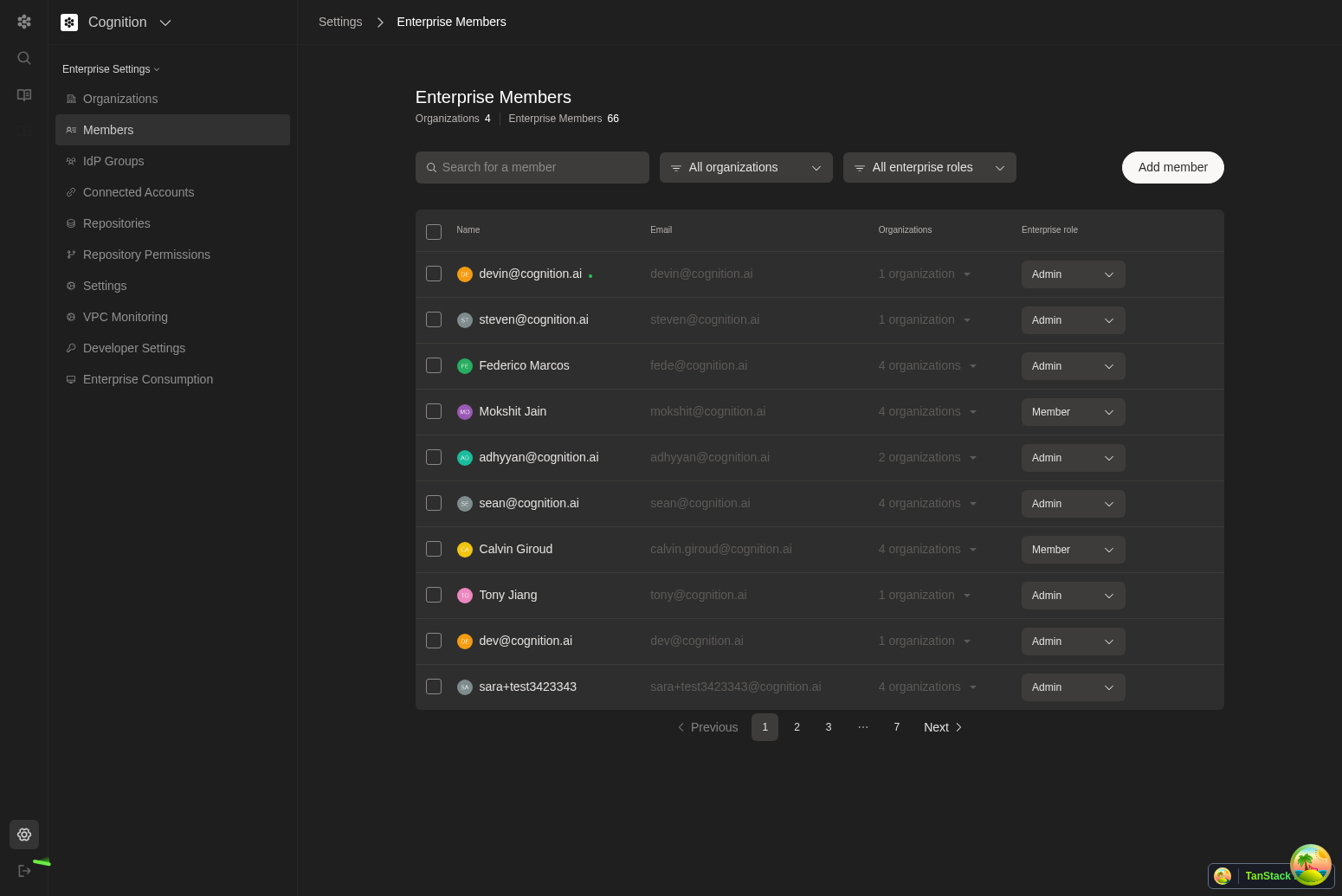
 **Enterprise Members Overhaul**
A refreshed Enterprise Members page adds improved filters, enterprise-wide stats, and streamlined bulk actions; admins can also add groups from this page where enabled.
**Enterprise Members Overhaul**
A refreshed Enterprise Members page adds improved filters, enterprise-wide stats, and streamlined bulk actions; admins can also add groups from this page where enabled.
 **Enterprise API Key Governance**
Manage enterprise API keys with a new governance experience, including provisioning and revoking service keys for tighter control.
**Diff File Header Copy**
Session diff file headers now include a one-click copy button and tooltip with the full path, making it faster to share or navigate to files.
**Linear Org Auto-Switch**
When opening a Devin scope link from a Linear ticket, Devin automatically switches to the ticket’s organization to ensure correct context.
**Bug fixes and improvements**
Various reliability, performance, and usability improvements across the app.
**Organization Selector Improvements**
Fixed overflow issues in the organization selector dropdown for better navigation when managing multiple organizations.
**Linear Integration Enhancements**
Improved Linear settings page to hide unnecessary configuration options for non-enterprise users, providing a cleaner interface.
**Enterprise API Key Governance**
Manage enterprise API keys with a new governance experience, including provisioning and revoking service keys for tighter control.
**Diff File Header Copy**
Session diff file headers now include a one-click copy button and tooltip with the full path, making it faster to share or navigate to files.
**Linear Org Auto-Switch**
When opening a Devin scope link from a Linear ticket, Devin automatically switches to the ticket’s organization to ensure correct context.
**Bug fixes and improvements**
Various reliability, performance, and usability improvements across the app.
**Organization Selector Improvements**
Fixed overflow issues in the organization selector dropdown for better navigation when managing multiple organizations.
**Linear Integration Enhancements**
Improved Linear settings page to hide unnecessary configuration options for non-enterprise users, providing a cleaner interface.
 **Enhanced Sleep State Messaging**
Improved messaging when Devin goes to sleep, providing clearer status updates even when Devin is already in sleep mode.
**Linear Knowledge Management**
Enhanced Linear knowledge editing capabilities, allowing all users to modify organization-specific Linear knowledge for better ticket scoping.
**Performance Optimizations**
Various backend improvements including better database query optimization and enhanced retry mechanisms for repository information retrieval.
**Organization Switcher Search**
Superusers can now search organizations directly from the switcher, and the menu is wider for faster navigation across large org lists.
**Primary Org Session Sidebar**
While working inside a session, the primary organization sidebar now remains visible to speed up navigation and access to settings.
**Linear Mapping UX Improvements**
The Linear integration modal has clearer toggles and button layouts, warns before closing with unsaved mappings, and uses the updated integrations webhook path for a more reliable setup.
**Automatic Linear Notes**
Saving Linear project mappings now generates structured Linear notes to help Devin scope issues and plan work more effectively.
**Input Dropdown Cleanup**
We removed the Deep Agent option from the input box dropdown to simplify task kickoff choices.
**PR Merge Notifications**
You’ll receive notifications when PRs are merged so session status stays up to date without manual refresh.
**Knowledge Title Editing**
You can now edit knowledge entry titles while in edit mode for cleaner organization.
**Dictionary Secrets No Longer Supported**
Dictionary-type secrets are no longer supported; use individual string secrets per key instead.
**Bug fixes and polish**
Various minor UI polish and non-user-facing improvements.
**MCP (Model Context Protocol) Marketplace**
Access 1000s of tools and integrations from a dedicated marketplace at `/settings/mcp-marketplace`. Connect to services like Linear, Notion, AWS services, and many more with a single click.
**Enhanced Sleep State Messaging**
Improved messaging when Devin goes to sleep, providing clearer status updates even when Devin is already in sleep mode.
**Linear Knowledge Management**
Enhanced Linear knowledge editing capabilities, allowing all users to modify organization-specific Linear knowledge for better ticket scoping.
**Performance Optimizations**
Various backend improvements including better database query optimization and enhanced retry mechanisms for repository information retrieval.
**Organization Switcher Search**
Superusers can now search organizations directly from the switcher, and the menu is wider for faster navigation across large org lists.
**Primary Org Session Sidebar**
While working inside a session, the primary organization sidebar now remains visible to speed up navigation and access to settings.
**Linear Mapping UX Improvements**
The Linear integration modal has clearer toggles and button layouts, warns before closing with unsaved mappings, and uses the updated integrations webhook path for a more reliable setup.
**Automatic Linear Notes**
Saving Linear project mappings now generates structured Linear notes to help Devin scope issues and plan work more effectively.
**Input Dropdown Cleanup**
We removed the Deep Agent option from the input box dropdown to simplify task kickoff choices.
**PR Merge Notifications**
You’ll receive notifications when PRs are merged so session status stays up to date without manual refresh.
**Knowledge Title Editing**
You can now edit knowledge entry titles while in edit mode for cleaner organization.
**Dictionary Secrets No Longer Supported**
Dictionary-type secrets are no longer supported; use individual string secrets per key instead.
**Bug fixes and polish**
Various minor UI polish and non-user-facing improvements.
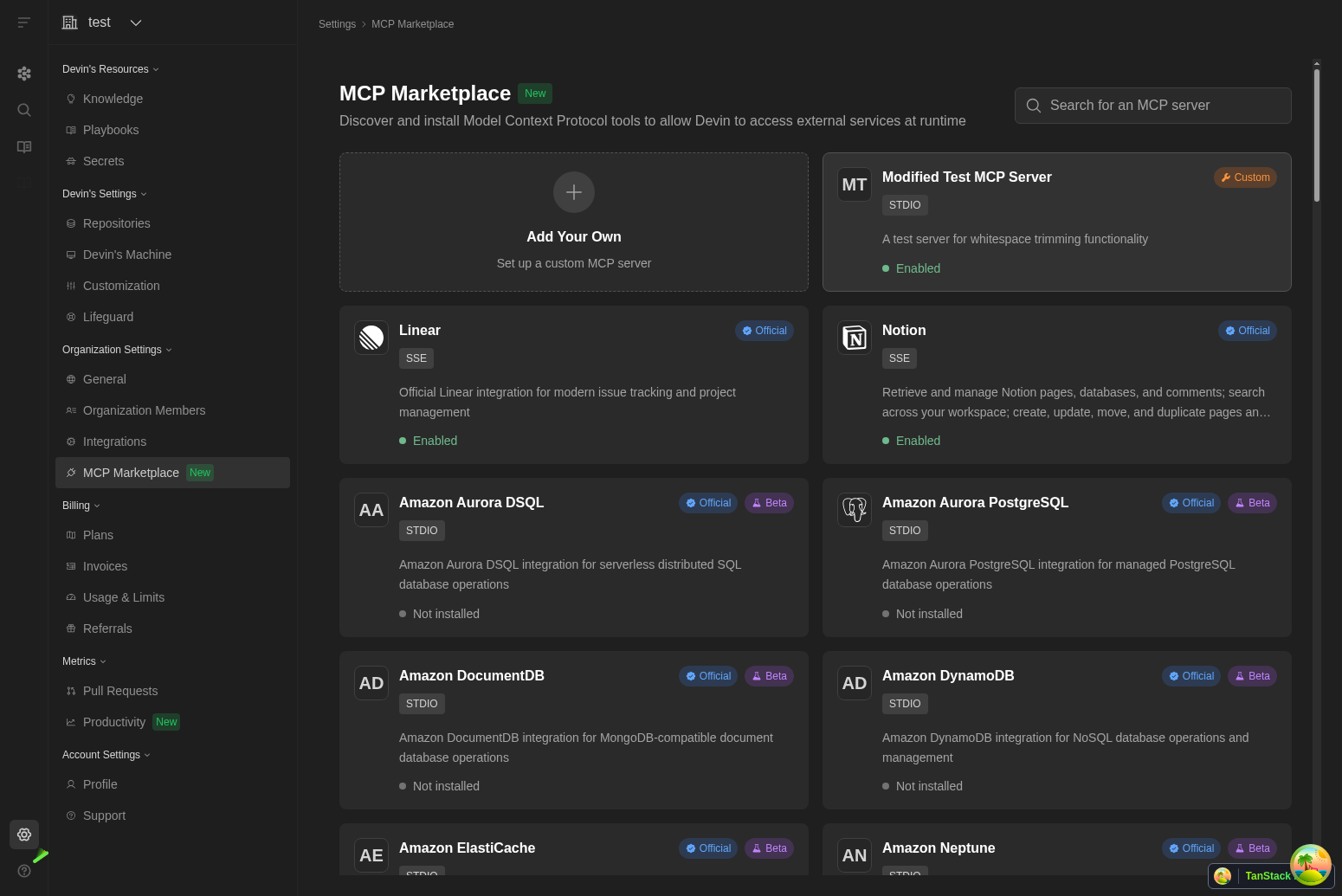
**MCP (Model Context Protocol) Marketplace**
Access 1000s of tools and integrations from a dedicated marketplace at `/settings/mcp-marketplace`. Connect to services like Linear, Notion, AWS services, and many more with a single click.
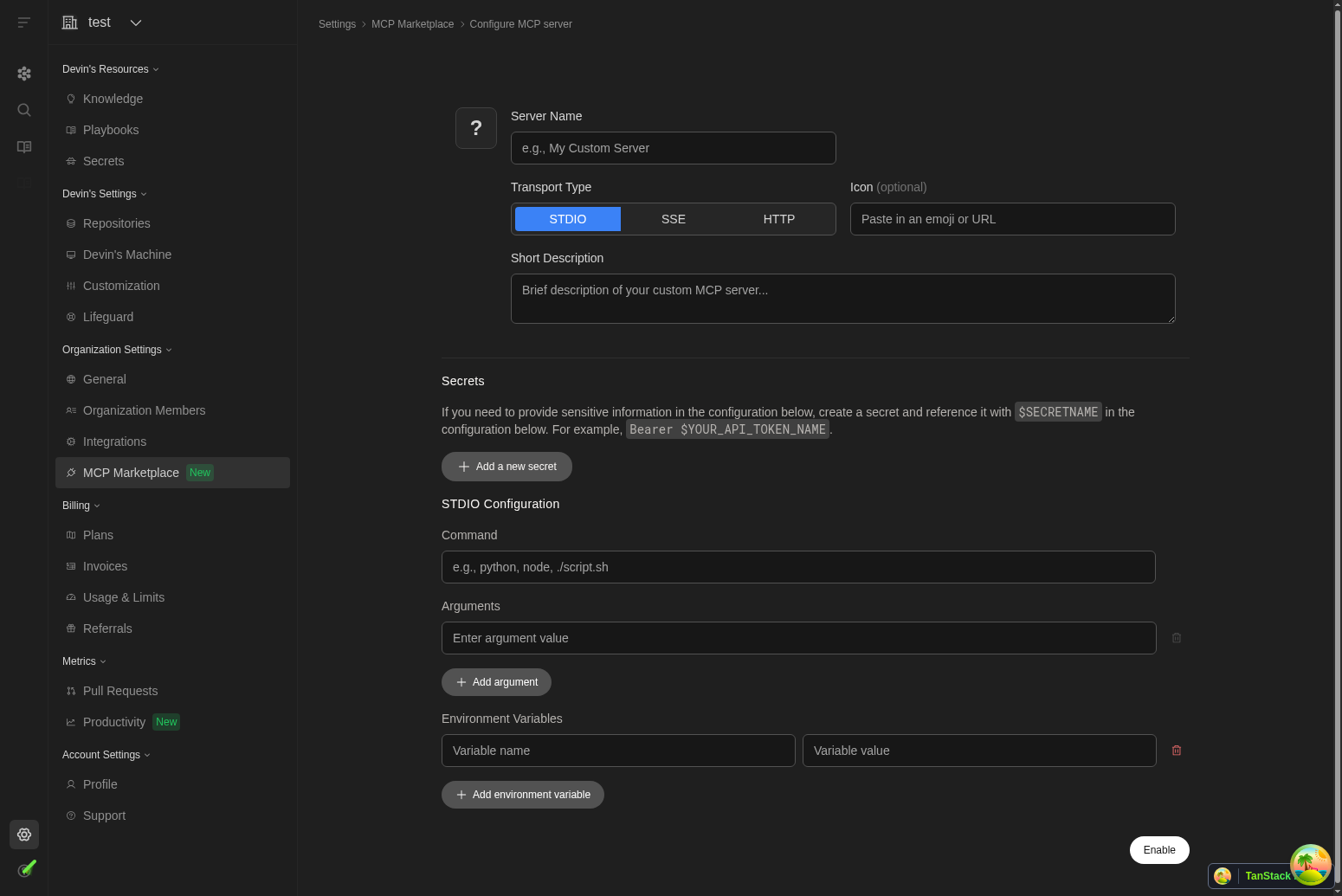
 **Inline Secrets Management for MCP Configurations**
Create and reference secrets directly when configuring MCP servers. Simply define secrets inline and reference them using `$SECRETNAME` syntax for secure credential management.
**Inline Secrets Management for MCP Configurations**
Create and reference secrets directly when configuring MCP servers. Simply define secrets inline and reference them using `$SECRETNAME` syntax for secure credential management.
 **Slack Thread Mode Preference**
Control how Devin responds in Slack conversations. Choose whether Devin should reply in threads to keep conversations organized when integrated with your Slack workspace.
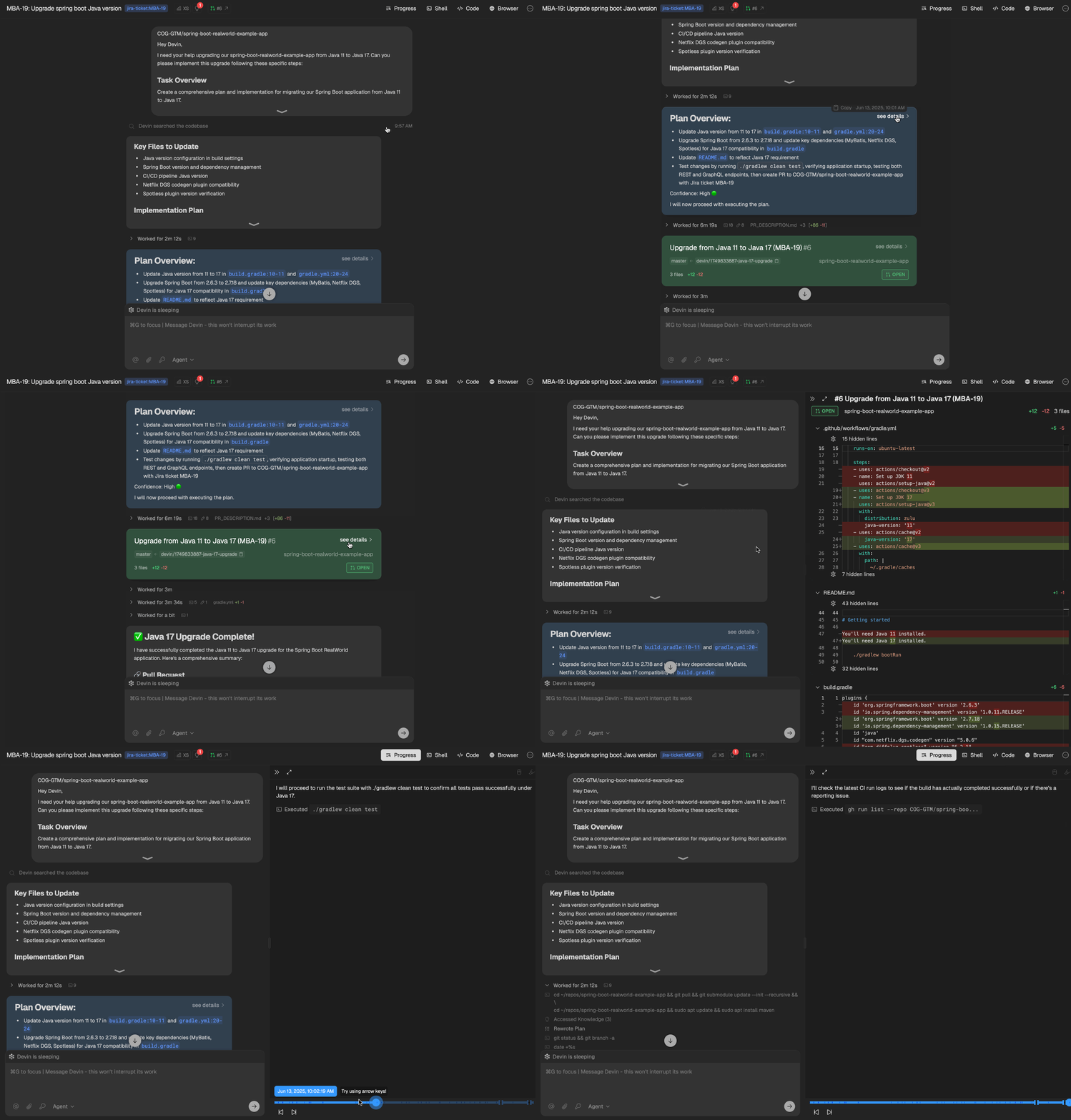
**Session UI**
We updated the Session UI to streamline the interface and better highlight key decision points in each session: the Task, the Plan, the PR, and the Summary. You’ll still have full access to Devin’s session progress, now presented more clearly and intuitively.
**Slack Thread Mode Preference**
Control how Devin responds in Slack conversations. Choose whether Devin should reply in threads to keep conversations organized when integrated with your Slack workspace.
**Session UI**
We updated the Session UI to streamline the interface and better highlight key decision points in each session: the Task, the Plan, the PR, and the Summary. You’ll still have full access to Devin’s session progress, now presented more clearly and intuitively.
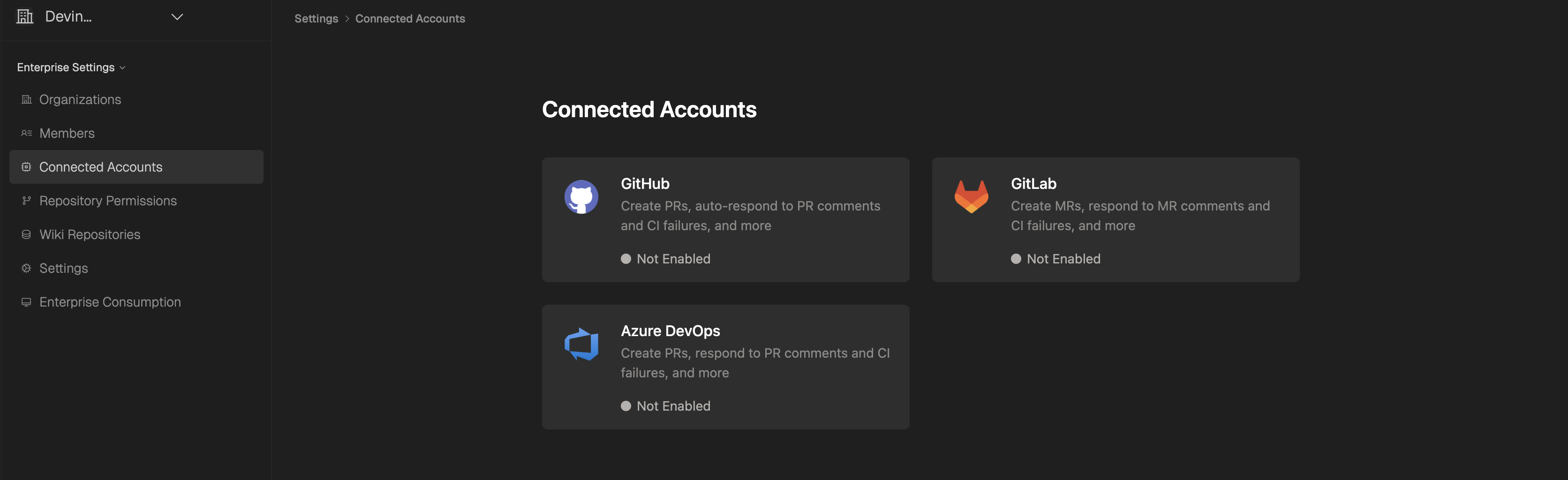
 **Enterprise Connected Accounts UI**
We’ve redesigned the Enterprise Connected Accounts UI to make it cleaner and more focused. Connecting accounts is now simpler, with less clutter and clearer navigation.
**Enterprise Connected Accounts UI**
We’ve redesigned the Enterprise Connected Accounts UI to make it cleaner and more focused. Connecting accounts is now simpler, with less clutter and clearer navigation.
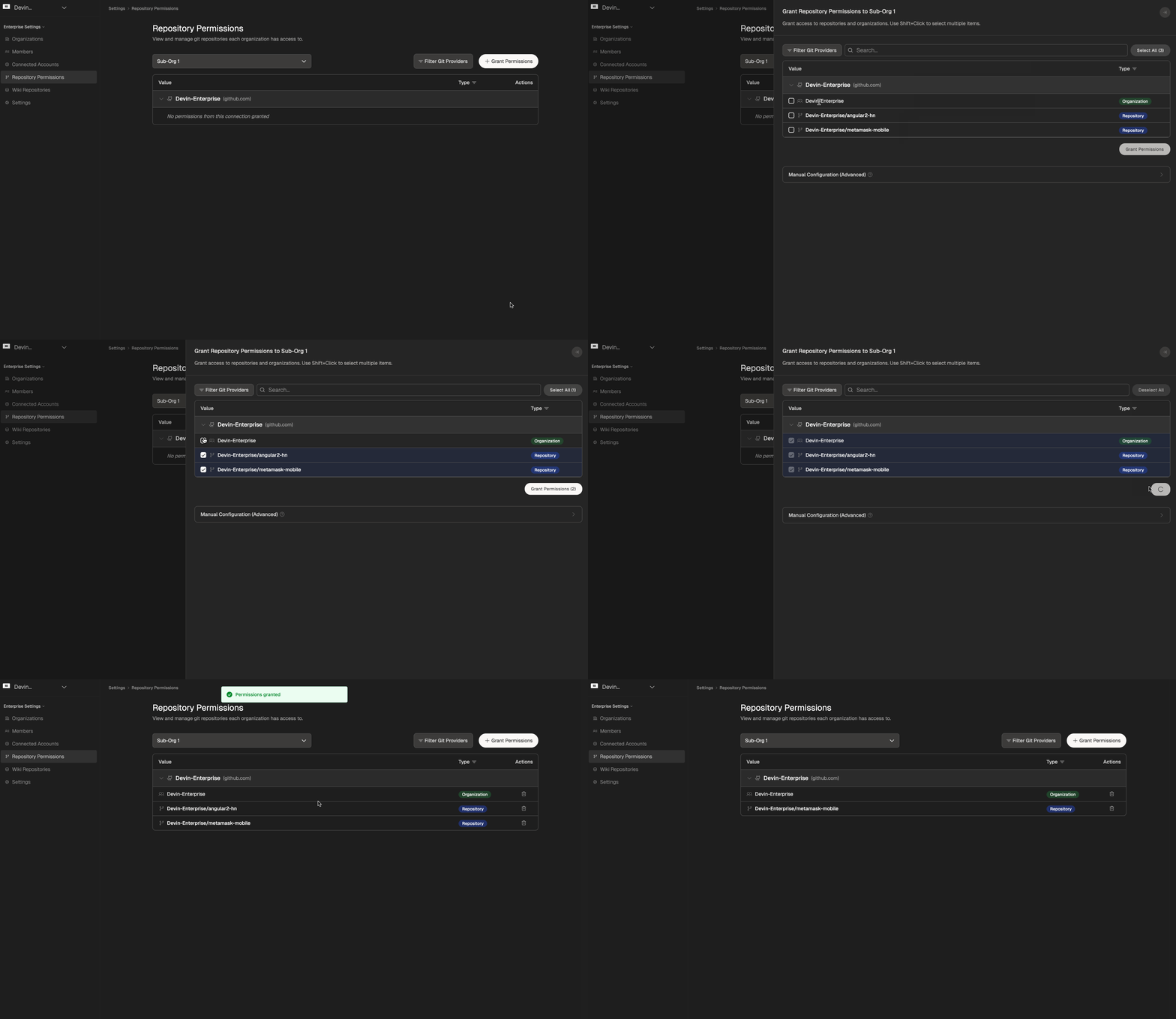
 **Git Permissions UI**
For Enterprise users, Git Permissions has been moved out of the Connected Accounts section and into its own dedicated tab. This makes it much easier to view repo permissions on a per-org basis and assign or remove repos and groups with better clarity.
**Git Permissions UI**
For Enterprise users, Git Permissions has been moved out of the Connected Accounts section and into its own dedicated tab. This makes it much easier to view repo permissions on a per-org basis and assign or remove repos and groups with better clarity.
 **Devin can now open PRs using your GitHub username.**
This feature is off by default. To turn it on, select "Open PRs as Devin" on the [Integrations page](https://app.devin.ai/settings/integrations). This setting applies to all org members and can be changed by the admin.
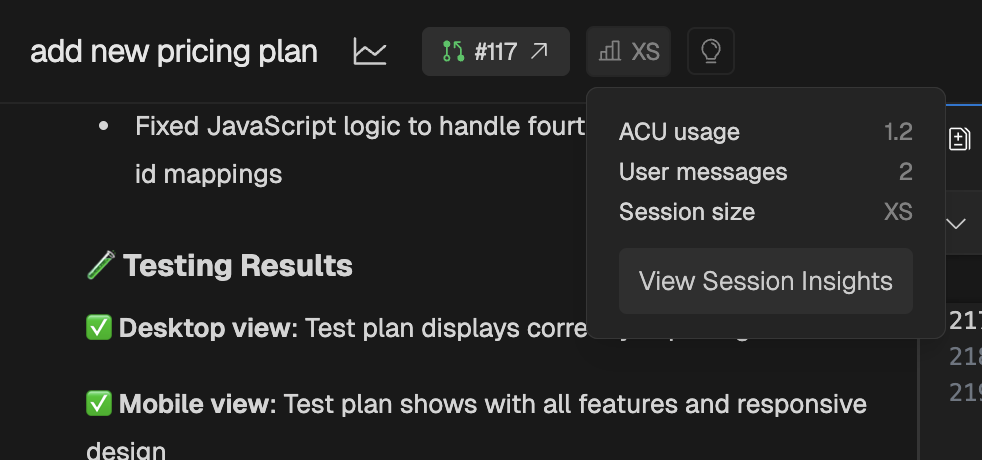
**Session Insights**
Session Insights is a new free feature that analyzes your Devin sessions and breaks down what happened and gives you actionable tips for next time. It also generates a new, improved prompt that you can use to kick off a new session.
To use Session Insights, click the "View Session Insights" button in the top bar of your completed Devin session (located next to the lightbulb icon), then click **Generate Analysis** to trigger the analysis. You can also trigger analysis programmatically via the [API](/api-reference/v3/sessions/post-organizations-session-insights-generate).
**Devin can now open PRs using your GitHub username.**
This feature is off by default. To turn it on, select "Open PRs as Devin" on the [Integrations page](https://app.devin.ai/settings/integrations). This setting applies to all org members and can be changed by the admin.
**Session Insights**
Session Insights is a new free feature that analyzes your Devin sessions and breaks down what happened and gives you actionable tips for next time. It also generates a new, improved prompt that you can use to kick off a new session.
To use Session Insights, click the "View Session Insights" button in the top bar of your completed Devin session (located next to the lightbulb icon), then click **Generate Analysis** to trigger the analysis. You can also trigger analysis programmatically via the [API](/api-reference/v3/sessions/post-organizations-session-insights-generate).
 **DeepWiki MCP Server:**
* We've launched the [DeepWiki MCP server](/work-with-devin/deepwiki-mcp), providing programmatic access to DeepWiki's repository documentation and search capabilities.
* Connect your AI applications to DeepWiki using the Model Context Protocol (MCP) standard.
* Free, no authentication required.
**Devin 2.1**: Confidence Scores 🟢 🟡 🔴 and enhanced codebase intelligence
It's true: coding agents can be overconfident. That's why Devin 2.1 now provides **Confidence Scores** to indicate its likelihood of completing tasks. Answer Devin's questions to help it reach 🟢.
* At multiple points in each session, Devin will express its confidence:
* At the start of the session
* After creating a plan
* Whenever it answers a question about the code
* When Devin doesn't have 🟢 confidence (i.e., 🟡 or 🔴), it will now wait for user approval before proceeding with its plan. If it's 🟢, it proceeds automatically.
* You can still send feedback and adjust Devin's plan even after it has started working.
* Our data shows that Confidence Scores are highly correlated with success.
**Upgrades to Linear & Jira Integrations:**
* Easily get Confidence Scores for multiple issues at once directly through our [Linear integration](/integrations/linear) and [Jira integration](/integrations/jira).
* This occurs without starting actual Devin sessions, allowing you to score as many issues as you'd like and prioritize having Devin work on the highest-confidence tasks.
**Enhanced Codebase Intelligence (DeepWiki Built-in):**
* The codebase understanding and intelligence features from DeepWiki are now directly integrated into Devin.
* At any point during a session, ask a question, and Devin will provide a DeepWiki-like answer, complete with code citations.
* Devin auto-detects when it should scan your codebase, but you can also trigger this manually using `!ask`.
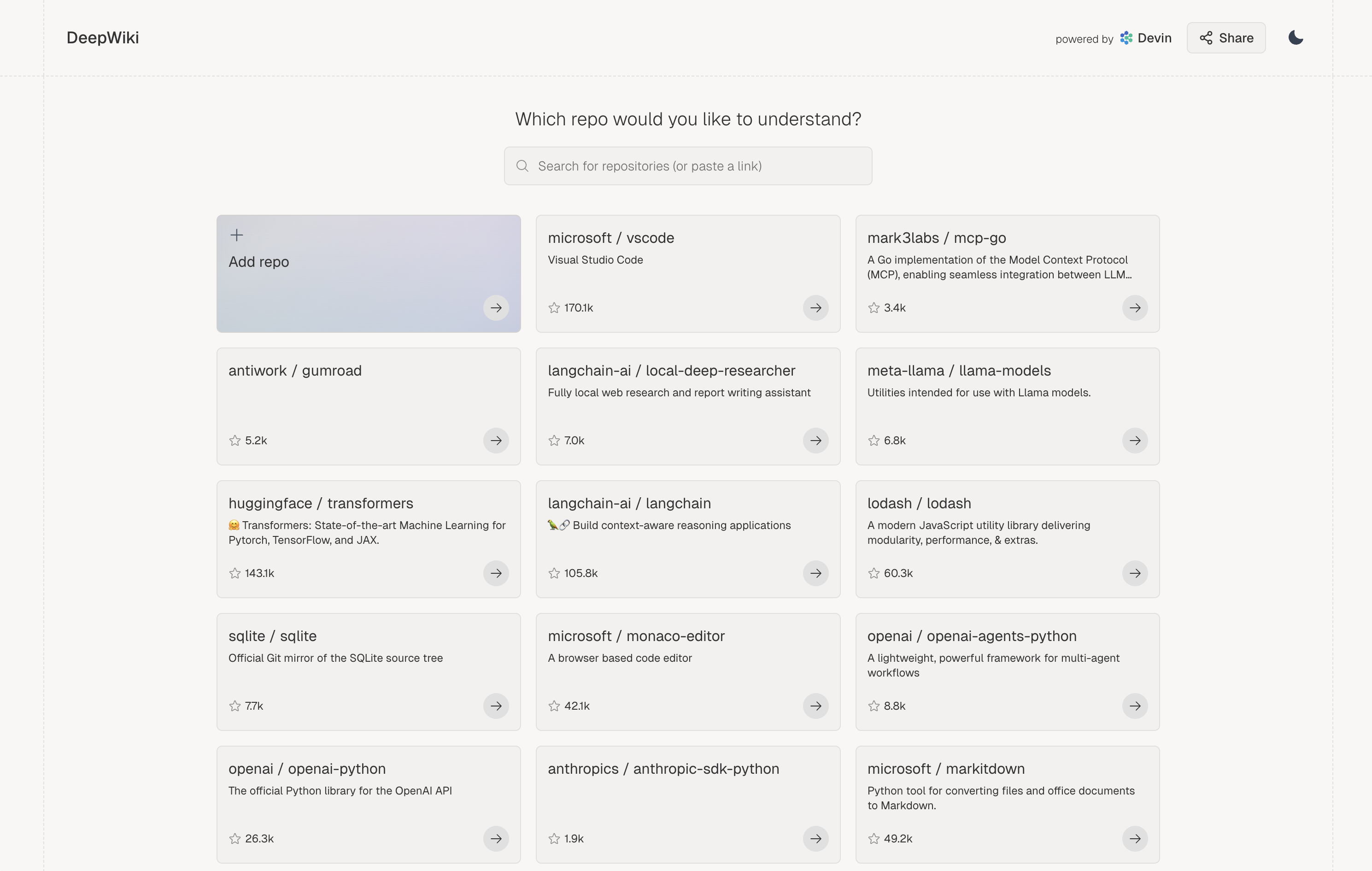
We shipped [Deep Wiki](http://www.deepwiki.com): Up-to-date documentation you can talk to.
Turn on Deep Research for agent-powered, in-depth answers.
Share wikis and answers to keep everyone on the same page.
[Watch the walkthrough](https://x.com/cognition_labs/status/1915816544480989288) and check it for your favorite open source repos out at [www.deepwiki.com](http://www.deepwiki.com)! It's free for open-source repos, with 30k+ repos already available!
**DeepWiki MCP Server:**
* We've launched the [DeepWiki MCP server](/work-with-devin/deepwiki-mcp), providing programmatic access to DeepWiki's repository documentation and search capabilities.
* Connect your AI applications to DeepWiki using the Model Context Protocol (MCP) standard.
* Free, no authentication required.
**Devin 2.1**: Confidence Scores 🟢 🟡 🔴 and enhanced codebase intelligence
It's true: coding agents can be overconfident. That's why Devin 2.1 now provides **Confidence Scores** to indicate its likelihood of completing tasks. Answer Devin's questions to help it reach 🟢.
* At multiple points in each session, Devin will express its confidence:
* At the start of the session
* After creating a plan
* Whenever it answers a question about the code
* When Devin doesn't have 🟢 confidence (i.e., 🟡 or 🔴), it will now wait for user approval before proceeding with its plan. If it's 🟢, it proceeds automatically.
* You can still send feedback and adjust Devin's plan even after it has started working.
* Our data shows that Confidence Scores are highly correlated with success.
**Upgrades to Linear & Jira Integrations:**
* Easily get Confidence Scores for multiple issues at once directly through our [Linear integration](/integrations/linear) and [Jira integration](/integrations/jira).
* This occurs without starting actual Devin sessions, allowing you to score as many issues as you'd like and prioritize having Devin work on the highest-confidence tasks.
**Enhanced Codebase Intelligence (DeepWiki Built-in):**
* The codebase understanding and intelligence features from DeepWiki are now directly integrated into Devin.
* At any point during a session, ask a question, and Devin will provide a DeepWiki-like answer, complete with code citations.
* Devin auto-detects when it should scan your codebase, but you can also trigger this manually using `!ask`.
We shipped [Deep Wiki](http://www.deepwiki.com): Up-to-date documentation you can talk to.
Turn on Deep Research for agent-powered, in-depth answers.
Share wikis and answers to keep everyone on the same page.
[Watch the walkthrough](https://x.com/cognition_labs/status/1915816544480989288) and check it for your favorite open source repos out at [www.deepwiki.com](http://www.deepwiki.com)! It's free for open-source repos, with 30k+ repos already available!
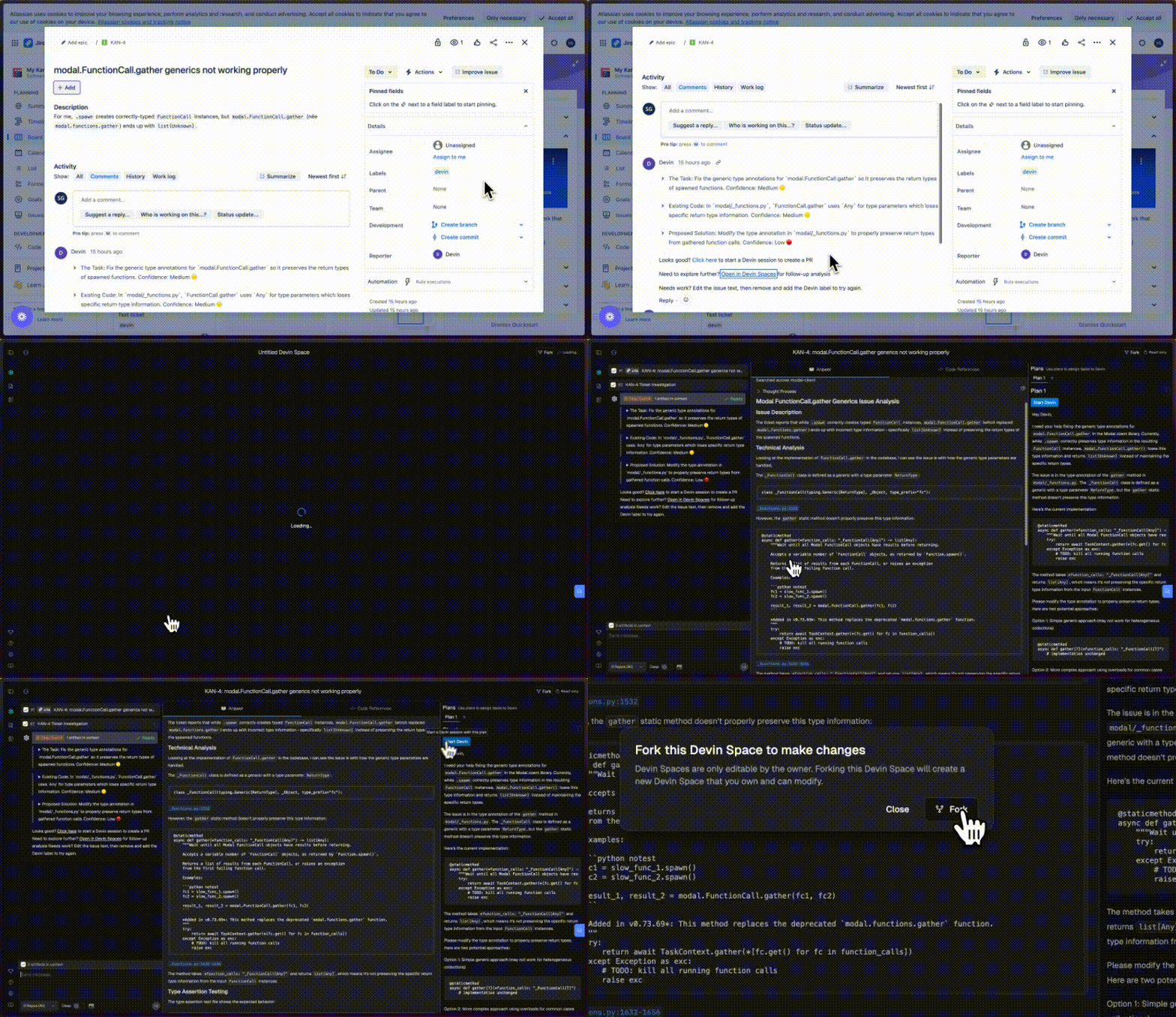
 We now support **Jira**, in addition to Linear! The best workflow:
* Add the "Devin" label to a Jira issue, or bulk add to multiple issues to begin issue scoping in parallel.
* Devin knows your codebase and will comment on each ticket in minutes with a summary of relevant code, implementation plan and open questions.
* Use Devin's analysis to get up to speed. Devin has the self-awareness to report 🔴/🟠/🟢 confidence estimates too.
We also shipped **Devin Spaces**, an interactive playground to refine your tasks before having Devin work on them (in early preview):
* Devin will now link to Devin Spaces in its comment on Jira and Linear - use Spaces to ask follow up questions and further plan out the task.
* Start a Devin session directly from the plan you create in Devin Spaces!
To get started, check out our [Jira documentation](/integrations/jira) or [Linear documentation](/integrations/linear). We're excited to hear your feedback!
We now support **Jira**, in addition to Linear! The best workflow:
* Add the "Devin" label to a Jira issue, or bulk add to multiple issues to begin issue scoping in parallel.
* Devin knows your codebase and will comment on each ticket in minutes with a summary of relevant code, implementation plan and open questions.
* Use Devin's analysis to get up to speed. Devin has the self-awareness to report 🔴/🟠/🟢 confidence estimates too.
We also shipped **Devin Spaces**, an interactive playground to refine your tasks before having Devin work on them (in early preview):
* Devin will now link to Devin Spaces in its comment on Jira and Linear - use Spaces to ask follow up questions and further plan out the task.
* Start a Devin session directly from the plan you create in Devin Spaces!
To get started, check out our [Jira documentation](/integrations/jira) or [Linear documentation](/integrations/linear). We're excited to hear your feedback!
 Our native **Linear integration** is now available! Turn tickets into PRs by launching Devins directly from Linear.
Our Devin x Linear workflow 👇
* Use Cmd+A to multi-select Linear tickets. Then, add the Devin label to start ticket scoping in parallel.
* Devin knows your codebase and will comment on each ticket in minutes with:
* A summary of the current code
* An implementation plan
* Any edge cases or questions that need your attention
* Use Devin's analysis to get up to speed, or just click the provided link to have Devin take a first pass at the PR. Devin has the self-awareness to report 🔴/🟠/🟢 confidence estimates too.
To start assigning tickets, go to [Devin's integrations](https://app.devin.ai/settings/integrations) and connect to Linear.
Our native **Linear integration** is now available! Turn tickets into PRs by launching Devins directly from Linear.
Our Devin x Linear workflow 👇
* Use Cmd+A to multi-select Linear tickets. Then, add the Devin label to start ticket scoping in parallel.
* Devin knows your codebase and will comment on each ticket in minutes with:
* A summary of the current code
* An implementation plan
* Any edge cases or questions that need your attention
* Use Devin's analysis to get up to speed, or just click the provided link to have Devin take a first pass at the PR. Devin has the self-awareness to report 🔴/🟠/🟢 confidence estimates too.
To start assigning tickets, go to [Devin's integrations](https://app.devin.ai/settings/integrations) and connect to Linear.
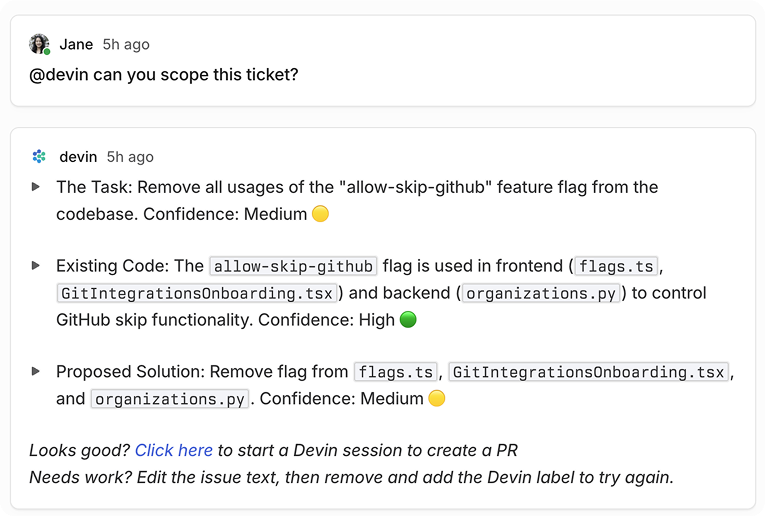 **Introducing Devin 2.0:** an agent-native IDE experience. Generally available today starting at \$20.
Check out our [launch announcement on X](https://x.com/cognition_labs/status/1907836719061451067) to learn more!
**Devin 1.5 is live!** We've shipped an end-to-end revamp of the Devin experience that makes it much easier to collaborate with Devin.
### Devin IDE
**Devin now does its work in an interactive VSCode environment loaded with your repos.** Check in on Devin's edits in real time, then touch up the changes or test Devin's code directly using the IDE tools and shortcuts you're familiar with.
* Click "Review Changes" for a diff view of file edits so far. You're in a fully featured IDE, so you can open files in new tabs, jump to definition, etc.
**Introducing Devin 2.0:** an agent-native IDE experience. Generally available today starting at \$20.
Check out our [launch announcement on X](https://x.com/cognition_labs/status/1907836719061451067) to learn more!
**Devin 1.5 is live!** We've shipped an end-to-end revamp of the Devin experience that makes it much easier to collaborate with Devin.
### Devin IDE
**Devin now does its work in an interactive VSCode environment loaded with your repos.** Check in on Devin's edits in real time, then touch up the changes or test Devin's code directly using the IDE tools and shortcuts you're familiar with.
* Click "Review Changes" for a diff view of file edits so far. You're in a fully featured IDE, so you can open files in new tabs, jump to definition, etc.
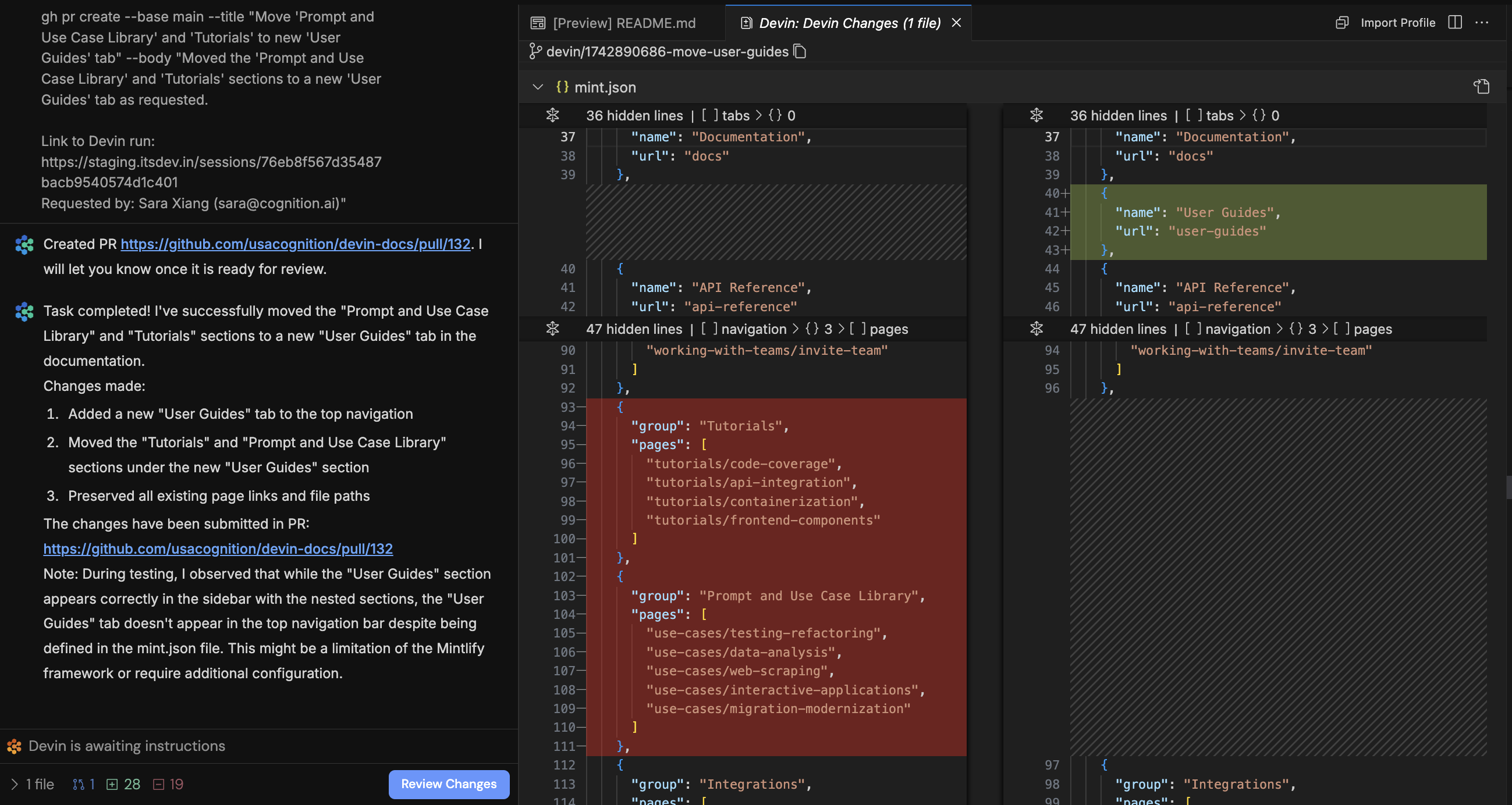 * Devin may send citations or references to code. Clicking on these will deep link into VSCode!
* Click "Follow Devin" to follow Devin's edits in real time. Click stop to take over and use the IDE yourself.
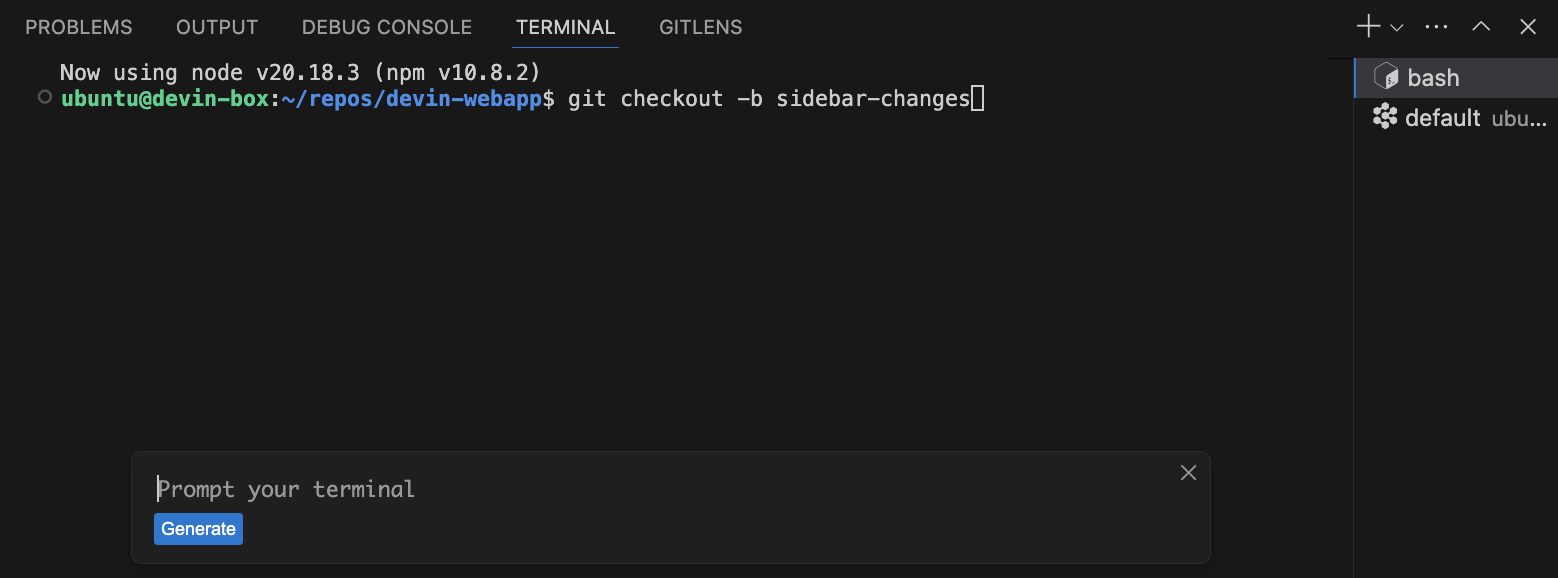
* Use `⌘K` to generate terminal commands from natural language.
* Devin may send citations or references to code. Clicking on these will deep link into VSCode!
* Click "Follow Devin" to follow Devin's edits in real time. Click stop to take over and use the IDE yourself.
* Use `⌘K` to generate terminal commands from natural language.
 * Use `⌘I` for rapid responses to questions or rapid file edits.
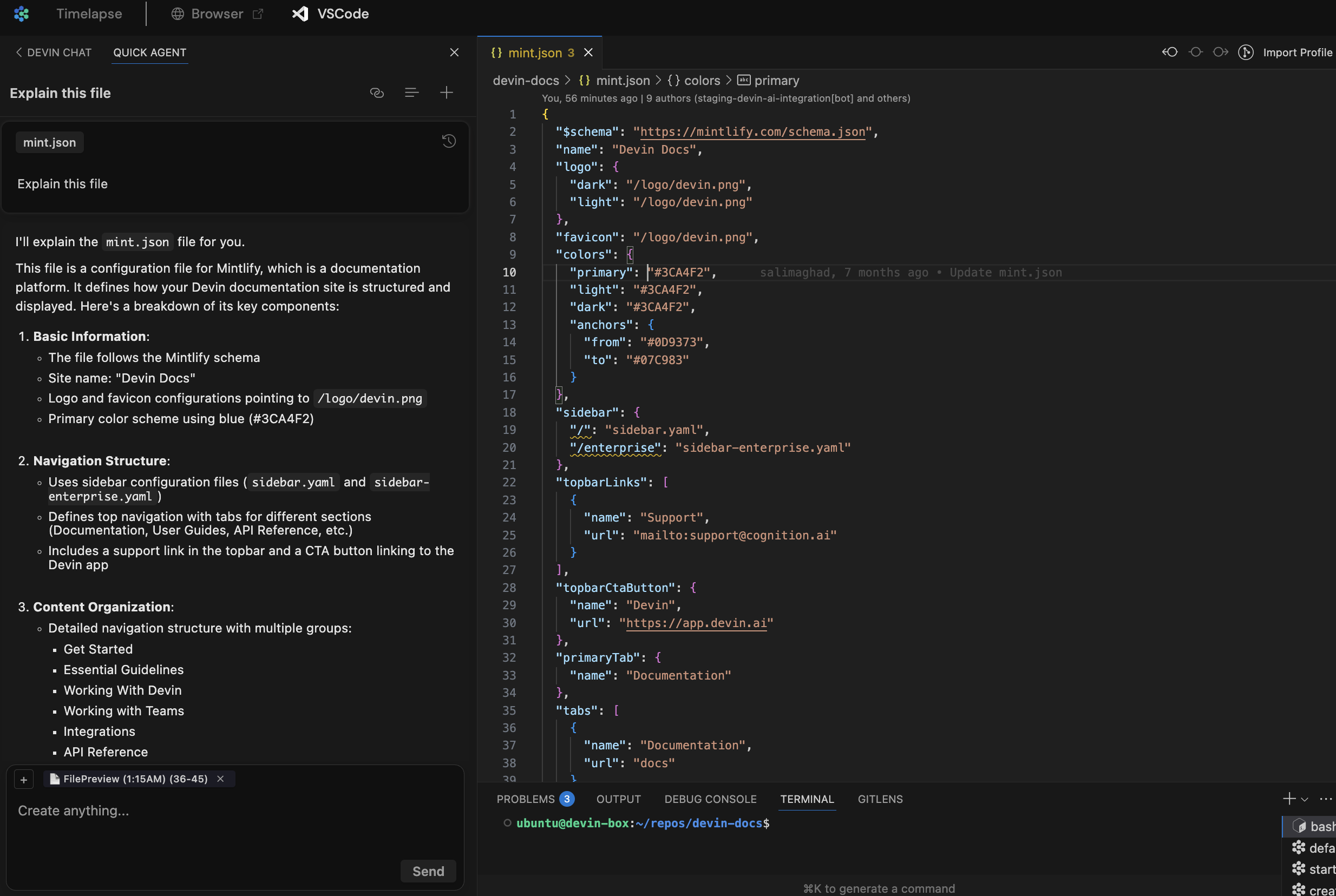 * All of Devin's terminals, commands, and their outputs are available in VSCode. Toggle from **read-only to writable** to run your own commands.
 * Test and fix changes end to end without leaving the Devin webapp. Ask Devin to run your app locally, or take over and run commands yourself. Then use Devin's browser to test the local build yourself!
### Interactive Planner
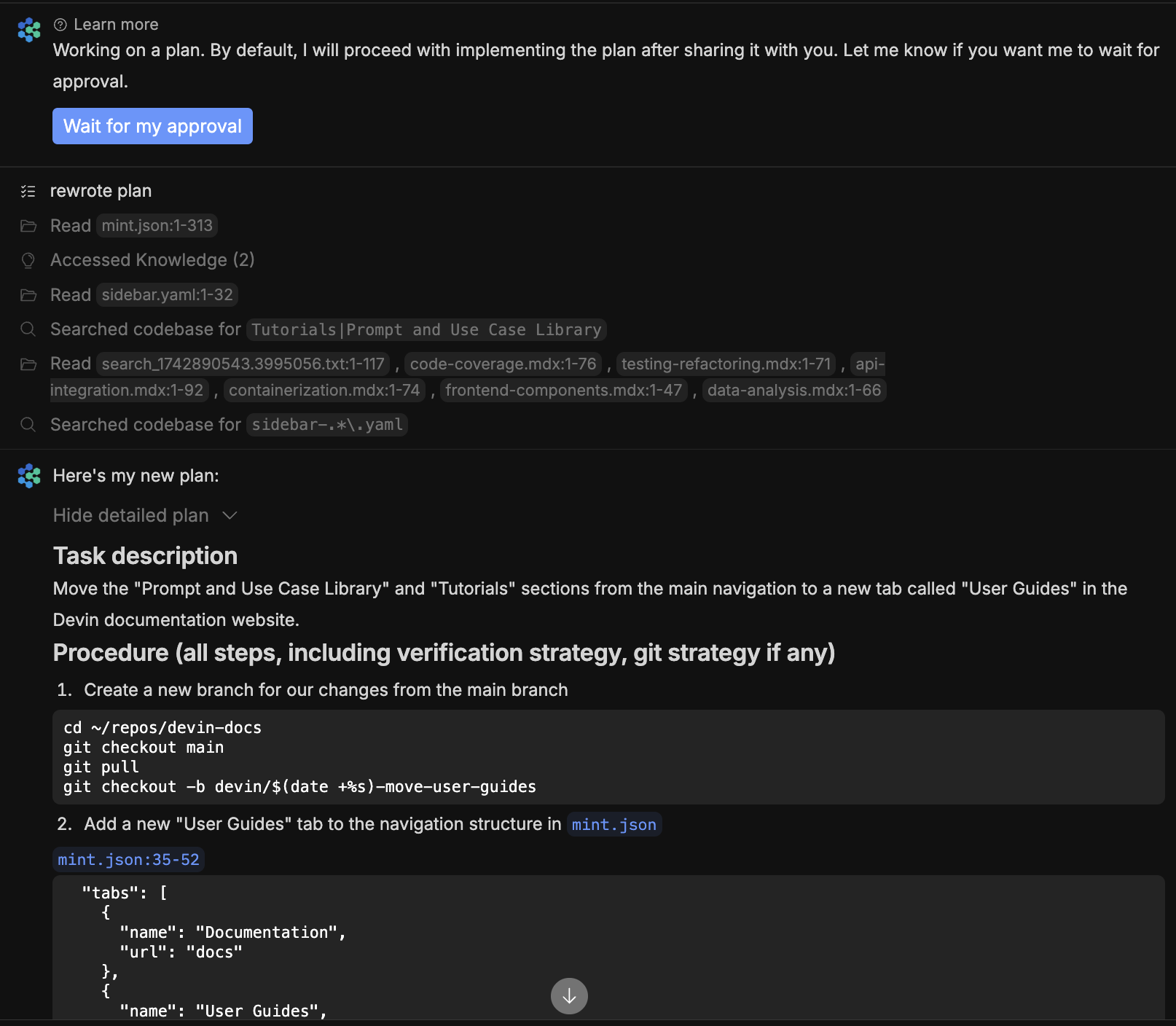
Each time you kick off a new session, **Devin responds in seconds with relevant files, findings, and an initial plan**. Scope out your changes and give feedback on Devin's plan before letting Devin work autonomously.
* Devin rapidly scans relevant files and code snippets to generate an initial plan. This initial plan and subsequent messages may now cite code snippets and files, and **clicking on these citations now deep links into the Devin IDE!**
* For more complex tasks, click "Wait for my approval" so that Devin waits for your feedback on its full plan. Brainstorm and explore the codebase together in VSCode to refine the plan.
* By default, if you don't click "Wait for my approval", Devin waits 30 seconds for your input before proceeding. You can always change the default behavior in [Settings > Customization.](https://app.devin.ai/customization)
* Test and fix changes end to end without leaving the Devin webapp. Ask Devin to run your app locally, or take over and run commands yourself. Then use Devin's browser to test the local build yourself!
### Interactive Planner
Each time you kick off a new session, **Devin responds in seconds with relevant files, findings, and an initial plan**. Scope out your changes and give feedback on Devin's plan before letting Devin work autonomously.
* Devin rapidly scans relevant files and code snippets to generate an initial plan. This initial plan and subsequent messages may now cite code snippets and files, and **clicking on these citations now deep links into the Devin IDE!**
* For more complex tasks, click "Wait for my approval" so that Devin waits for your feedback on its full plan. Brainstorm and explore the codebase together in VSCode to refine the plan.
* By default, if you don't click "Wait for my approval", Devin waits 30 seconds for your input before proceeding. You can always change the default behavior in [Settings > Customization.](https://app.devin.ai/customization)
 ### Ask Devin
[Ask Devin](https://app.devin.ai/search) is a **new tool built to rapidly answer questions about your codebase**. Use Ask Devin for one-off questions like "Figure out where the auth backend endpoint is defined" or "Find the commit that introduced the new support functionality," or use it to map out the initial spec for a task you want Devin to execute.
### Ask Devin
[Ask Devin](https://app.devin.ai/search) is a **new tool built to rapidly answer questions about your codebase**. Use Ask Devin for one-off questions like "Figure out where the auth backend endpoint is defined" or "Find the commit that introduced the new support functionality," or use it to map out the initial spec for a task you want Devin to execute.
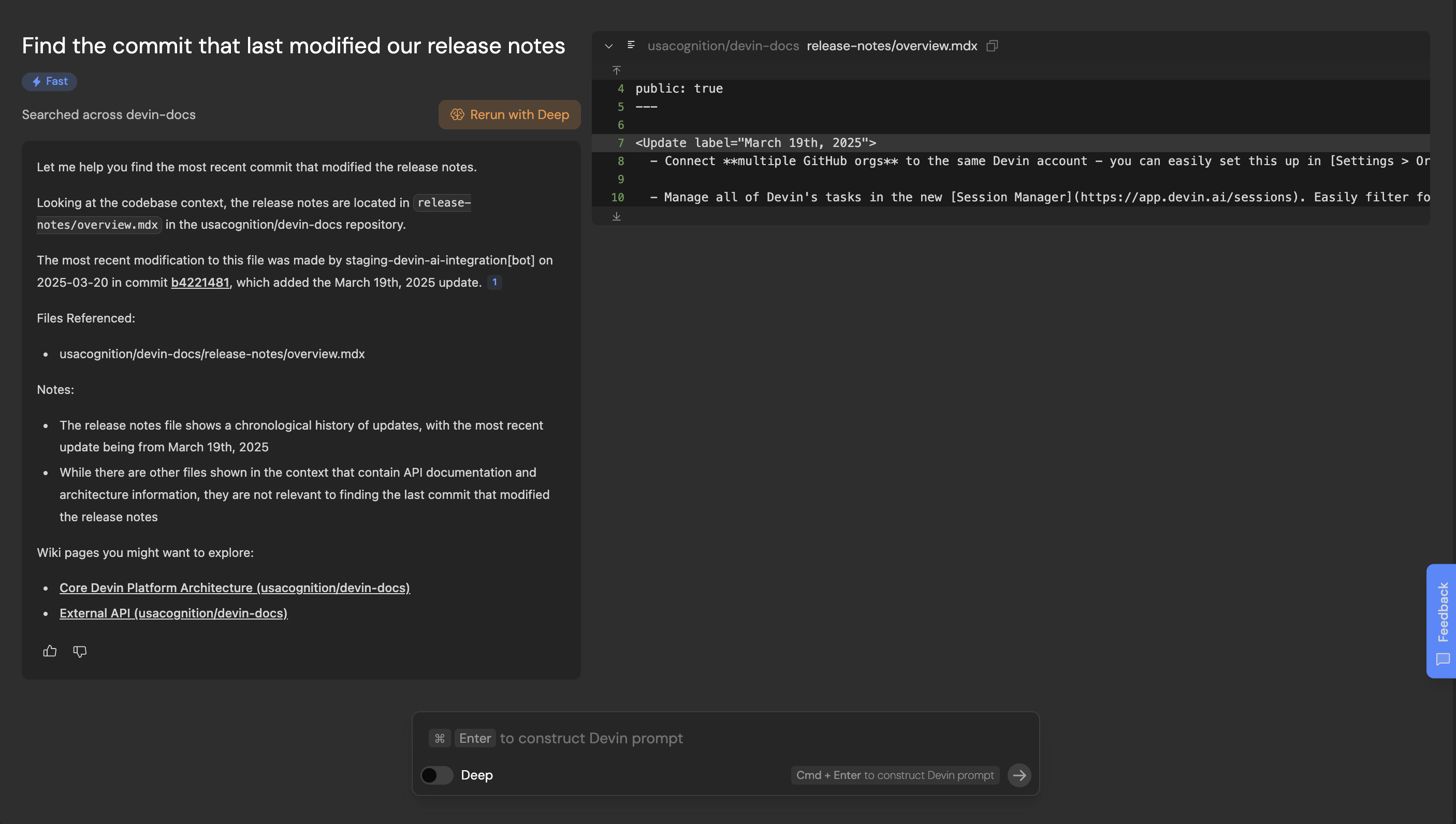 * 🔎 **Ask Devin -> Devin:** Ask Devin to make code changes after using Ask Devin to find the relevant code. Use **Cmd + Enter** to quickly construct a high quality Devin prompt using your search context.
* 🔬 **Deep Mode:** Toggle on deep mode for complex questions that require extended research.
* 📓 **DeepWiki** is used by Ask Devin to better understand your codebase, and may help you as well! It contains architecture diagrams, links to sources, and more. Check it out [at the bottom of your sidebar.](https://app.devin.ai/wiki)
* 💬 **Ask follow up questions** - you can scroll up/down or use the component on the right (appears on hover) to navigate your history
* 🔗 **Share your Ask Devin results:** Try sharing a link to your search results when discussing code with your co-workers
* 💡 Tip: For now, we recommend setting up a [Site Search Shortcut in Chrome](https://support.google.com/chrome/answer/95426?hl=en\&co=GENIE.Platform%3DDesktop) so you can more quickly start Ask Devin queries from your browser address bar. Just go to chrome://settings/searchEngines and add a site search with url [http://app.devin.ai/search?prompt=%s](http://app.devin.ai/search?prompt=%s)
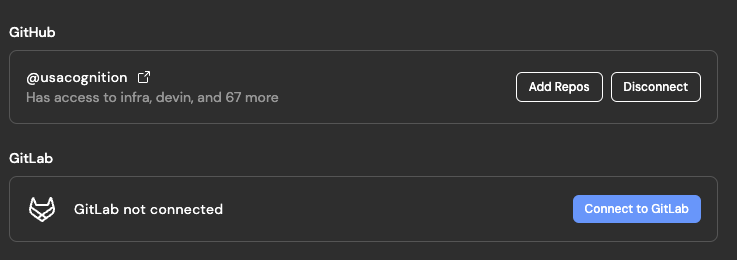
* Connect **multiple GitHub orgs** to the same Devin account - you can easily set this up in [Settings > Organization Integrations](https://app.devin.ai/settings/integrations). Let us know if you'd like this enabled for your team.
* Manage all of Devin's tasks in the new [Session Manager](https://app.devin.ai/sessions). Easily filter for sessions by PR status, users, playbooks and export session data.
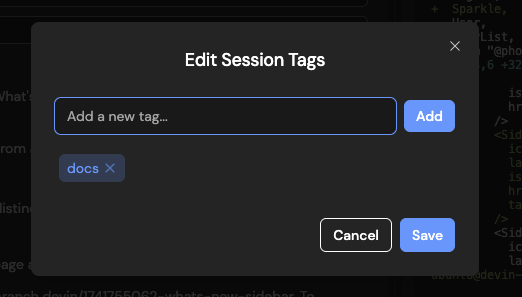
* Tag sessions with **custom tags** that you can filter by in the Session Manager. Click on the 3 dots icon of the session page to "Edit Tags".
* 🔎 **Ask Devin -> Devin:** Ask Devin to make code changes after using Ask Devin to find the relevant code. Use **Cmd + Enter** to quickly construct a high quality Devin prompt using your search context.
* 🔬 **Deep Mode:** Toggle on deep mode for complex questions that require extended research.
* 📓 **DeepWiki** is used by Ask Devin to better understand your codebase, and may help you as well! It contains architecture diagrams, links to sources, and more. Check it out [at the bottom of your sidebar.](https://app.devin.ai/wiki)
* 💬 **Ask follow up questions** - you can scroll up/down or use the component on the right (appears on hover) to navigate your history
* 🔗 **Share your Ask Devin results:** Try sharing a link to your search results when discussing code with your co-workers
* 💡 Tip: For now, we recommend setting up a [Site Search Shortcut in Chrome](https://support.google.com/chrome/answer/95426?hl=en\&co=GENIE.Platform%3DDesktop) so you can more quickly start Ask Devin queries from your browser address bar. Just go to chrome://settings/searchEngines and add a site search with url [http://app.devin.ai/search?prompt=%s](http://app.devin.ai/search?prompt=%s)
* Connect **multiple GitHub orgs** to the same Devin account - you can easily set this up in [Settings > Organization Integrations](https://app.devin.ai/settings/integrations). Let us know if you'd like this enabled for your team.
* Manage all of Devin's tasks in the new [Session Manager](https://app.devin.ai/sessions). Easily filter for sessions by PR status, users, playbooks and export session data.
* Tag sessions with **custom tags** that you can filter by in the Session Manager. Click on the 3 dots icon of the session page to "Edit Tags".
 * Customize when Devin auto-closes PRs due to inactivity under [Settings > Customizations](https://app.devin.ai/customization).
* Easily tag `@file_name` to reference files in Devin's input box so Devin can quickly find the right place in your codebase to review and/or edit. Note that this only works for files in repos that have been set up in Devin's Workspace.
* **Speed**: Devin is \~2x faster vs in October 2024 and takes \~7.8 minutes on average to complete junior developer tasks in our internal evaluations.
* **Copy/paste in Devin's browser**: You can now copy text from your browser and paste it into Devin's browser! This was a highly requested feature that removes a major friction with providing Devin access to accounts (you no longer need to type in your passwords)!
* **Helping users with their prompts**: Devin proactively gives you feedback on suboptimal prompts & proposes breaking tasks down when they're too complex.
* **Gitlab (beta)**: Connect both Gitlab and GitHub repos to Devin! Devin can now push, pull, and view/create Gitlab MRs. Contact us via [app.devin.ai/settings/support](https://app.devin.ai/settings/support) to set this up.
* Customize when Devin auto-closes PRs due to inactivity under [Settings > Customizations](https://app.devin.ai/customization).
* Easily tag `@file_name` to reference files in Devin's input box so Devin can quickly find the right place in your codebase to review and/or edit. Note that this only works for files in repos that have been set up in Devin's Workspace.
* **Speed**: Devin is \~2x faster vs in October 2024 and takes \~7.8 minutes on average to complete junior developer tasks in our internal evaluations.
* **Copy/paste in Devin's browser**: You can now copy text from your browser and paste it into Devin's browser! This was a highly requested feature that removes a major friction with providing Devin access to accounts (you no longer need to type in your passwords)!
* **Helping users with their prompts**: Devin proactively gives you feedback on suboptimal prompts & proposes breaking tasks down when they're too complex.
* **Gitlab (beta)**: Connect both Gitlab and GitHub repos to Devin! Devin can now push, pull, and view/create Gitlab MRs. Contact us via [app.devin.ai/settings/support](https://app.devin.ai/settings/support) to set this up.
 * **Batch edits**: Tell Devin to "find and edit" code to encourage Devin to "fan out" and edit an arbitrary number of files in parallel. This greatly improves speed, especially for repetitive refactors.
* **Multi-action**: Devin can choose to perform any set of diverse batch of actions optimistically (e.g. viewing the browser, while running a shell command, while reading 10 code files), improving speed.
* **Browser improvements**: We've shipped browser changes that allow Devin to:
* deal with auto-opening tabs (required for some complex auth flows)
* use multiple tabs (helpful for iteratively comparing 2+ webpages)
* **Local UI Testing**: Devin can better test + visually understand UI changes locally.
* **Customize chat vs workspace width**: Drag to make the chat as narrow or wide as you'd like! The editor in the workspace is also easier to navigate now, with file tree on the left.
* **Batch edits**: Tell Devin to "find and edit" code to encourage Devin to "fan out" and edit an arbitrary number of files in parallel. This greatly improves speed, especially for repetitive refactors.
* **Multi-action**: Devin can choose to perform any set of diverse batch of actions optimistically (e.g. viewing the browser, while running a shell command, while reading 10 code files), improving speed.
* **Browser improvements**: We've shipped browser changes that allow Devin to:
* deal with auto-opening tabs (required for some complex auth flows)
* use multiple tabs (helpful for iteratively comparing 2+ webpages)
* **Local UI Testing**: Devin can better test + visually understand UI changes locally.
* **Customize chat vs workspace width**: Drag to make the chat as narrow or wide as you'd like! The editor in the workspace is also easier to navigate now, with file tree on the left.
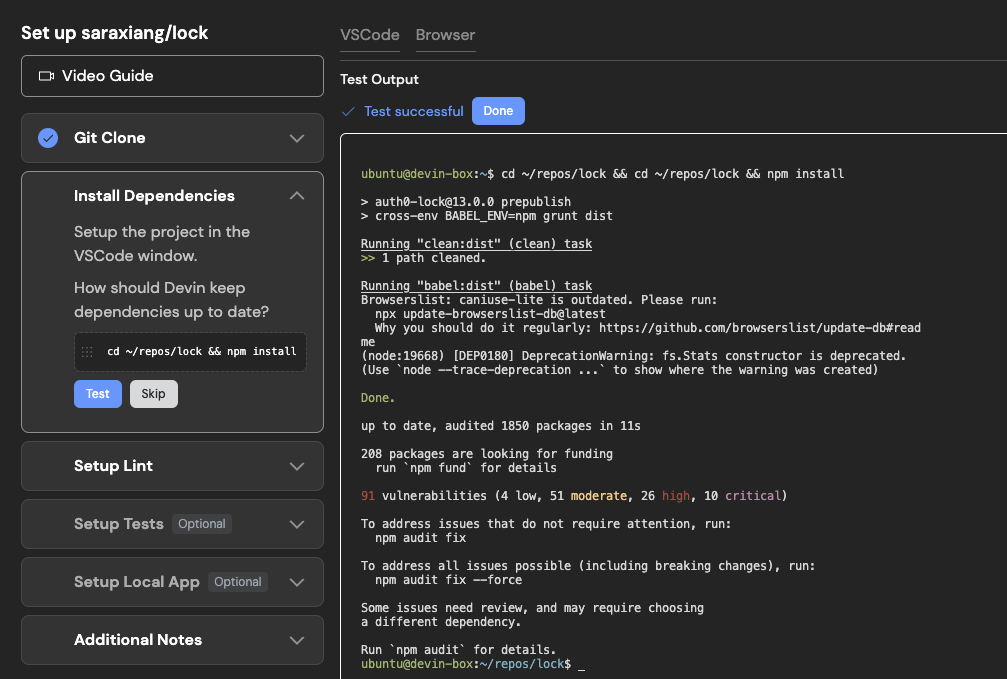
 * **Repo setup (in [Devin's Workspace](https://app.devin.ai/workspace))**: We verify that all the commands you provide Devin (to run lint, install dependencies, and run tests) run successfully, and Devin will surface in chat if any of these commands don't succeed.
 * **Sonnet 3.7 in Devin**: We incorporated Sonnet 3.7 in Devin on 2/24, with optimizations to our use rolling out starting 2/26. In our testing, the new model is the best we have seen to-date on a variety of tasks including debugging, codebase search, and agentic planning.
* **Keyboard shortcuts**: Use **→ ←** or **↑ ↓** anywhere on the session page to step through Devin's workspace progress over time.
* **Devin PR Metrics**: [app.devin.ai/metrics](https://app.devin.ai/metrics) now shows all PRs opened by Devin, even when 2+ PRs were opened in the same session.
* **Faster startup**: Devin only installs dependencies for the repositories needed in a session.
* **Addressing your PR review feedback**: Devin is more reliable at remembering to address *all the review comments you left on its PR.*
* **Misc brain improvements**: Devin is less likely to loop while trying to fix CI/lint failures, is better at planning, is better with git, and many more improvements!
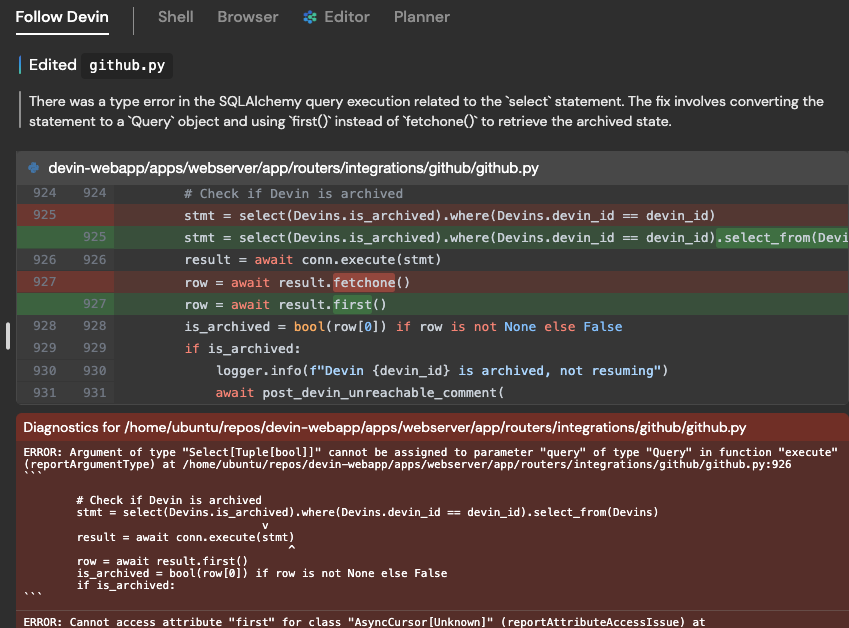
**Devin's thoughts and editor diagnostics are now visible**: In the Follow Devin tab, you'll now see:
* each action Devin took (e.g. "Edited github.py")
* Devin's thoughts explaining *why* the action was taken (e.g. "There was a type error….the fix involves XYZ")
* any editor diagnostics errors present after the action was taken (in red)
This information helps you debug why Devin is stuck or taking a long time. Use it to learn how to best work with Devin, and as you're getting started to make sure issues aren't caused by the way [Devin's Workspace (i.e. machine snapshot)](/onboard-devin/environment) was set up.
* **Sonnet 3.7 in Devin**: We incorporated Sonnet 3.7 in Devin on 2/24, with optimizations to our use rolling out starting 2/26. In our testing, the new model is the best we have seen to-date on a variety of tasks including debugging, codebase search, and agentic planning.
* **Keyboard shortcuts**: Use **→ ←** or **↑ ↓** anywhere on the session page to step through Devin's workspace progress over time.
* **Devin PR Metrics**: [app.devin.ai/metrics](https://app.devin.ai/metrics) now shows all PRs opened by Devin, even when 2+ PRs were opened in the same session.
* **Faster startup**: Devin only installs dependencies for the repositories needed in a session.
* **Addressing your PR review feedback**: Devin is more reliable at remembering to address *all the review comments you left on its PR.*
* **Misc brain improvements**: Devin is less likely to loop while trying to fix CI/lint failures, is better at planning, is better with git, and many more improvements!
**Devin's thoughts and editor diagnostics are now visible**: In the Follow Devin tab, you'll now see:
* each action Devin took (e.g. "Edited github.py")
* Devin's thoughts explaining *why* the action was taken (e.g. "There was a type error….the fix involves XYZ")
* any editor diagnostics errors present after the action was taken (in red)
This information helps you debug why Devin is stuck or taking a long time. Use it to learn how to best work with Devin, and as you're getting started to make sure issues aren't caused by the way [Devin's Workspace (i.e. machine snapshot)](/onboard-devin/environment) was set up.
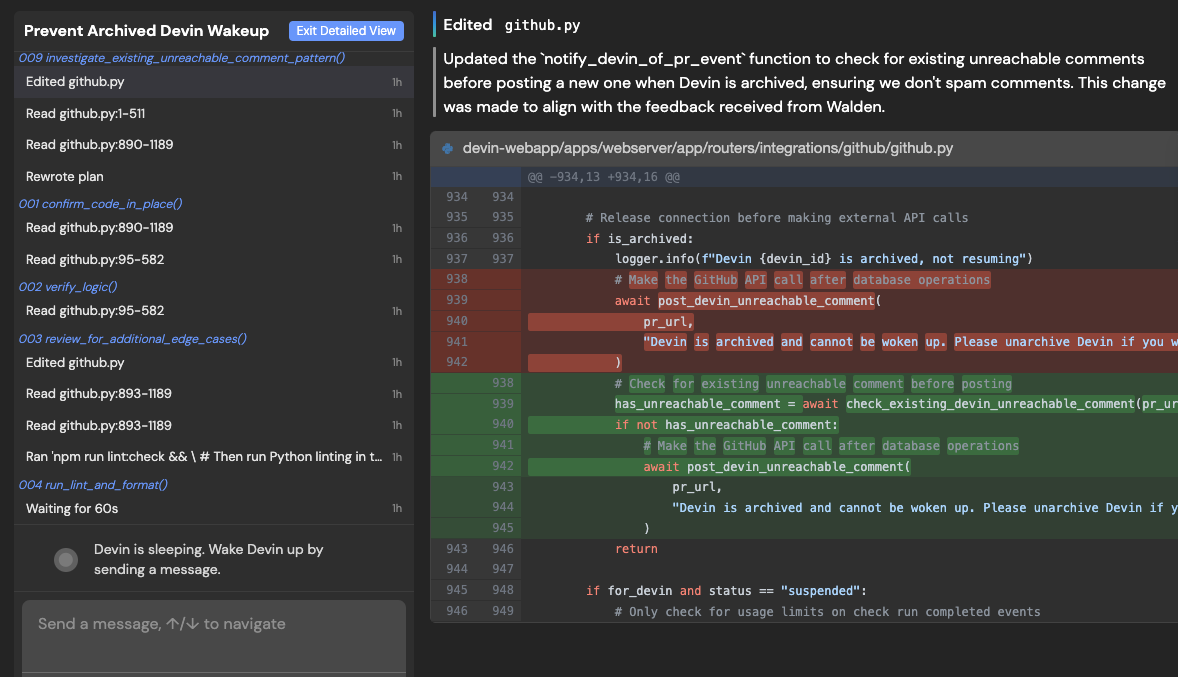
 **The new Detailed View**:
There's a new "Detailed View" button in the top right corner of the session page!
Use up/down arrow keys to quickly navigate through Devin's actions. Actions are grouped under the plan step (e.g. 009 investigate\_existing\_pattern) they aim to achieve.
Devin's thoughts, action details, and editor diagnostics are shown on the right.
Use this view to dive even deeper into debugging why Devin is stuck or taking a long time.
**The new Detailed View**:
There's a new "Detailed View" button in the top right corner of the session page!
Use up/down arrow keys to quickly navigate through Devin's actions. Actions are grouped under the plan step (e.g. 009 investigate\_existing\_pattern) they aim to achieve.
Devin's thoughts, action details, and editor diagnostics are shown on the right.
Use this view to dive even deeper into debugging why Devin is stuck or taking a long time.
 **Prompt improvement button + customer education via docs.devin.ai**:
Improvements to your instructions to Devin and/or use cases can greatly improve your success with Devin.
Try our in-product "instruction improvement" button immediately improve your instructions to Devin, and receive personalize suggestions on how your instructions could be improved:
**Prompt improvement button + customer education via docs.devin.ai**:
Improvements to your instructions to Devin and/or use cases can greatly improve your success with Devin.
Try our in-product "instruction improvement" button immediately improve your instructions to Devin, and receive personalize suggestions on how your instructions could be improved:
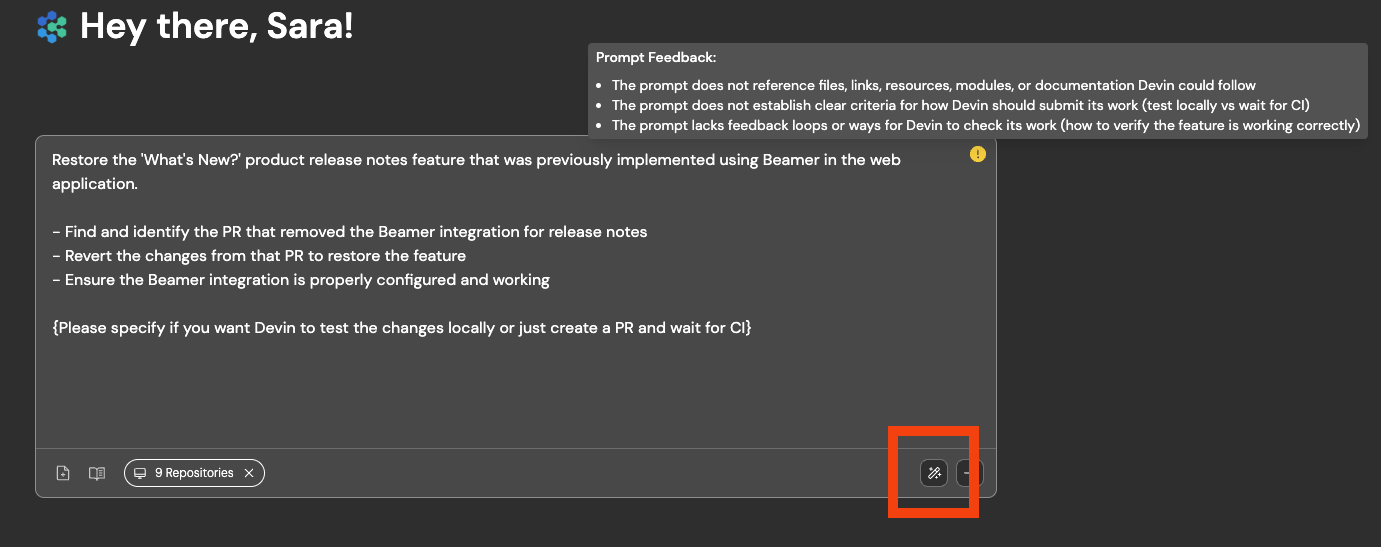 We've also revamped our docs at [our documentation](/) to include example good/bad instruction examples, recommended ways of working with Devin, and other Essential Guidelines!
**Improved support for non-English speakers**: Devin is now more reliable with using the user's preferred language.
We also added a translate feature which shows up when non-English languages are detected. We currently support Japanese, Chinese, Korean, Russian, Arabic, and Thai.
**Improved Repo Context**: We've made major improvements to Devin's ability to reason in context in a repository
Devin is now more likely to find all relevant files to edit, will notice and re-use existing code and patterns, and will make more accurate PRs overall. These changes will be gradually rolled out to all users by 1/17/25.
**Introducing Devin enterprise accounts**:
Enterprise accounts enable centralized management of multiple Devin organizations. Admins of enterprise accounts can:
* Manage members and access controls for all organizations
* Centrally manage billing across all organizations
Enterprise accounts are currently available to Devin Enterprise customers.
**Introducing usage based billing**:
Starting January 9, you can now pay-as-you-go to keep building without limits, up to the pay-as-you-go usage limit you set.
Your subscription includes a monthly ACU capacity. Once these ACUs are used, you can pay-as-you-go. You will be billed at the end of your billing cycle or whenever your usage exceeds \$2,000 — whichever comes first.
Set your pay-as-you-go usage limit in Settings > Plans > Manage Pay-as-You-Go Usage Limit or Settings > Usage & Limits > Manage Pay-as-You-Go Usage Limit.
**Solution for Docker storage & performance issues**:
If you use Docker, there's now a solution for storage and performance issues with Docker on Devin's machine. A new version of our VM infra is now enabled by default for new teams. Existing teams can enable it:
* Navigate to Settings > Devin's Workspace > Danger Zone
* Switch to `Large Performant (Beta)` - this will require resetting your machine setup. If you want to opt in to experimental auto-migration, reach out to [support@cognition.ai](mailto:support@cognition.ai) or via [Slack Connect](https://app.devin.ai/settings/support)
**Devin usage best practices**:
We've added nudges throughout our product towards some best practices, including:
* Keeping sessions under 10 ACUs (Devin's performance degrades in long sessions)
* Providing details in your very first instruction to Devin, including (1) specific requirements (2) high level description of the task (3) what Devin should do after making the requested changes - e.g. testing instructions, PR guidelines, or tell Devin to wait for CI to pass without testing locally
* If you find yourself often re-using instructions, add them to Devin's knowledge in Settings > Devin's Settings > Knowledge
We've also revamped our docs at [our documentation](/) to include example good/bad instruction examples, recommended ways of working with Devin, and other Essential Guidelines!
**Improved support for non-English speakers**: Devin is now more reliable with using the user's preferred language.
We also added a translate feature which shows up when non-English languages are detected. We currently support Japanese, Chinese, Korean, Russian, Arabic, and Thai.
**Improved Repo Context**: We've made major improvements to Devin's ability to reason in context in a repository
Devin is now more likely to find all relevant files to edit, will notice and re-use existing code and patterns, and will make more accurate PRs overall. These changes will be gradually rolled out to all users by 1/17/25.
**Introducing Devin enterprise accounts**:
Enterprise accounts enable centralized management of multiple Devin organizations. Admins of enterprise accounts can:
* Manage members and access controls for all organizations
* Centrally manage billing across all organizations
Enterprise accounts are currently available to Devin Enterprise customers.
**Introducing usage based billing**:
Starting January 9, you can now pay-as-you-go to keep building without limits, up to the pay-as-you-go usage limit you set.
Your subscription includes a monthly ACU capacity. Once these ACUs are used, you can pay-as-you-go. You will be billed at the end of your billing cycle or whenever your usage exceeds \$2,000 — whichever comes first.
Set your pay-as-you-go usage limit in Settings > Plans > Manage Pay-as-You-Go Usage Limit or Settings > Usage & Limits > Manage Pay-as-You-Go Usage Limit.
**Solution for Docker storage & performance issues**:
If you use Docker, there's now a solution for storage and performance issues with Docker on Devin's machine. A new version of our VM infra is now enabled by default for new teams. Existing teams can enable it:
* Navigate to Settings > Devin's Workspace > Danger Zone
* Switch to `Large Performant (Beta)` - this will require resetting your machine setup. If you want to opt in to experimental auto-migration, reach out to [support@cognition.ai](mailto:support@cognition.ai) or via [Slack Connect](https://app.devin.ai/settings/support)
**Devin usage best practices**:
We've added nudges throughout our product towards some best practices, including:
* Keeping sessions under 10 ACUs (Devin's performance degrades in long sessions)
* Providing details in your very first instruction to Devin, including (1) specific requirements (2) high level description of the task (3) what Devin should do after making the requested changes - e.g. testing instructions, PR guidelines, or tell Devin to wait for CI to pass without testing locally
* If you find yourself often re-using instructions, add them to Devin's knowledge in Settings > Devin's Settings > Knowledge
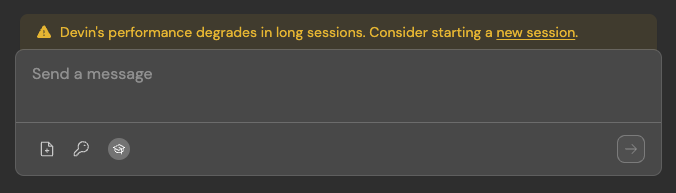 **Use Devin's Browser when setting up Devin's workspace (i.e. machine snapshot)**:
It's now easier to get Devin started with testing websites that require login. If you log in for Devin during onboarding with Devin's browser, we'll save the cookie for future sessions (if the cookie expires, you'll need to provide credentials for Devin in Secrets as well).
This also unblocks authentication processes that require visiting a URL on Devin's machine.
**Use Devin's Browser when setting up Devin's workspace (i.e. machine snapshot)**:
It's now easier to get Devin started with testing websites that require login. If you log in for Devin during onboarding with Devin's browser, we'll save the cookie for future sessions (if the cookie expires, you'll need to provide credentials for Devin in Secrets as well).
This also unblocks authentication processes that require visiting a URL on Devin's machine.
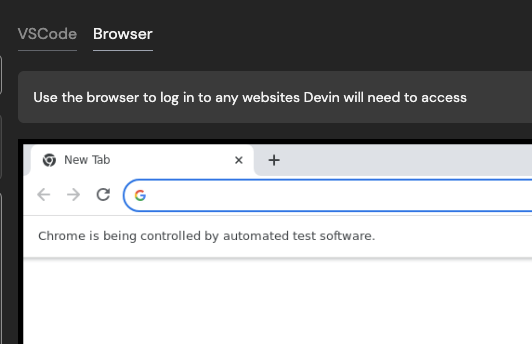 **Talk to Devin in Slack - Devin can now respond to audio messages**:
Try verbally explaining your tasks and feedback for Devin! You can now send Devin audio clips via Slack.
**Talk to Devin in Slack - Devin can now respond to audio messages**:
Try verbally explaining your tasks and feedback for Devin! You can now send Devin audio clips via Slack.