> ## Documentation Index
> Fetch the complete documentation index at: https://docs.devinenterprise.com/llms.txt
> Use this file to discover all available pages before exploring further.
# Invite your Team
> Only available for Team and Enterprise plans
Add members to your Devin organization so you can collaborate with your team and create sessions within the same org.
## Roles
Your organization has two roles:
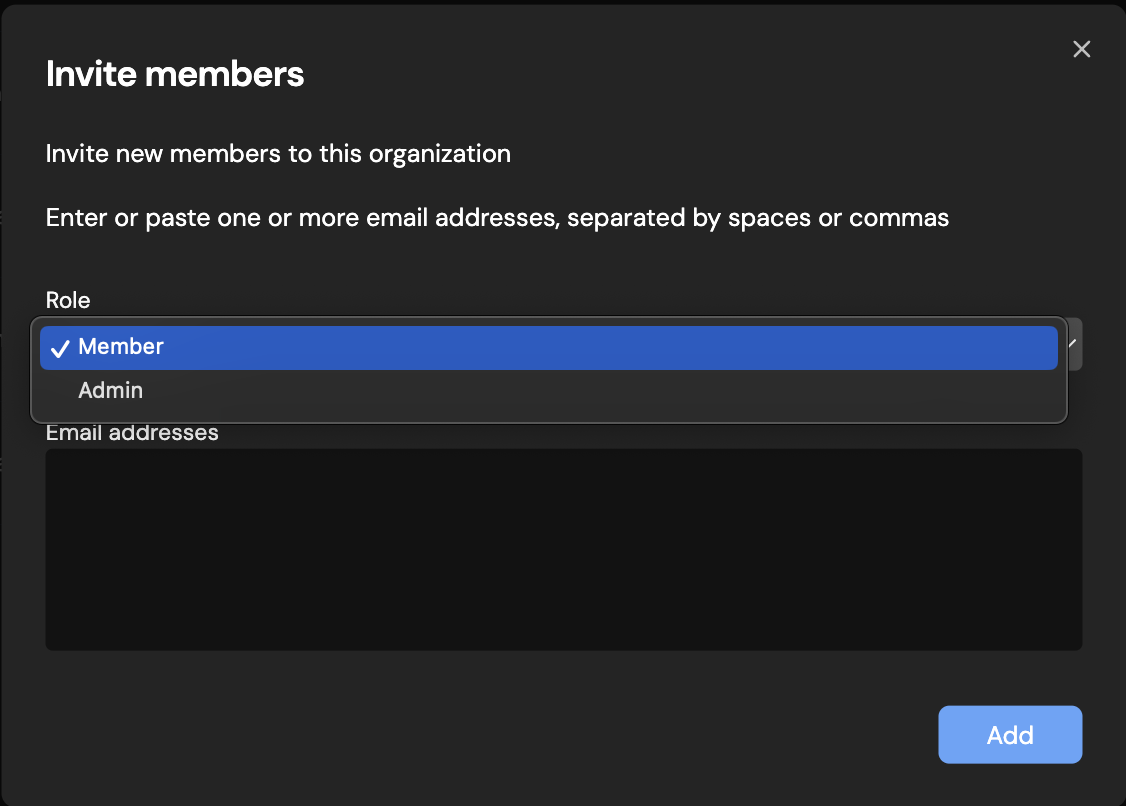
* **Member** — Can start Devin sessions and view and contribute to your organization's knowledge, playbooks, environment snapshots, and more.
* **Admin** — Has all member permissions, plus the ability to set up and manage billing, organization integrations, secrets, and other organization-level settings.
## Inviting members
To invite new members to your organization:
1. Navigate to **Settings > Members** in the sidebar, or go to [app.devin.ai/settings/members](https://app.devin.ai/settings/members).
2. Click **Invite members**.
3. Enter the email addresses of the people you want to invite.
4. Select a role (**Member** or **Admin**) for the invited users.
5. Click **Send invites**.
Invited users will receive an email with a link to join your organization. Once they accept the invitation, they will appear in the members list.
 ## Managing members
From the **Members** settings page, admins can:
* View all current members and their roles
* Change a member's role between **Member** and **Admin**
* Remove members from the organization
Only admins can invite new members, change roles, or remove members from the organization.
## Managing members
From the **Members** settings page, admins can:
* View all current members and their roles
* Change a member's role between **Member** and **Admin**
* Remove members from the organization
Only admins can invite new members, change roles, or remove members from the organization.