> ## Documentation Index
> Fetch the complete documentation index at: https://docs.devinenterprise.com/llms.txt
> Use this file to discover all available pages before exploring further.
# How does Devin fit into my existing SDLC?
> Understanding how Devin integrates with your software development lifecycle
## Overview
Devin integrates across the entire software development lifecycle—from understanding existing code and planning changes to testing, reviewing, and deploying updates.
## Where Engineers Spend Their Time
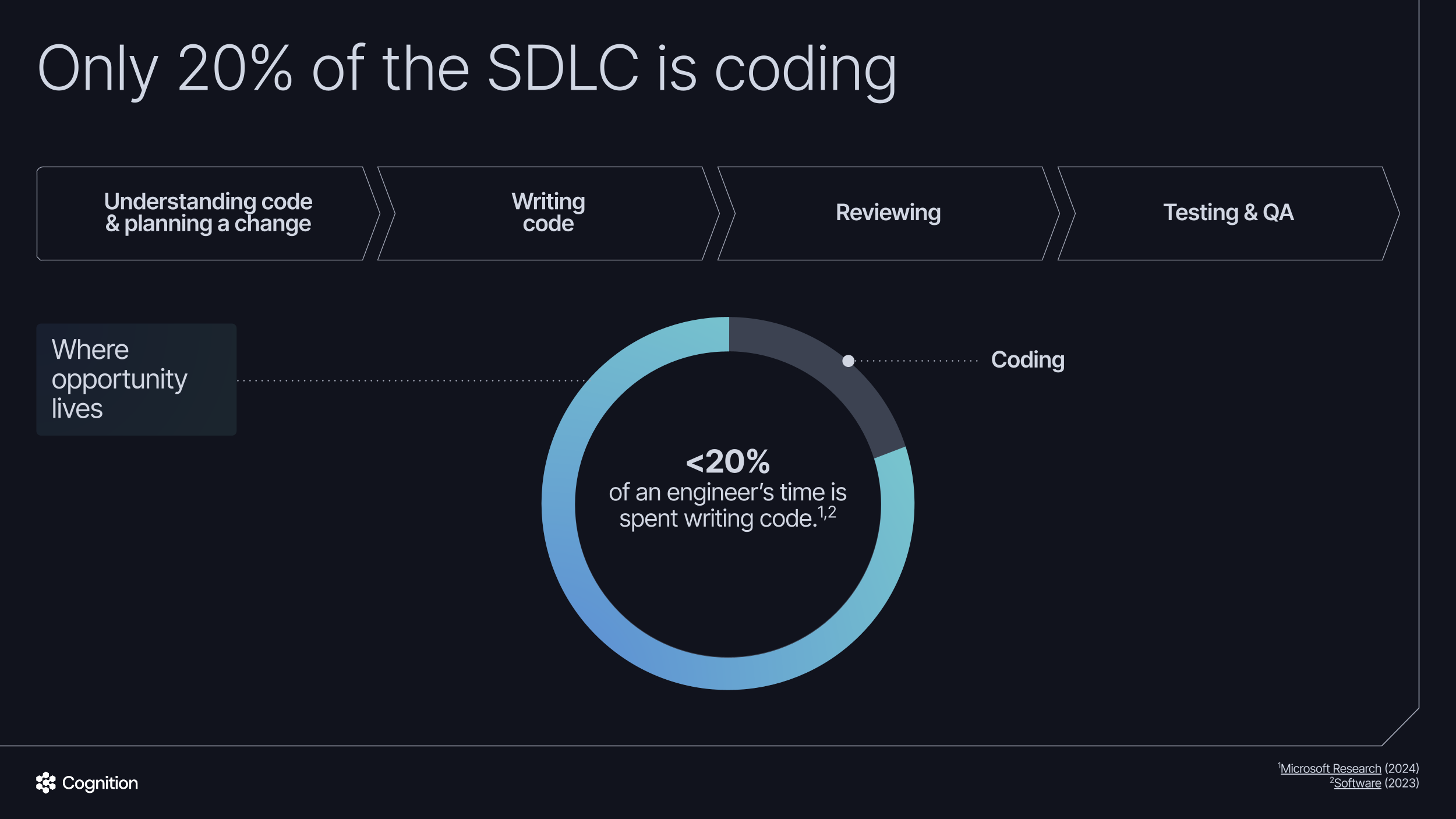
Research shows that less than 20% of an engineer's time is spent writing code ([1](https://www.software.com/reports/code-time-report), [2](https://www.microsoft.com/en-us/research/wp-content/uploads/2024/11/Time-Warp-Developer-Productivity-Study.pdf)). The majority of time is dedicated to understanding codebases, planning changes, reviewing work, and testing. Devin helps accelerate each of these phases while keeping human engineers in control.
 ## Working Within Existing Engineering Processes
Devin contributes to existing codebases by creating Pull Requests containing its suggested code changes. Devin is subject to the exact same branch protections and SDLC policies as any human engineer. Human engineers review PRs created by Devin before choosing whether to merge the code changes.
## SDLC Integration Points
### Understanding Code & Planning
Before writing any code, engineers need to understand existing systems and plan their approach. Devin accelerates this phase significantly:
Use [DeepWiki](/work-with-devin/deepwiki) to navigate architecture and code with auto-generated documentation. DeepWiki provides conversational documentation for your repositories, making it faster to understand complex systems and dependencies.
Use [Ask Devin](/work-with-devin/ask-devin) to query your codebase directly. Ask Devin can answer questions about code structure and dependencies, and help you scope and plan tasks before implementation. With advanced code search capabilities, Ask Devin produces detailed, accurate, and well-cited answers, reducing the time spent reverse-engineering and tracing dependencies.
Devin can scope and plan tasks by analyzing requirements against your codebase. When integrated with [Jira](/integrations/jira) or [Linear](/integrations/linear), Devin automatically analyzes tickets and provides confidence scores to help prioritize work.
Devin can triage alerts and backlog items, categorizing issues and suggesting approaches. This helps engineering teams prioritize effectively and reduces time spent on initial investigation.
### Development
Devin handles development tasks asynchronously, allowing engineers to delegate work while focusing on higher-value activities:
Delegate well-defined tasks to Devin asynchronously. Devin works in its own environment, preparing code changes and submitting PRs for review. This is particularly effective for repetitive tasks that can be parallelized across multiple Devin sessions.
Devin excels at large-scale modernization projects. For example, customers have used Devin to migrate multi-million-line ETL monoliths to modular components, achieving 8x human time savings. Devin can execute end-to-end migrations across hundreds of repositories, including legacy stacks like COBOL.
Devin prepares and submits PRs following your team's conventions. Devin automatically discovers [PR templates](/integrations/pr-templates) in your repository — including Devin-specific templates (`DEVIN_PR_TEMPLATE.md`) and standard GitHub/GitLab templates. You can customize the template Devin uses without changing your human-facing default.
### Testing
Devin runs self-driven test loops in its own environment, improving test coverage and catching issues early:
Devin writes tests from human-provided [playbooks](/product-guides/creating-playbooks), following your team's testing patterns and conventions. When Devin generates tests, coverage typically increases 1.5-2x, often reaching 90%+ coverage.
Devin runs tests in its own environment, iterating on code until tests pass. This includes running your existing test suites, linting, and type checking before submitting PRs.
### Code Review
Devin can provide automated first-pass reviews on pull requests:
[Devin Review](/work-with-devin/devin-review) provides automated first-pass reviews on pull requests, checking for correctness and conformance with organizational best practices. You can enable it on all PRs or only Devin-authored PRs via your organization settings.
With [Auto-Fix](/work-with-devin/devin-review#auto-fix) enabled, Devin automatically responds to code review comments, fixes flagged bugs, and iterates on CI failures — creating a closed loop where PRs iterate toward merge-ready quality without you in the loop.
Devin checks PRs against your coding standards, style guides, and security requirements, flagging potential issues for human reviewers to address.
### Security and Compliance
Devin integrates into CI/CD pipelines to address security findings automatically:
Integrate Devin into your CI/CD pipeline to respond to findings from static analysis tools like SonarQube, Fortify, or Veracode. When these tools flag an issue, Devin can review and fix it automatically.
Customers report approximately 70% of vulnerabilities are resolved automatically—clearing historical backlogs and reducing security risk.
Devin can execute compliance-related changes across your codebase. For example, when new regulations require updates across hundreds of thousands of files, Devin can implement the changes systematically across all affected repositories.
## Getting Started
To integrate Devin into your SDLC:
1. **Connect your repositories** via [GitHub](/integrations/gh), [GitHub Enterprise Server](/enterprise/integrations/github-enterprise-server), [GitLab](/integrations/gitlab), [Bitbucket](/integrations/bitbucket), or [Azure DevOps](/enterprise/integrations/azure-devops)
2. **Configure branch protections** to ensure Devin's PRs go through your standard review process
3. **Set up integrations** with [Jira](/integrations/jira) or [Linear](/integrations/linear) for ticket-based workflows, and [Slack](/integrations/slack) or [Microsoft Teams](/integrations/microsoft-teams) to chat and collaborate with Devin
4. **Create [playbooks](/product-guides/creating-playbooks) and [knowledge](/product-guides/knowledge)** to codify your team's patterns and standards for Devin to follow
5. **Connect MCPs** to extend Devin's capabilities with [custom tools and integrations](/work-with-devin/mcp)
6. **Configure CI/CD integration** to enable automated security remediation and testing
## Working Within Existing Engineering Processes
Devin contributes to existing codebases by creating Pull Requests containing its suggested code changes. Devin is subject to the exact same branch protections and SDLC policies as any human engineer. Human engineers review PRs created by Devin before choosing whether to merge the code changes.
## SDLC Integration Points
### Understanding Code & Planning
Before writing any code, engineers need to understand existing systems and plan their approach. Devin accelerates this phase significantly:
Use [DeepWiki](/work-with-devin/deepwiki) to navigate architecture and code with auto-generated documentation. DeepWiki provides conversational documentation for your repositories, making it faster to understand complex systems and dependencies.
Use [Ask Devin](/work-with-devin/ask-devin) to query your codebase directly. Ask Devin can answer questions about code structure and dependencies, and help you scope and plan tasks before implementation. With advanced code search capabilities, Ask Devin produces detailed, accurate, and well-cited answers, reducing the time spent reverse-engineering and tracing dependencies.
Devin can scope and plan tasks by analyzing requirements against your codebase. When integrated with [Jira](/integrations/jira) or [Linear](/integrations/linear), Devin automatically analyzes tickets and provides confidence scores to help prioritize work.
Devin can triage alerts and backlog items, categorizing issues and suggesting approaches. This helps engineering teams prioritize effectively and reduces time spent on initial investigation.
### Development
Devin handles development tasks asynchronously, allowing engineers to delegate work while focusing on higher-value activities:
Delegate well-defined tasks to Devin asynchronously. Devin works in its own environment, preparing code changes and submitting PRs for review. This is particularly effective for repetitive tasks that can be parallelized across multiple Devin sessions.
Devin excels at large-scale modernization projects. For example, customers have used Devin to migrate multi-million-line ETL monoliths to modular components, achieving 8x human time savings. Devin can execute end-to-end migrations across hundreds of repositories, including legacy stacks like COBOL.
Devin prepares and submits PRs following your team's conventions. Devin automatically discovers [PR templates](/integrations/pr-templates) in your repository — including Devin-specific templates (`DEVIN_PR_TEMPLATE.md`) and standard GitHub/GitLab templates. You can customize the template Devin uses without changing your human-facing default.
### Testing
Devin runs self-driven test loops in its own environment, improving test coverage and catching issues early:
Devin writes tests from human-provided [playbooks](/product-guides/creating-playbooks), following your team's testing patterns and conventions. When Devin generates tests, coverage typically increases 1.5-2x, often reaching 90%+ coverage.
Devin runs tests in its own environment, iterating on code until tests pass. This includes running your existing test suites, linting, and type checking before submitting PRs.
### Code Review
Devin can provide automated first-pass reviews on pull requests:
[Devin Review](/work-with-devin/devin-review) provides automated first-pass reviews on pull requests, checking for correctness and conformance with organizational best practices. You can enable it on all PRs or only Devin-authored PRs via your organization settings.
With [Auto-Fix](/work-with-devin/devin-review#auto-fix) enabled, Devin automatically responds to code review comments, fixes flagged bugs, and iterates on CI failures — creating a closed loop where PRs iterate toward merge-ready quality without you in the loop.
Devin checks PRs against your coding standards, style guides, and security requirements, flagging potential issues for human reviewers to address.
### Security and Compliance
Devin integrates into CI/CD pipelines to address security findings automatically:
Integrate Devin into your CI/CD pipeline to respond to findings from static analysis tools like SonarQube, Fortify, or Veracode. When these tools flag an issue, Devin can review and fix it automatically.
Customers report approximately 70% of vulnerabilities are resolved automatically—clearing historical backlogs and reducing security risk.
Devin can execute compliance-related changes across your codebase. For example, when new regulations require updates across hundreds of thousands of files, Devin can implement the changes systematically across all affected repositories.
## Getting Started
To integrate Devin into your SDLC:
1. **Connect your repositories** via [GitHub](/integrations/gh), [GitHub Enterprise Server](/enterprise/integrations/github-enterprise-server), [GitLab](/integrations/gitlab), [Bitbucket](/integrations/bitbucket), or [Azure DevOps](/enterprise/integrations/azure-devops)
2. **Configure branch protections** to ensure Devin's PRs go through your standard review process
3. **Set up integrations** with [Jira](/integrations/jira) or [Linear](/integrations/linear) for ticket-based workflows, and [Slack](/integrations/slack) or [Microsoft Teams](/integrations/microsoft-teams) to chat and collaborate with Devin
4. **Create [playbooks](/product-guides/creating-playbooks) and [knowledge](/product-guides/knowledge)** to codify your team's patterns and standards for Devin to follow
5. **Connect MCPs** to extend Devin's capabilities with [custom tools and integrations](/work-with-devin/mcp)
6. **Configure CI/CD integration** to enable automated security remediation and testing