> ## Documentation Index
> Fetch the complete documentation index at: https://docs.devinenterprise.com/llms.txt
> Use this file to discover all available pages before exploring further.
# Autocomplete Tips
> Tips for getting the most out of Devin Desktop Autocomplete including inline comments, Fill In The Middle (FIM), and snooze functionality.
## Inline Comments
You can instruct autocomplete with the use of comments in your code.
Devin Desktop will read these comments and suggest the code to bring the comment to life.
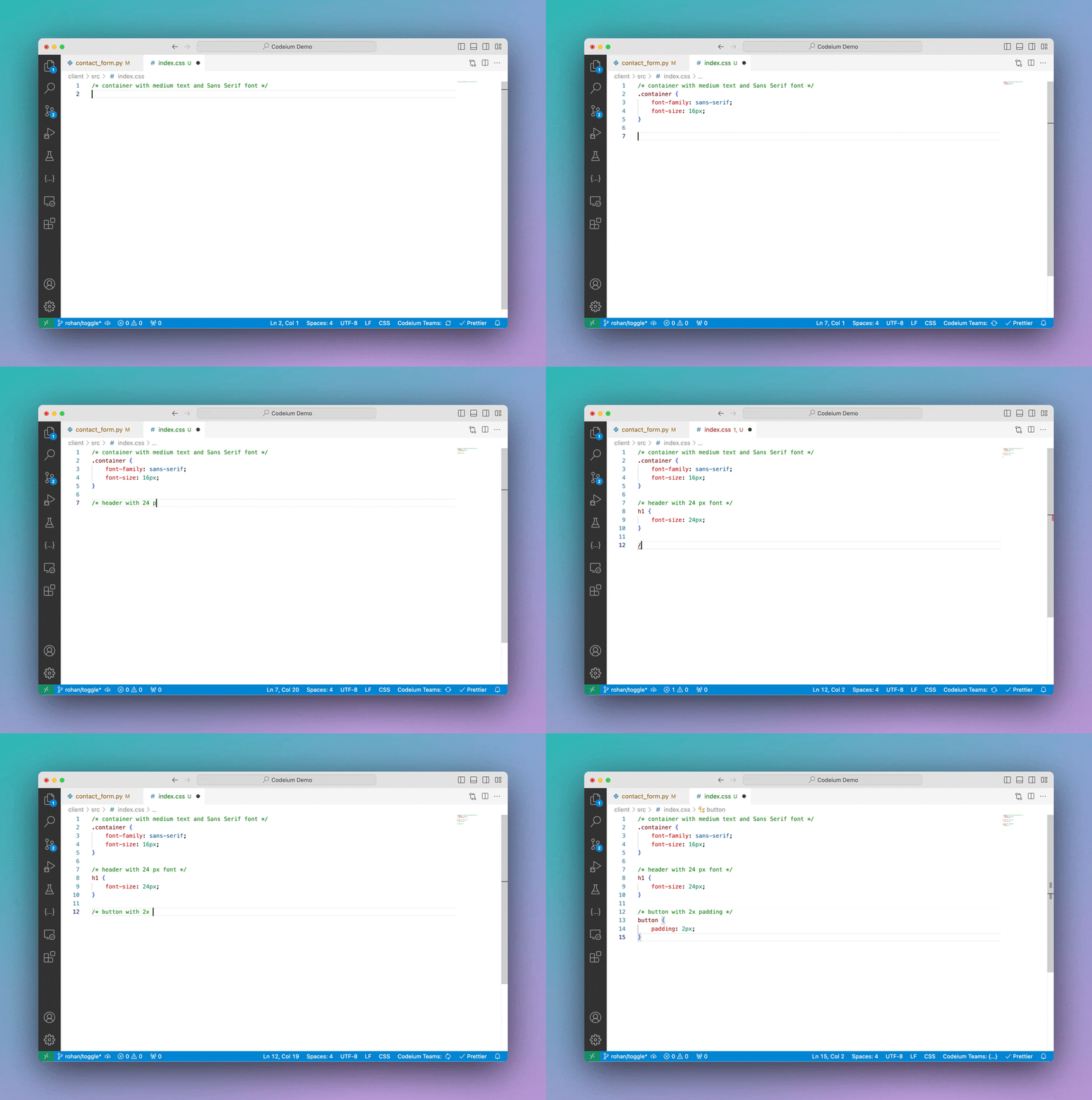 This method can get you good mileage, but if you're finding value in writing natural-language instructions and having the AI execute them,
consider using [Devin Desktop Command](/desktop/command/plugins-overview).
## Fill In The Middle (FIM)
Devin Desktop's Autocomplete can Fill In The Middle (FIM).
Read more about in-line FIM on our blog [here](https://windsurf.com/blog/inline-fim-code-suggestions).
## Snooze
Click the Devin Desktop widget in the status bar towards the bottom right of your editor to see the option to switch Autocomplete off,
either temporarily or until you reenable it.
This method can get you good mileage, but if you're finding value in writing natural-language instructions and having the AI execute them,
consider using [Devin Desktop Command](/desktop/command/plugins-overview).
## Fill In The Middle (FIM)
Devin Desktop's Autocomplete can Fill In The Middle (FIM).
Read more about in-line FIM on our blog [here](https://windsurf.com/blog/inline-fim-code-suggestions).
## Snooze
Click the Devin Desktop widget in the status bar towards the bottom right of your editor to see the option to switch Autocomplete off,
either temporarily or until you reenable it.