> ## Documentation Index
> Fetch the complete documentation index at: https://docs.devinenterprise.com/llms.txt
> Use this file to discover all available pages before exploring further.
# Engineering-Backlogs abbauen
> Lassen Sie Devin Ihre Engineering-Backlogs abbauen
export const PromptBlock = ({children, type, agent, intent, playbookId}) => {
var utm = 'utm_source=docs&utm_medium=use-case-gallery&utm_campaign=prompt-block';
var tag = 'docs-use-case-gallery';
var agentParams = (agent ? '&agent=' + agent : '') + (intent ? '&intent=' + intent : '') + (playbookId ? '&playbookId=' + playbookId : '');
var label = type === 'schedule' ? 'Schedule in Devin' : type === 'playbook' ? 'Create Playbook' : type === 'knowledge' ? 'Add to Knowledge' : agent === 'advanced' ? 'Try in Devin' : agent === 'dana' ? 'Try in Dana' : agent === 'ada' ? 'Try in Ask Devin' : 'Try in Devin';
var buildUrl = function (text) {
var encoded = encodeURIComponent(text);
if (type === 'schedule') return 'https://app.devin.ai/settings/schedules/create?' + utm + agentParams + '&prompt=' + encoded;
if (type === 'playbook') return 'https://app.devin.ai/settings/playbooks/create?' + utm + '&body=' + encoded;
if (type === 'knowledge') return 'https://app.devin.ai/knowledge?' + utm + '&body=' + encoded;
if (agent === 'ada') return 'https://app.devin.ai/search?' + utm + '&noSubmit=true&prompt=' + encoded;
return 'https://app.devin.ai/?tags=' + tag + '&' + utm + agentParams + '&prompt=' + encoded;
};
const ref = React.useRef(null);
const [href, setHref] = React.useState('#');
React.useEffect(() => {
if (!ref.current) return;
var codeEl = ref.current.querySelector('pre code');
if (codeEl) {
var text = codeEl.textContent.trim();
if (text) setHref(buildUrl(text));
}
var header = ref.current.querySelector('[data-component-part="code-block-header"]');
if (header && !header.querySelector('.prompt-block-devin-link')) {
var link = document.createElement('a');
link.href = href;
link.target = '_blank';
link.rel = 'noopener noreferrer';
link.className = 'prompt-block-devin-link';
link.style.cssText = 'display:inline-flex;align-items:center;gap:6px;text-decoration:none;color:#fff;font-size:11px;font-weight:500;padding:4px 10px;border-radius:6px;white-space:nowrap;background:#317CFF;transition:background 0.2s;margin-left:8px;';
link.innerHTML = ' ' + label;
link.onmouseenter = function () {
link.style.background = '#2968D9';
};
link.onmouseleave = function () {
link.style.background = '#317CFF';
};
header.appendChild(link);
}
var existingLink = ref.current.querySelector('.prompt-block-devin-link');
if (existingLink && href !== '#') existingLink.href = href;
});
return
{children}
;
};
## Überblick
Devin kann Ihnen helfen, Issue-Backlogs über Plattformen wie GitHub, Jira und Linear hinweg zu verwalten und zu organisieren. Dabei automatisiert Devin die mühsamen Teile der Backlog-Pflege und stellt sicher, dass sich Ihr Team auf die wichtigsten Aufgaben konzentriert.
## Häufige Szenarien für Backlog-Management
Markieren Sie Devin in einem GitHub-Issue, um eine neue Devin-Session zu starten.
### Einrichtung
1. Pushen Sie [devin-on-label.yml](https://github.com/ankehao-demo/COBOL-Demo/blob/main/.github/workflows/devin-on-label.yml) in ein beliebiges GitHub-Repository in den Ordner `.github/workflows`
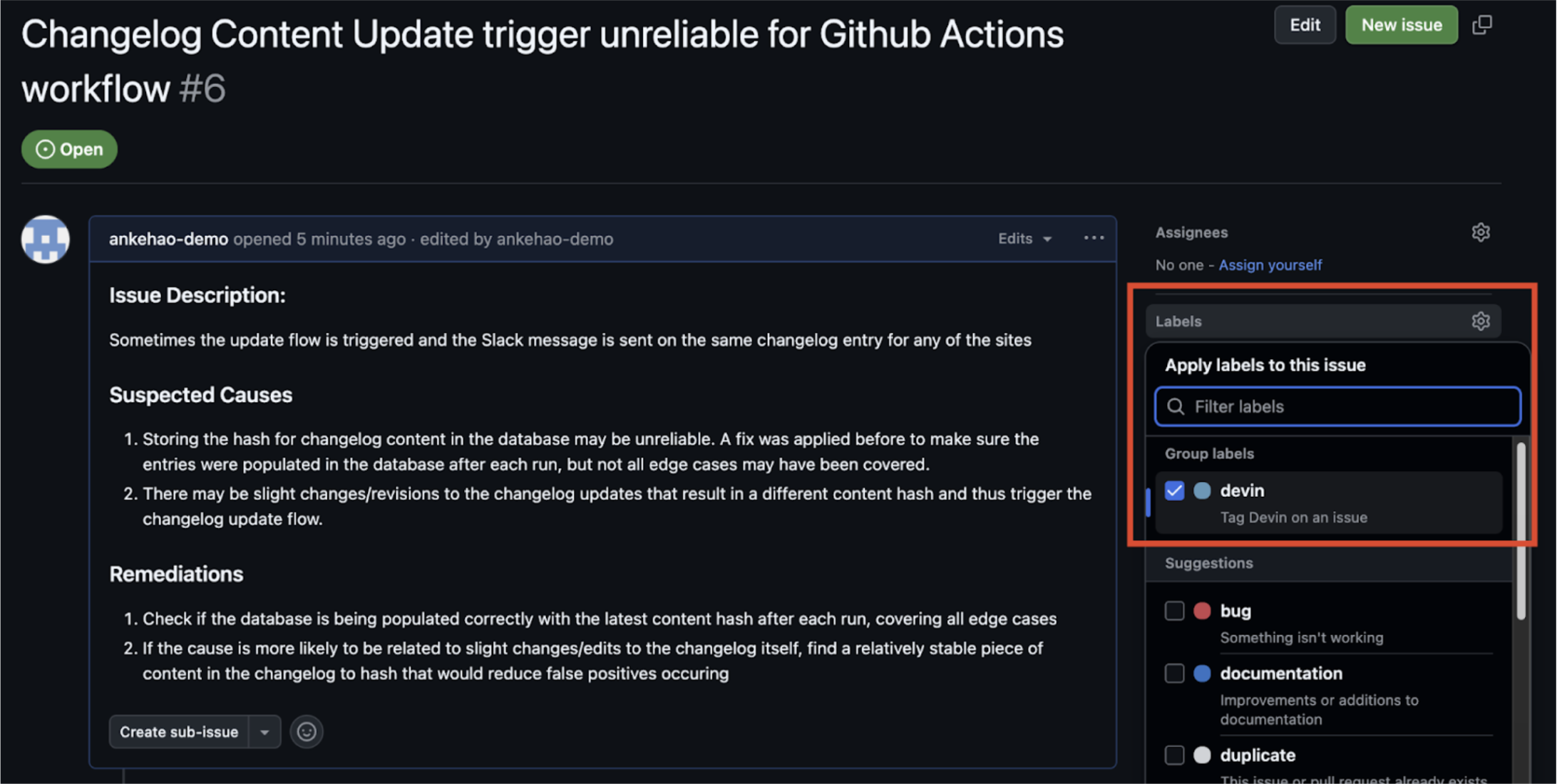
2. Erstellen Sie ein GitHub-Issue-Label mit dem Namen **`devin`**
3. Fügen Sie den Devin-API-Schlüssel aus Ihrer Devin-Organisation als GitHub-Repository-Secret mit dem Namen `DEVIN_API_KEY` hinzu
### Funktionsweise
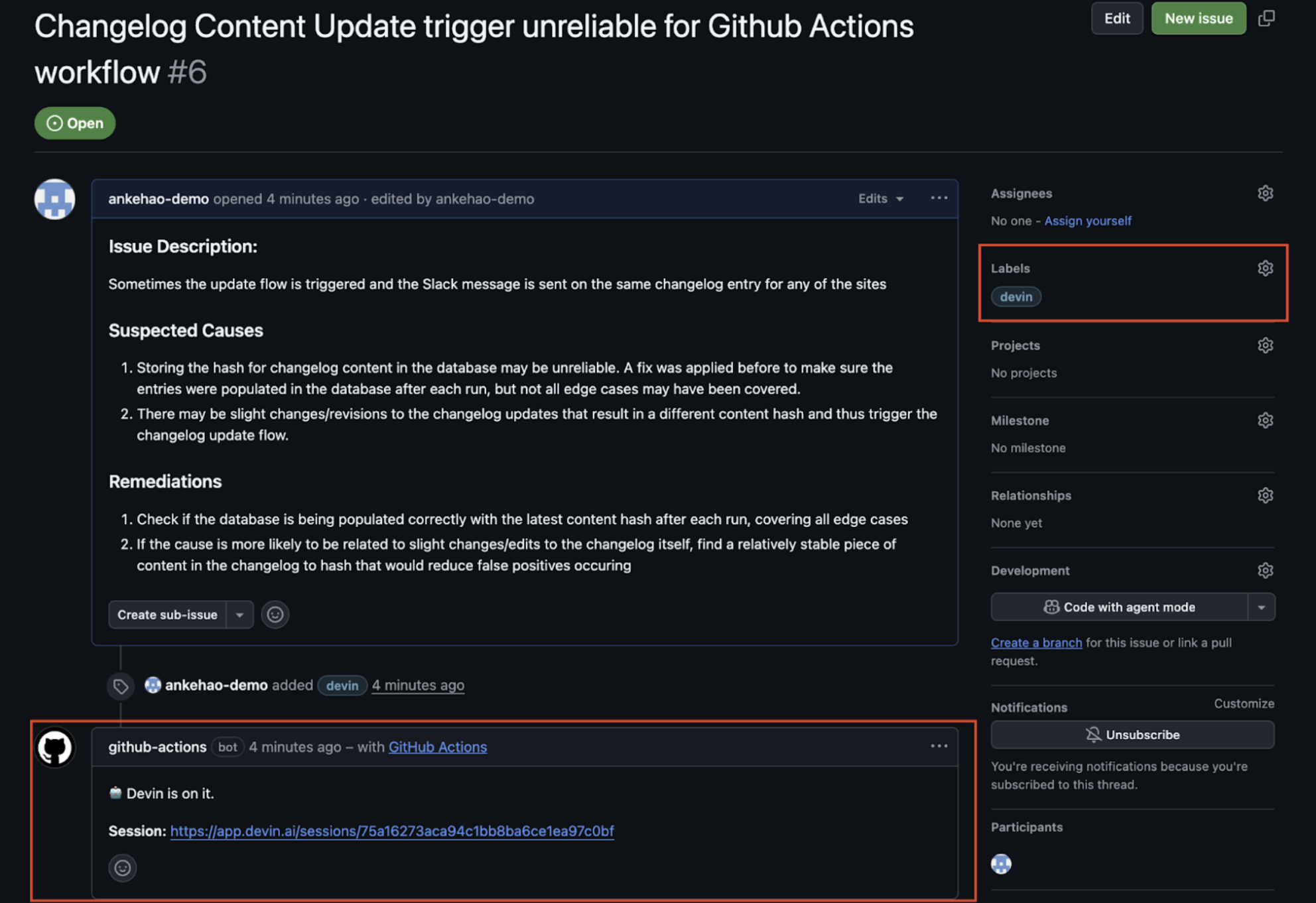
1. Fügen Sie einem Issue das Label **`devin`** hinzu
2. Der GitHub-Actions-Workflow wird gestartet und es wird ein automatischer Kommentar unter dem Issue mit einem Link zur neuen Devin-Session erstellt
3. Die Devin-Session wird automatisch gestartet
### Jira- und Linear-Integrationen
Devin bietet direkte Integrationen mit Jira und Linear, um Sie bei der Verwaltung Ihres Issue-Backlogs zu unterstützen. Sie können Devin auf beiden Plattformen Tickets zuweisen, die dann automatisch in PRs umgewandelt werden.
Detaillierte Anweisungen zur Einrichtung und zu Konfigurationsoptionen finden Sie im [Jira Integration Guide](/de/integrations/jira) und im [Linear Integration Guide](/de/integrations/linear).
 2. Der GitHub-Actions-Workflow wird gestartet und es wird ein automatischer Kommentar unter dem Issue mit einem Link zur neuen Devin-Session erstellt
3. Die Devin-Session wird automatisch gestartet
2. Der GitHub-Actions-Workflow wird gestartet und es wird ein automatischer Kommentar unter dem Issue mit einem Link zur neuen Devin-Session erstellt
3. Die Devin-Session wird automatisch gestartet